
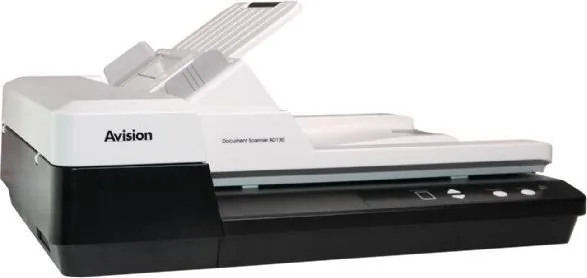
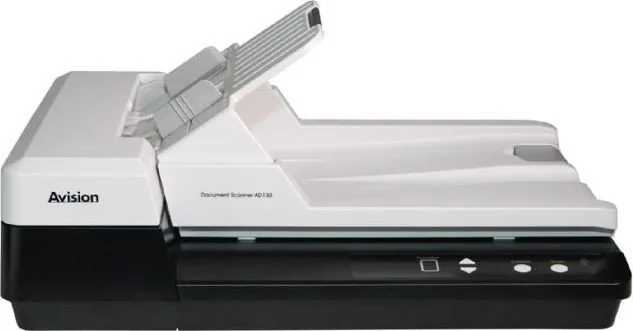
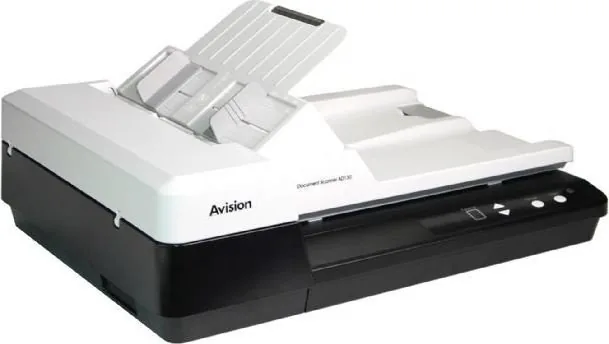
Avision AD130 Manual
PDF manual · 126 Pages
English



Quick check
Incorrect answer, please try again.
Chat with your Avision AD130 manual using AI
Get instant AI answers from your Avision AD130 manual
Ask anything about the Avision AD130. Answers come from this manual, with the pages they are based on.
AD130 Maintenance Schedule
After approximately 30,000 pages, the feed pad may fail causing paper feeding issues. Replace with a new module.
After scanning about 200,000 pages, the pickup roller may be worn out causing document feeding problems. Replace with a new roller.
Use a clean lint-free cloth soaked in 95% isopropanol to wipe the glass surface when dirty or for troubleshooting.
Wipe the upper feed roller, separation pad, and lower feed rollers with a soft lint-free cloth dampened with 95% isopropanol if irregularities occur or multiple sheets are fed at once.
Ask a Question
Do you recommend AD130?
Yes No
Nils Weber
9 months ago
Is the scanner really fast in duplex, and will a higher resolution make it noticeably slower? Also, how easy is it to clear a paper jam without tools?

Manual.ly
9 months ago
Yes, duplex scanning is fast for normal documents. Many users report around 1-2 pages per second (depending on document type) with color, grayscale, or black-and-white scanning. Higher resolution will reduce speed, but the device remains responsive even at better quality. Paper jams are designed to be quick and tool-free to fix: users typically can remove the jam promptly without additional tools. Once the software and profiles are set up, scanning is straightforward and reliable, with profiles that can be triggered quickly from the device.
Frequently Asked Questions
It is best used for office scanning, document archiving, and everyday paper handling. It works well for mixed workloads where you need both fast batch scanning and careful flatbed capture for fragile items.
Is this answer helpful?
Yes. It supports color, grayscale, and black-and-white modes. That makes it useful for both simple text storage and higher-quality image capture when detail matters.
Is this answer helpful?
Yes. The feeder is designed for multi-page scanning, so you can process stacks of documents efficiently. This is ideal for invoices, forms, and other office paperwork.
Is this answer helpful?
Yes. It includes settings like color dropout, background processing, blank-page removal, and image adjustment tools that can improve OCR accuracy and make text clearer.
Is this answer helpful?
It supports TWAIN, ISIS, and WIA drivers. That gives you broad compatibility with common scanning and imaging applications on Windows systems.
Is this answer helpful?
Yes. Like most document scanners, it benefits from cleaning the glass and feeder parts regularly. This helps prevent streaks, paper jams, and uneven feeding over time.
Is this answer helpful?
Advantages and Disadvantages
Advantages

- Up to 600 dpi scanning helps capture crisp text and fine details for archives and OCR.
- ADF and flatbed support make it easier to scan both stacks and delicate originals.
- TWAIN, ISIS, and WIA compatibility improves software flexibility in Windows workflows.
- Helpful tools like profiles, auto-crop, and blank-page removal speed up repeated jobs.
Disadvantages

- The many image settings can feel overwhelming for users who want very simple scanning.
- Some features depend on the exact model or scan source, so not every option is always available.
- High-resolution or long-page scanning may take more time and use more system memory.
- Feeding performance depends on regular cleaning and roller maintenance over time.
Product Specification
Type
Flatbed scanner (CIS)
Resolution
1200x1200dpi
Speed
30/30 ppm (B/W/Color)
Paper/Film format
A4
Paper/Film feeder
50 sheets DADF, Duplex unit
Memory
64MB (RAM)
Connections
1x USB 2.0
Wireless
N/A
Display
monochrome
Software
OCR software (PaperPort 14)
Power consumption
16W (typical), 7W (standby), 2.9W (sleep)
Dimensions
17.83x9.33x12.76in
Weight
9.48lb
Special features
LED lighting
Manufacturer warranty
1 year
Product Description
Avision AD130 Manual: Practical Scanning Power for Everyday Work
The Avision AD130 is a smart fit for users who need dependable document scanning without unnecessary complexity. Based on the Avision AD130 Manual, this scanner is built for office teams, remote workers, and anyone managing paper-heavy tasks that demand speed, consistency, and clean image output. Its design balances useful hardware features with software controls that make scanning feel organized rather than frustrating.
One of the most appealing parts of the AD130 is its flexibility. It can handle everyday stacks of paper through the feeder, while also supporting flatbed-style scanning for fragile pages, receipts, or documents that need extra care. That makes it useful in real-world settings where not everything is crisp, square, or easy to feed. The scanner is also designed for a range of paper sizes and weights, so it can adapt to common business forms, letters, and mixed document batches.
Image quality is another strength. With support for color, grayscale, and black-and-white scanning, the AD130 can serve both simple storage needs and more detailed capture jobs. A resolution of up to 600 dpi helps preserve fine text and small details, while image settings like brightness, contrast, threshold, rotation, and color dropout give users more control over the final result. For OCR and searchable archives, these adjustments can make a real difference.
The Avision AD130 Manual also highlights workflow tools that help save time. TWAIN, ISIS, and WIA support make the scanner easier to connect with common software environments, while Button Manager V2 offers one-touch scanning shortcuts for recurring tasks. Features such as profile saving, blank page removal, multi-feed detection, and auto-cropping are especially helpful when you scan similar documents every day and want more automation with less manual cleanup.
In practice, the AD130 feels like a scanner made for reliability and repeat use. It is not only about digitizing pages; it is about making document handling smoother, cleaner, and more predictable. If you want a scanner that can move between routine office batches and more delicate originals, the AD130 stands out as a practical choice.
Notes
- Best suited for mixed scanning jobs with both standard and delicate originals.
- Advanced image options help improve OCR and final scan quality.
- Regular cleaning helps maintain feeding accuracy and consistent results.
Search for 67,706 Manuals online


Type-in Brand or Model
Mara Keller
9 months ago
How hard is the initial setup, and how fast is double-sided scanning at higher resolutions? Also, is it easy to clear paper jams without tools?
Manual.ly
9 months ago
Setup is straightforward: the software is clear and easy to use, but some configuration takes a bit of time at the start. After that, it works very reliably and you can scan with just a few button presses, including using up to 9 saved profiles. Double-sided (real duplex) scanning is fast, especially for normal-quality documents: about 1-2 pages per second in color, grayscale, or black-and-white (depending on settings). If you choose higher resolutions, scans get slower, but performance remains solid thanks to the fast LED and duplex mode. Paper jams can be fixed quickly and tool-free.