
Avision AD120 Manual
PDF manual · 123 Pages
English



Quick check
Incorrect answer, please try again.
Chat with your Avision AD120 manual using AI
Get instant AI answers from your Avision AD120 manual
Ask anything about the Avision AD120. Answers come from this manual, with the pages they are based on.
AD120 Maintenance Schedule
After scanning approximately 20,000 pages through the ADF, the pad spring may be worn out. Replace the pad module with a new one to ensure proper document feeding.
Wet a soft lint-free cloth with isopropyl alcohol (95%) and gently wipe the surface of the flatbed glass when it becomes contaminated.
Soak a clean cloth with isopropyl alcohol (95%) and wipe the Reverse roller and Feeding Rollers if they are contaminated with ink, toner particles, or paper dust.
Ask a Question
Do you recommend AD120?
Yes NoFrequently Asked Questions
The Avision AD120 supports documents up to 8.5 x 14 inches (216 x 356 mm). This covers most standard office paper sizes including Letter, Legal, and A4.
Is this answer helpful?
Open the front cover of the Automatic Document Feeder. Gently pull out the stuck paper without tearing it. Close the cover once the paper is removed. If jams persist, clean the rollers.
Is this answer helpful?
Yes, the software includes a feature to remove blank pages. You can set a threshold based on image size to identify and skip empty pages during the scanning process.
Is this answer helpful?
The provided documentation primarily focuses on Microsoft Windows 7, 8, and 10. For other operating systems, please check the manufacturer's website for specific driver availability and support.
Is this answer helpful?
Simplex scanning captures one side of a document at a time. Duplex scanning captures both sides simultaneously in a single pass, effectively doubling the scanning speed for double-sided documents.
Is this answer helpful?
Rollers typically last for about 30,000 scans. If you experience frequent misfeeds or jams, it may be time to replace them. Reset the roller counter after installation via the software.
Is this answer helpful?
Advantages and Disadvantages
Advantages

- Dual-sided scanning in a single pass saves time
- Large 35-page ADF capacity reduces manual feeding
- Advanced software includes OCR and batch processing tools
- Supports multiple document sizes from business cards to legal size
- Intuitive LCD panel and physical buttons for easy operation
Disadvantages

- Requires specific power adapter to avoid warranty voiding
- High resolution modes may disable some auto-crop features
- Regular cleaning of rollers is necessary to prevent jams
- Large footprint may require significant desk space
- Complex initial setup for advanced software features
Product Specification
Type
Document Scanner (CIS)
Resolution
600x600 dpi
Speed
25/25 spm (B/W/Color)
Paper/Film Format
A4
Paper/Film Feeder
50-sheet DADF, Duplex Unit
Memory
64MB (RAM)
Connections
1x USB 3.0
Software
OCR Software (PaperPort 14)
Power Consumption
10W (typical), 5W (standby), 2.9W (sleep)
Dimensions
15.83x4.41x12.99 in
Weight
5.95 lbs
Features
LED Lighting
Product Description
Avision AD120: Streamlining Your Document Workflow
The Avision AD120 represents a significant leap forward in document management, designed to handle the demands of modern offices with ease. This high-performance scanner combines speed, reliability, and advanced software features to ensure your paperwork is digitized efficiently. Whether you are scanning a single page or processing hundreds of documents daily, the Avision AD120 delivers consistent results that meet professional standards.
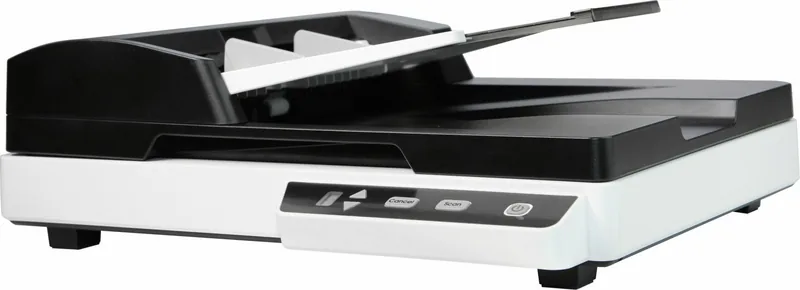
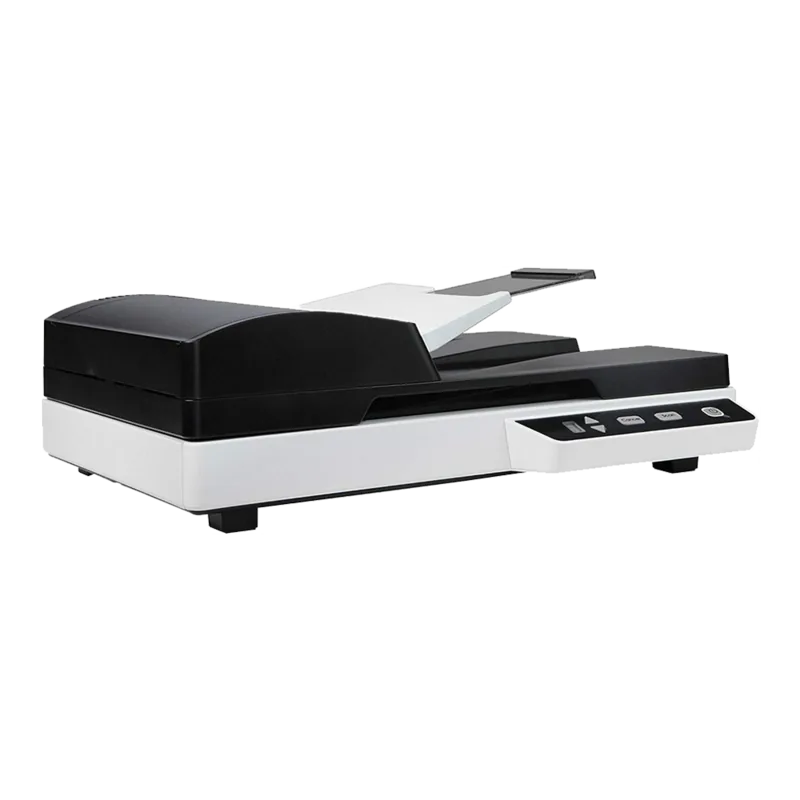
At the heart of this device is its dual-sided scanning capability, which allows for rapid processing of double-sided documents in a single pass. The Automatic Document Feeder (ADF) holds up to 35 pages, significantly reducing the need for manual intervention. Users can easily adjust the paper guides to accommodate various document sizes, from standard business cards to large legal-sized sheets. The interface includes an intuitive LCD display and dedicated buttons for power, scan, and cancel operations, making it accessible even for those new to scanning technology.
Software integration is seamless, thanks to the included drivers and utilities. The Avision Capture Tool provides a user-friendly environment for configuring scan settings, managing file formats, and organizing digital archives. Advanced features like automatic color detection, background removal, and multi-feed protection ensure that every scan is clear and accurate. The ability to create custom profiles allows users to save their preferred settings for quick access during repetitive tasks.
Safety and durability are paramount in the design of the Avision AD120. It complies with international regulations including FCC Class B and EU directives for low voltage and electromagnetic compatibility. The unit requires specific power adapters to prevent damage, emphasizing the importance of using only provided accessories. Proper maintenance involves regular cleaning of the glass platen and feed rollers to prevent paper jams and maintain image quality.
For businesses looking to optimize their workflow, the Avision AD120 offers a robust solution. Its compatibility with Windows operating systems and support for multiple driver interfaces like TWAIN, ISIS, and WIA make it versatile for various applications. From simple text archiving to complex photo restoration, this scanner adapts to your needs. By integrating features like barcode detection and patch code recognition, it also supports automated document sorting, further enhancing productivity.
In conclusion, the Avision AD120 is more than just a scanner; it is a comprehensive tool for digital transformation. With its blend of hardware reliability and sophisticated software capabilities, it stands out as an essential asset for any organization seeking to modernize its document handling processes.
Search for 67,706 Manuals online


Type-in Brand or Model