
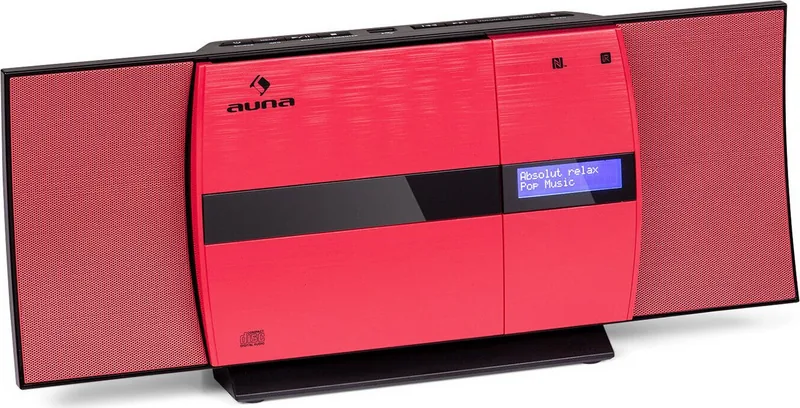
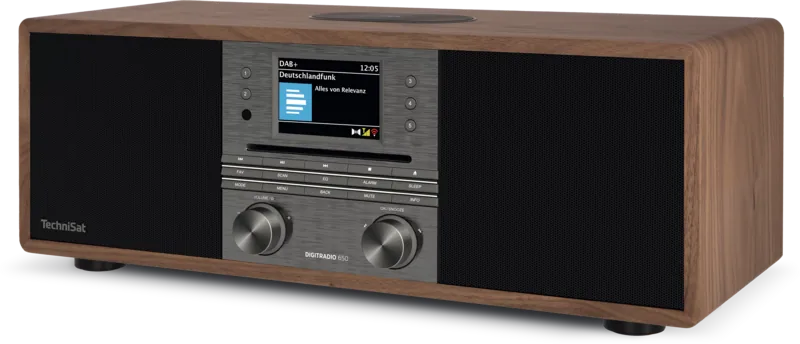
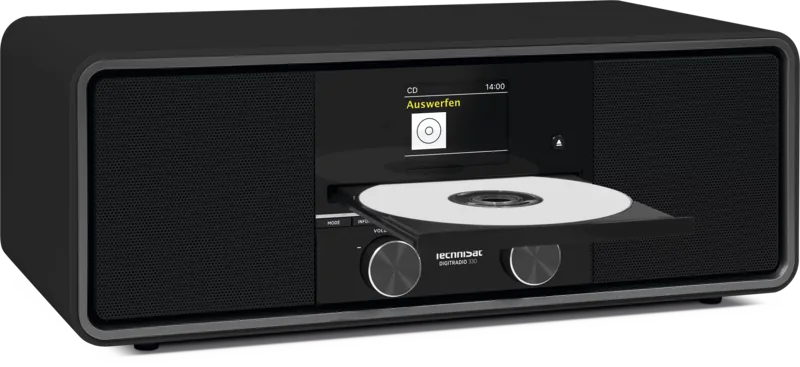
Auna V-20 DAB Manual
PDF manual · 92 Pages
English



Quick check
Incorrect answer, please try again.
Chat with your Auna V-20 DAB manual using AI
Get instant AI answers from your Auna V-20 DAB manual
Ask anything about the Auna V-20 DAB. Answers come from this manual, with the pages they are based on.
Ask a Question
Do you recommend V-20 DAB?
Yes NoFrequently Asked Questions
It supports CD, MP3 CDs, USB flash drives with MP3 files, and Bluetooth streaming. USB must be FAT 16 or 32 formatted.
Is this answer helpful?
No, the Bluetooth function is for audio streaming only and does not support hands-free operation.
Is this answer helpful?
Press Menu, select System, choose System Reset, and confirm. This deletes all saved stations and settings.
Is this answer helpful?
Yes, the stand is detachable and there are hooks on the rear for wall mounting.
Is this answer helpful?
Yes, use the AUX input on the rear with a 3.5mm cable and select AUX mode.
Is this answer helpful?
The display illuminates for ten seconds after pressing the light button when in standby.
Is this answer helpful?
The system can recognize up to 999 files across 99 folders.
Is this answer helpful?
Advantages and Disadvantages
Advantages

- Supports multiple media formats including CD, USB, and Bluetooth streams for versatile playback.
- Features DAB and FM radio with automatic scanning and station storage capabilities.
- Includes a detachable stand and wall-mounting hooks for flexible installation options.
- Remote control offers sleep timer and EQ presets for customized listening sessions.
- NFC pairing simplifies Bluetooth connection for compatible smartphones.
Disadvantages

- Bluetooth functionality does not support hands-free telephone calls.
- USB port cannot connect directly to a personal computer.
- Speaker power is limited to ten watts per speaker output.
- Maximum folder limit is ninety-nine on connected storage media.
Product Specification
Includes
CD Player, Tuner, Built-in Speakers, All-in-One Device
Power
2x 5W RMS
Frequency Range
20Hz-20kHz
Tuner
FM, DAB, DAB+
Audio Formats
CD Audio, CD-R/RW, MP3
Audio Connections
AUX In (3.5mm Jack)
Additional Connections
USB-A 2.0
Wireless
Bluetooth 2.1, NFC
Product Dimensions
17.91 x 7.68 x 4.13 in (WxHxD)
Weight
4.19 lbs
Product Description
Auna V-20 DAB Stereo Review
Welcome to this comprehensive guide about the Auna V-20 DAB Stereo System. If you are searching for information similar to the Auna V-20 DAB Manual, these details cover the essential features and usage details. This stereo system offers a blend of digital and analog inputs for modern and classic music playback. It includes a CD player mechanism that automatically reads discs inserted face up. Users can enjoy MP3 audio files stored on discs as well. A dedicated USB port on the top panel supports flash drives formatted with FAT16 or FAT32. The system recognizes up to nine hundred ninety-nine tracks across ninety-nine folders.
Radio reception is robust with both FM and DAB band support. The tuner performs a full scan upon first activation and saves stations alphanumerically. You can manually search frequencies in small steps if needed. The DAB receiver displays signal strength and program type information on the front display. Dynamic Range Control options allow tweaking audio levels per broadcast preference. For wired external sources, the rear AUX input accepts a 3.5mm cable. This ensures older devices work alongside new streaming options.
Wireless audio streaming is available via Bluetooth technology. You can pair smartphones or tablets to play music directly. NFC pairing simplifies the process for compatible phones by touching the logo. However, this model does not function as a hands-free car kit for calls. Sound quality is managed by two three-inch speakers rated at ten watts. Bass enhancement adds depth while equalizer presets shape tonal balance. A light button illuminates the display for ten seconds in low light conditions.
The physical design includes a detachable stand for table placement. Rear hooks allow secure wall mounting if space permits. Power supply requires standard household current of 230 volts. Consumption is efficient at twenty-seven watts maximum. Safety warnings advise unplugging during lightning storms. Never insert objects into the casing to avoid electric shock. Maintenance should only be done by qualified professionals. The remote control manages all major functions including source switching. You can set a sleep timer to shut the device after listening sessions. Factory resetting clears all presets if issues occur. Proper disposal follows local electronic waste regulations.
This versatile unit provides a solid audio foundation for home use with reliable connectivity options. The remote control is essential for navigating menus without physical buttons. Source selection cycles through CD, DAB, FM, AUX, USB, and BT modes individually. Volume adjustment uses dedicated buttons on both the unit and remote. Mute functionality silences output instantly with a single press. Track skipping and folder navigation are intuitive for CD and USB sources. Intro mode plays the first ten seconds of every track. Random play shuffles tracks for varied listening experiences. Sleep mode offers intervals ranging from ninety minutes down to zero. The power cable must remain easily accessible for emergency cuts. Batteries in the remote require correct polarity alignment. Always remove batteries before discarding to prevent leaks.
Search for 67,732 Manuals online


Type-in Brand or Model