
Auna Peggy Sue Manual
PDF manual · 27 Pages
English



Quick check
Incorrect answer, please try again.
Chat with your Auna Peggy Sue manual using AI
Get instant AI answers from your Auna Peggy Sue manual
Ask anything about the Auna Peggy Sue. Answers come from this manual, with the pages they are based on.
Peggy Sue Maintenance Schedule
Use the provided protective cap when the record player is not in use to protect the needle.
Wipe the device only with a dry cloth. Do not use volatile liquids or detergents.
Ask a Question
Do you recommend Peggy Sue?
Yes NoDo you recommend Peggy Sue?
Yes NoFrequently Asked Questions
It is best suited for casual vinyl listening, small spaces, and users who want a simple turntable with built-in speakers and easy connectivity. It also works well for digitizing records through USB.
Is this answer helpful?
Yes. It plays 33, 45, and 78 RPM records, which means it can handle most common vinyl formats, including singles that need the included 45 RPM adapter.
Is this answer helpful?
Yes. The rear RCA output lets you connect the turntable to an external amplifier or home stereo system for fuller sound than the built-in speakers provide.
Is this answer helpful?
Yes. You can connect the turntable to a computer using USB and record audio with the included Audacity software, making it possible to save LPs as digital tracks.
Is this answer helpful?
Yes. When auto-stop is switched on, playback stops automatically at the end of a record. If it is off, the platter keeps spinning until you lift the tonearm.
Is this answer helpful?
Use the stylus cover when not in use, clean the surface with a dry cloth, avoid moisture and heat, and keep the original packaging if you ever need to move the unit safely.
Is this answer helpful?
Advantages and Disadvantages
Advantages

- Built-in stereo speakers make it ready to play without extra audio gear.
- Supports 33, 45, and 78 RPM records for broad vinyl compatibility.
- USB output and Audacity support make record digitization simple.
- Compact and lightweight design is easy to place and move.
Disadvantages

- Integrated speakers are convenient, but not a substitute for larger hi-fi speakers.
- Basic design is better for casual listening than critical audiophile use.
- Manual stylus handling requires care during setup and replacement.
- Limited size and simplicity may reduce advanced control options.
Product Specification
Drive type
Belt
Tonearm
straight
Additional connections
USB
Dimensions
13.98x4.53x10.83in (WxHxD)
Weight
5.51 lb
Product Description
Auna Peggy Sue: What the Auna Peggy Sue Manual Reveals About a Compact Retro Turntable
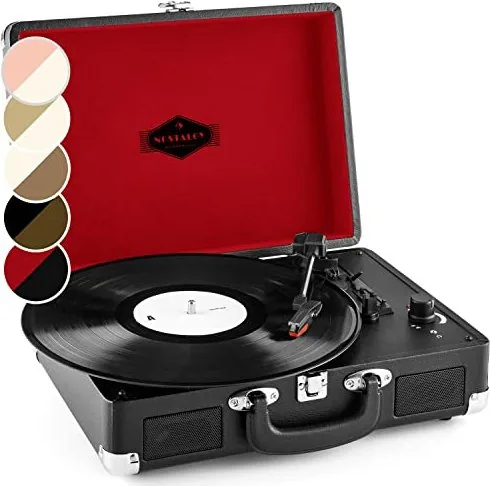
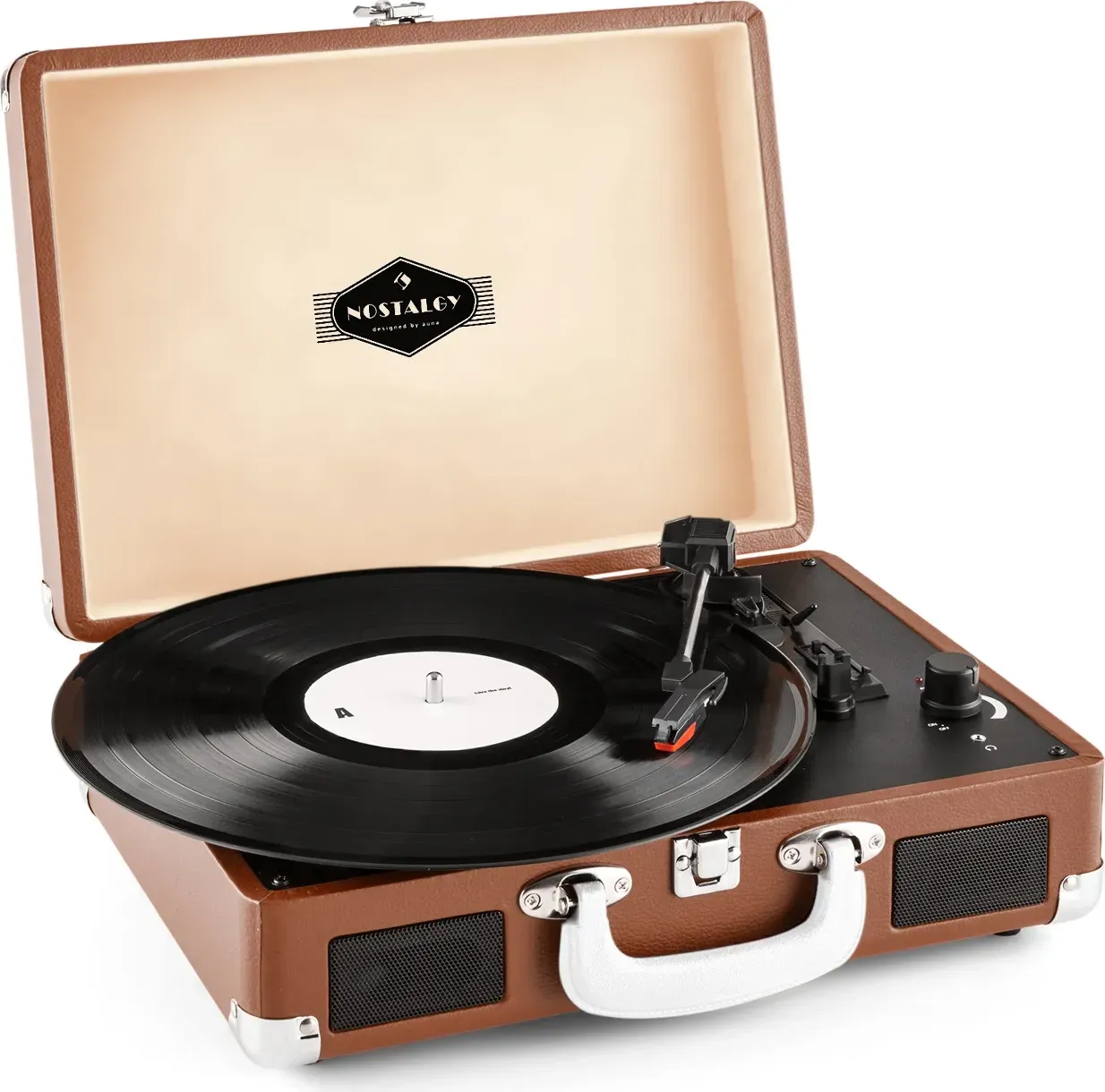
The Auna Peggy Sue is a charming belt-drive turntable built for listeners who want a simple, portable way to enjoy vinyl without losing the nostalgic feel of a classic record player. According to the Auna Peggy Sue Manual, the device is designed to be easy to set up, easy to use, and flexible enough for both casual listening and basic home hi-fi integration.
What stands out immediately is its compact size and lightweight build. At around 2.5 kg, it is far easier to move than many traditional turntables, making it a good choice for smaller rooms, shelves, or occasional transport. The built-in stereo speakers add to that convenience, allowing music playback without extra equipment. For private listening, there is also a headphone connection, which makes the player useful in quiet spaces or shared environments.
The Peggy Sue supports 33, 45, and 78 RPM records, so it can handle a broad range of vinyl collections. A 45 RPM adapter is included for single records, and the auto-stop function helps protect your records and stylus by stopping playback when the album ends. This makes the turntable feel friendly to beginners while still appealing to vinyl fans who value straightforward operation.
Connection options are another strong point. In addition to the internal speakers, the turntable offers RCA output for linking to external amplifiers or stereo systems, plus an AUX input for external players. The USB connection adds another layer of value, allowing users to connect the unit to a computer and digitize records with the included Audacity software. For anyone looking to preserve favorite LPs in a digital format, this is a practical bonus.
The overall experience is about balance: vintage styling on the outside, modern functionality underneath. It is not trying to be a high-end audiophile deck, but rather a versatile everyday turntable with retro personality and useful extras. If you want an approachable record player that can play, connect, and convert vinyl with minimal fuss, the Peggy Sue fits that role well.
Notes
- Keep the stylus covered when not in use.
- Use only a dry cloth for cleaning.
- Store the original packaging for safe transport.
- For 45 RPM singles, remember to use the puck adapter.
Search for 67,732 Manuals online


Type-in Brand or Model