
Auna MIC-900 Manual
PDF manual · 9 Pages
English



Quick check
Incorrect answer, please try again.
Chat with your Auna MIC-900 manual using AI
Get instant AI answers from your Auna MIC-900 manual
Ask anything about the Auna MIC-900. Answers come from this manual, with the pages they are based on.
Ask a Question
Do you recommend MIC-900?
Yes NoFrequently Asked Questions
It is a USB condenser microphone with a cardioid pickup pattern. That means it is designed to capture sound mainly from the front, which helps improve vocal focus and reduce side noise.
Is this answer helpful?
Yes. You connect it to a free USB port, and the operating system installs the needed drivers automatically. Then you select it as the input source in your recording software and adjust the recording level.
Is this answer helpful?
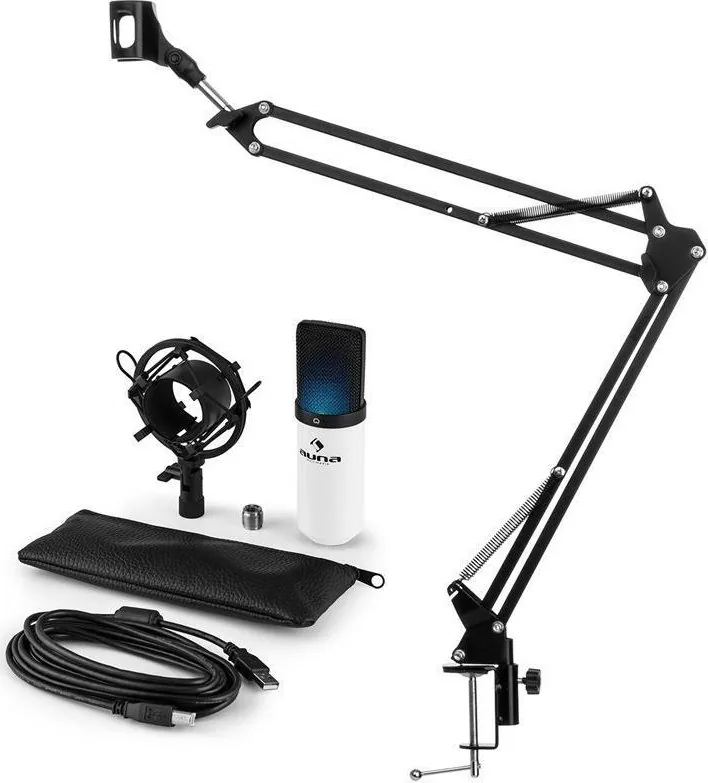
The package includes the microphone itself, a shockmount, a 3/8 inch to 5/8 inch adapter, a protective pouch, and a USB cable. These extras help make it ready for basic studio use right away.
Is this answer helpful?
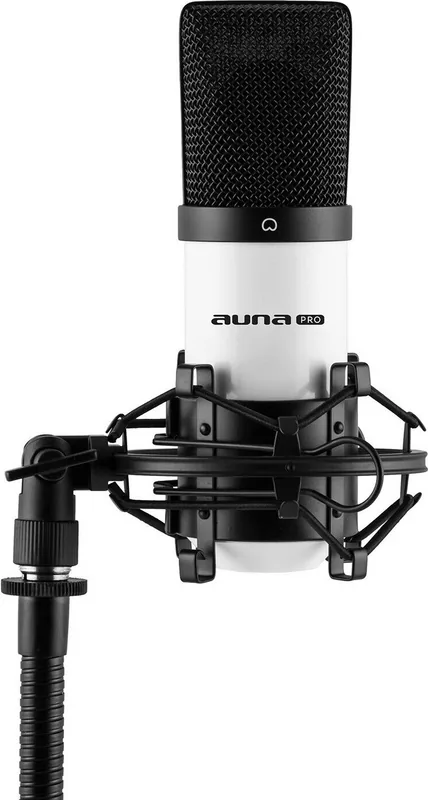
You should face the front side of the microphone, where the logo is printed. Proper orientation helps the cardioid pattern work correctly and gives you the cleanest, most natural sound.
Is this answer helpful?
Not necessarily. The guidance suggests starting with microphone placement, distance, and angle first. Because the mic is described as clear and linear, heavy EQ is often unnecessary at the beginning.
Is this answer helpful?
The text lists a USB 2.0 connection, at least 512 MB of RAM, and support for older Windows or Mac systems. It is meant to work through a standard USB connection with compatible software.
Is this answer helpful?
Advantages and Disadvantages
Advantages

- Easy USB setup with automatic driver installation and no extra audio interface needed.
- Cardioid pickup helps focus on the voice and reduce unwanted side noise.
- Includes useful accessories such as a shockmount, adapter, pouch, and USB cable.
- Good for voice, streaming, and home recording thanks to its clear, detailed sound.
Disadvantages

- Best sound depends on careful placement, so it may take time to dial in.
- No built-in controls like mute or gain knobs are mentioned in the text.
- Requires a compatible USB 2.0 computer setup and older OS support.
- Threads and mount parts need gentle handling to avoid wear or damage.
Product Specification
Type
Vocal microphone
Transducer type
Condenser
Polar pattern
Cardioid
Connection
USB
Frequency range
30 Hz-18 kHz
Max. SPL
136 dB
Signal-to-noise ratio (SNR)
68 dB
Power supply
USB
Included in delivery
Microphone shock mount
Dimensions
1.97x1.97x6.50 in
Weight
0.65 lb
Product Description
Auna MIC-900: Clean USB Recording with a Simple Setup
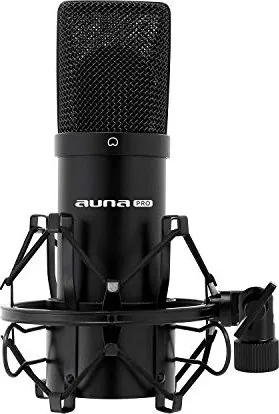
If you are looking for the Auna MIC-900 Manual to understand how this microphone behaves in practice, the big takeaway is simple: the MIC-900 is built for clear, focused recording without a complicated setup. As a USB condenser microphone with a cardioid pickup pattern, it is designed to capture voices and instruments from the front while reducing unwanted sound from the sides. That makes it a strong choice for podcasts, voice-overs, streaming, and home studio work.
One of the most appealing parts of the Auna MIC-900 is its plug-and-play convenience. Connect it to a computer through USB Type-B, let the operating system install the drivers automatically, and then choose it as your input source in recording software. The process is friendly for beginners, yet the microphone still offers enough detail for users who want to work more carefully with mic placement, distance, and angle. In many cases, the best results come from positioning the microphone well before applying any processing.
The technical range is also worth noting. With a frequency response of 30 Hz to 18 kHz and a sensitivity of -32 dB, the MIC-900 aims to deliver a balanced capture with good clarity in speech and vocals. The included shockmount helps reduce handling noise, while the adapter supports both European and American microphone stands. A protective pouch and a roughly 3-meter cable round out a package that feels ready for everyday studio use.
What stands out in daily use
The Auna MIC-900 Manual encourages a practical workflow: start with the natural sound, test different positions, and only then add EQ or signal processing if needed. That advice fits the microphone well, because its clean and direct character can already provide a polished result for many users. Speaking into the front side, marked by the logo, is important for getting the intended tone.
This microphone also suits users who want a tidy desktop setup. It draws power through USB, does not require a separate interface for basic operation, and remains light enough to move between recording spaces. For creators building a simple but capable recording chain, the MIC-900 offers a balanced mix of convenience, clarity, and included accessories.
Notes
- Use the included cable for the most reliable connection.
- Try different distances and angles before changing EQ.
- Handle the threads and adapter carefully to avoid damage.
- Store the mic in its pouch when not in use.
Search for 67,732 Manuals online


Type-in Brand or Model