

Auna Jerry Lee Manual
PDF manual · 11 Pages
English



Quick check
Incorrect answer, please try again.
Chat with your Auna Jerry Lee manual using AI
Get instant AI answers from your Auna Jerry Lee manual
Ask anything about the Auna Jerry Lee. Answers come from this manual, with the pages they are based on.
Jerry Lee Maintenance Schedule
Place the protective cap on the stylus and close the tone arm lock after finishing playback.
Wipe the device only with a dry cloth. Do not use volatile liquids or cleaning agents.
Ask a Question
Do you recommend Jerry Lee?
Yes NoFrequently Asked Questions
It supports 33 1/3, 45, and 78 rpm records. That means it can play standard albums, singles, and many older shellac-style records, as long as they match the correct speed and format.
Is this answer helpful?
Yes. The rear RCA outputs can be connected to an AUX input on a home stereo, mixer, or amplifier using a suitable RCA cable. This is a good option if you want stronger sound than the built-in speaker provides.
Is this answer helpful?
Yes. You can use the USB output to connect the player to a computer and record your vinyl with software such as Audacity. This makes it easy to save albums or individual tracks in digital form.
Is this answer helpful?
If auto-stop is switched on, the turntable stops automatically when a record reaches the end. If it is switched off, the platter keeps spinning until the tonearm is returned to its rest.
Is this answer helpful?
Yes. Its controls are simple, the volume knob also acts as the power switch, and the tonearm operation is straightforward. It is designed to be easy to set up and use without much learning.
Is this answer helpful?
Use a dry cloth or microfiber cloth only, and avoid liquids or harsh cleaners. Keep the unit dry, avoid direct sunlight and heat, and use the dust cover and stylus cap when it is not in use.
Is this answer helpful?
Advantages and Disadvantages
Advantages

- Supports 33 1/3, 45, and 78 rpm records for broad vinyl compatibility.
- Built-in speaker and simple controls make it easy to use right away.
- USB and RCA outputs add flexibility for stereo playback and digitizing.
- Auto-stop and stylus protection improve convenience and everyday handling.
Disadvantages

- Built-in sound is convenient, but may not satisfy users wanting hi-fi audio.
- The unit requires careful handling and basic maintenance to stay in good shape.
- Digitizing records depends on external software, which adds an extra setup step.
- It offers simple playback features rather than advanced audio customization.
Product Specification
Drive type
Belt
Speeds
33rpm, 45rpm, 78rpm
Tonearm
straight
Audio connectors
Stereo Line Out (RCA)
Additional connectors
USB
Special features
integrated speaker, case
Dimensions
13.98x4.53x10.83in (WxHxD)
Weight
5.51 lb
Product Description
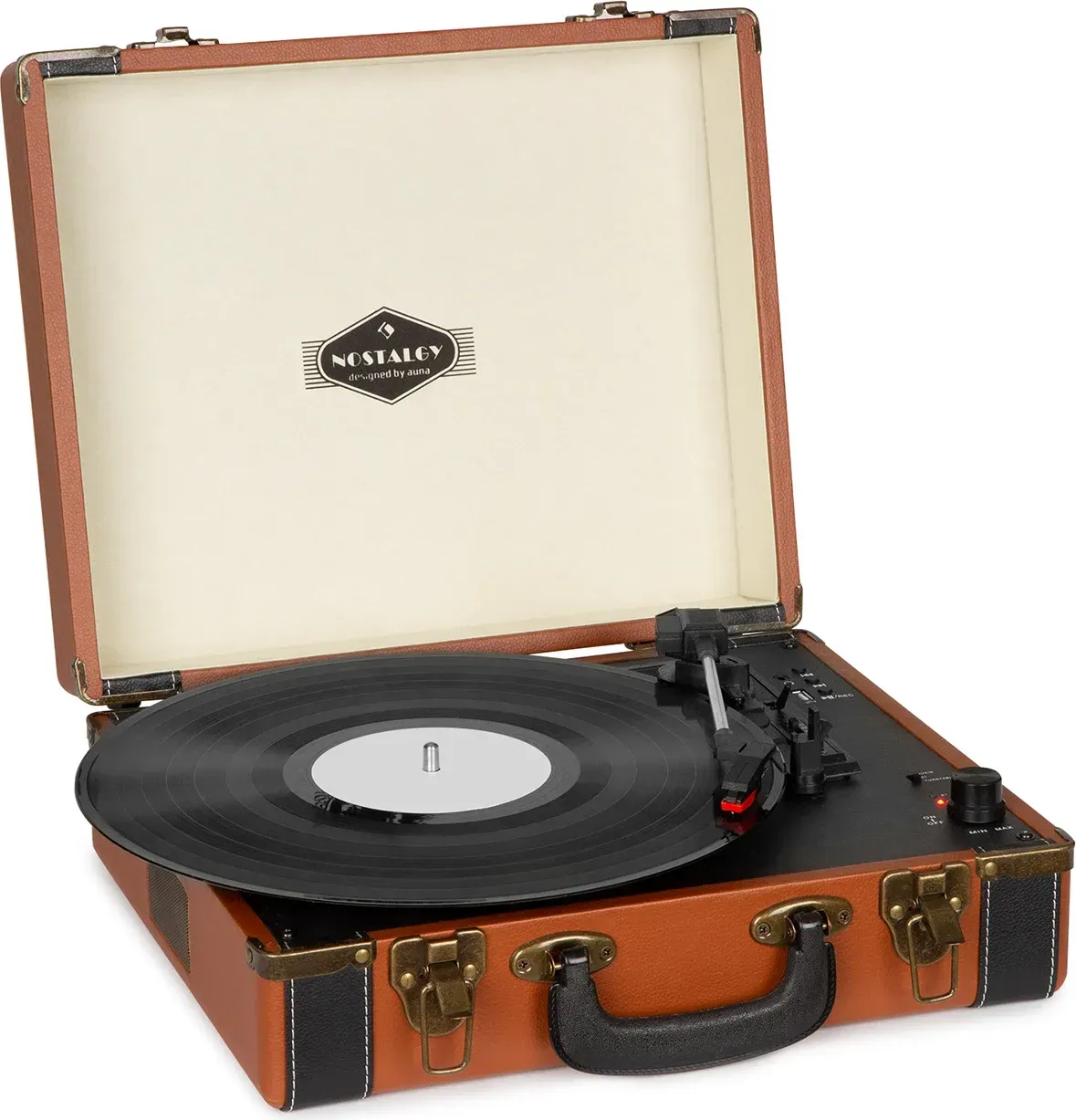
Auna Jerry Lee: Retro Vinyl Playback with Modern Convenience
The Auna Jerry Lee is a compact retro-style turntable designed for listeners who want the warm feel of vinyl without a complicated setup. The Auna Jerry Lee Manual presents the player as a simple, approachable device that combines nostalgic design with everyday practicality. It is well suited to casual music fans, first-time vinyl owners, and anyone who wants a lightweight player for home use.
One of its main strengths is versatility. The turntable supports 33 1/3, 45, and 78 rpm records, making it compatible with a wide range of collections. A 45 rpm adapter is included for smaller singles, while the tonearm lift and auto-stop feature make playback feel smooth and user-friendly. The rotary volume control also doubles as the power switch, keeping operation straightforward and uncluttered.
The Jerry Lee is more than just a simple record player. It offers rear RCA outputs for connection to a stereo system, which is useful if you want a fuller sound than the built-in speaker can provide. It also includes a USB output for digitizing LPs on a computer, turning classic records into digital files with software such as Audacity. That makes it a practical bridge between analog listening and modern music storage.
Another appealing detail is its everyday convenience. The built-in speaker allows immediate listening without extra equipment, and the protective dust cover and stylus cap help support safe storage when the player is not in use. The design is compact, making it easy to place on a desk, shelf, or side table without taking up much space.
The manual also highlights careful handling and maintenance. Keeping the unit dry, well ventilated, and away from heat sources helps preserve performance over time. While it is not built for advanced audiophile customization, it offers a friendly balance of style, simplicity, and useful features for enjoying vinyl at home.
Notes
- Clean the surface with a dry cloth only.
- Keep the player ventilated and away from moisture or direct heat.
- Use the included cap to protect the stylus when finished.
- Check the speed setting before placing a record on the platter.
Search for 67,732 Manuals online


Type-in Brand or Model