
Auna Harvard Manual
PDF manual · 140 Pages
English



Quick check
Incorrect answer, please try again.
Chat with your Auna Harvard manual using AI
Get instant AI answers from your Auna Harvard manual
Ask anything about the Auna Harvard. Answers come from this manual, with the pages they are based on.
Harvard Maintenance Schedule
Clean the device using a damp (never wet) cloth. Do not use solvents or detergents.
If drop-outs occur or the CD fails to play, wipe fingerprints and dust from the bottom surface with a soft cloth, moving from center to edge.
Replace the CR2025 3V lithium battery in the remote control if operation becomes intermittent or unsatisfactory.
Ask a Question
Do you recommend Harvard?
Yes NoFrequently Asked Questions
Select function button, chose BT mode. Search Harvard on phone. Enter 0000 password if prompted.
Is this answer helpful?
Yes, via USB stick or CD-R.
Is this answer helpful?
Open CD tray, hold stop button until text appears.
Is this answer helpful?
MP3 format only up to 32GB.
Is this answer helpful?
Yes, via front USB port (1A max).
Is this answer helpful?
Use clock button when in standby mode.
Is this answer helpful?
Yes, compatible with CD, CD-R, and CD-RW formats including 8cm discs.
Is this answer helpful?
Advantages and Disadvantages
Advantages

- Supports multiple media formats including MP3 USB, CD, and FM/DAB+.
- Bluetooth connectivity allows wireless music streaming from up to 8 meters away.
- Includes helpful features like sleep timer and programmable daily schedule.
- LCD display provides clear information on signal strength and current time.
- AUX-IN jack supports older devices for versatile audio input options.
Disadvantages

- CD player does not support WMA or FLAC file formats directly.
- Only supports one Bluetooth device connection at a single time.
- Remote control requires separate replacement batteries not included permanently.
- No built-in alarm clock function despite daily timer capabilities available.
- USB charging current is limited to 1 amp for external devices.
Product Specification
Power
20 W RMS
Audio Formats
CD-Audio, CD-R/RW, MP3, WMA
Tuner
FM, DAB, DAB+
Display
LCD, Time
Audio Connections
AUX In (3.5mm Jack), Headphones (3.5mm Jack)
Other Connections
USB-A
Wireless
Bluetooth 3.0
Power Supply
Mains power
Features
Remote Control, Alarm Function
Dimensions
14.57x5.51x8.27in (WxHxD)
Weight
7.05 lbs
Product Description
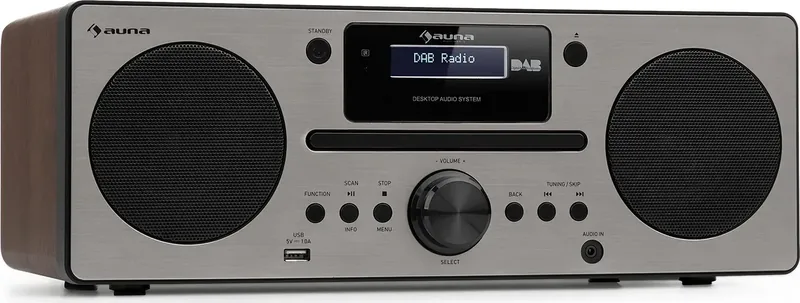
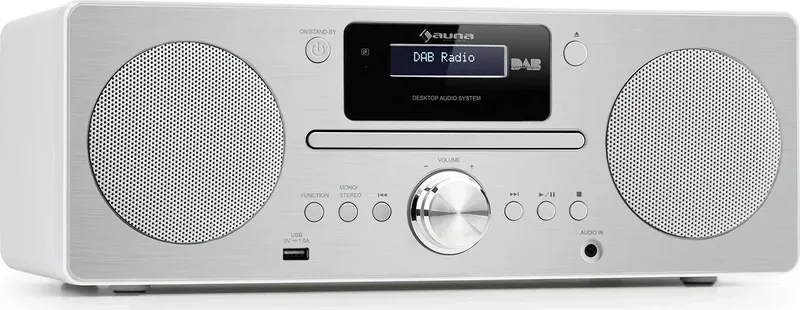
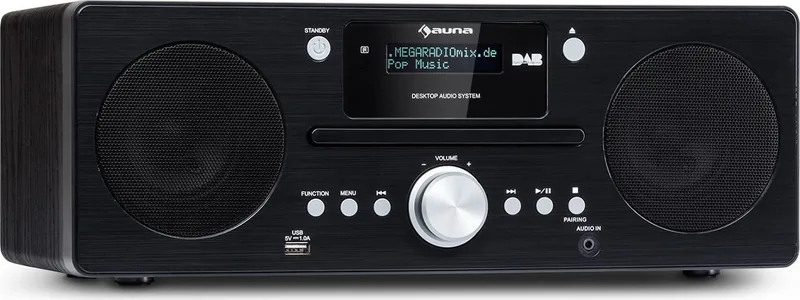
Auna Harvard Stereo System Overview
Start your home audio journey with the Auna Harvard Stereo System, a fantastic blend of retro style and modern functionality designed for enthusiasts seeking quality. This comprehensive guide ensures you get the most out of your new device immediately upon unboxing and installation in your space.
The Auna Harvard Manual serves as your essential companion, detailing every feature from the very beginning so nothing complex is missed by the user. Whether you prefer digital streams or classic CDs, this unit delivers exceptional performance for various music genres and listening situations daily. The stereo features DAB+ and FM radio bands for crystal clear broadcast reception across multiple frequencies within your area. An auto-scan function locates stations quickly, while manual tuning offers precision when needed for specific channels you like.
Playback options include a built-in CD player compatible with CD-R and CD-RW discs as well as standard media formats you own. You can also connect USB drives to play MP3 files directly from up to 32 GB of memory capacity easily. Wireless streaming is supported via Bluetooth technology with a reliable range of eight meters for convenience throughout the room. Pairing is simple, just select Harvard on your phone and use the default code provided in documentation to connect securely. The front panel boasts a clear LCD screen displaying all relevant information like time, date, and signal strength levels clearly.
Convenience features include a sleep timer and a daily programming timer for automated wake-ups or shut-offs during the night safely. The equalizer settings let you adjust sound profiles to match your music genre preferences perfectly for better listening enjoyment. A battery-powered remote control provides access to memory presets and volume adjustments without leaving your comfortable seat. Safety tips in the documentation help prevent damage from condensation or improper power usage situations that might occur accidentally. Proper disposal procedures ensure environmental responsibility during the product's lifecycle for future generations to appreciate sustainability. Maintenance is easy, using only a damp cloth without harsh chemicals to avoid surface scratches on the casing.
The system supports AUX input for external analog devices, expanding its compatibility with older audio sources significantly for versatility. Power requirements are standard household voltages for universal use across different regions and electrical standards worldwide. With multiple variants available, finding the right unit for your specific setup is straightforward for everyone looking for value. The included documentation guides you through factory resets and pairing processes if issues arise unexpectedly with the system. Enjoy high-quality audio with a user-friendly interface designed for longevity and ease of use in any home environment today without hassle or stress. It creates the perfect ambiance for gatherings or quiet listening sessions alike with reliable stereo sound output. It operates on 220-240 V power supply with 50/60 Hz frequency stability. Key specifications include item numbers 10031949 or 10031950 for regional compatibility. This ensures users get the correct manual for their specific hardware version installed.
Search for 67,732 Manuals online


Type-in Brand or Model