
Auna Berklee TT-Classic Manual
PDF manual · 56 Pages
English



Quick check
Incorrect answer, please try again.
Chat with your Auna Berklee TT-Classic manual using AI
Get instant AI answers from your Auna Berklee TT-Classic manual
Ask anything about the Auna Berklee TT-Classic. Answers come from this manual, with the pages they are based on.
Ask a Question
Do you recommend Berklee TT-Classic?
Yes NoFrequently Asked Questions
It supports 33, 45, and 78 RPM playback. Use the speed selector to match the record. For 45 RPM singles with a large center hole, fit the supplied 45 RPM adapter before playback.
Is this answer helpful?
Yes. Select BT IN mode, enable Bluetooth on your phone, and look for "Berklee" in the available device list. Once paired, music from the phone can be streamed wirelessly to the unit.
Is this answer helpful?
Yes. Choose BT OUT mode, put compatible Bluetooth headphones or a Bluetooth speaker into pairing mode, and allow the connection to complete. The initial connection can take around 30 to 45 seconds.
Is this answer helpful?
Yes. AUX IN supports external audio devices through a 3.5 mm audio cable. The cable is not included, so a separate cable is needed to connect a phone, MP3 player, or similar source.
Is this answer helpful?
With Auto Stop set to ON, the record stops automatically after playback ends. With it set to OFF, the platter does not stop automatically. If playback stops too early, switch Auto Stop to OFF.
Is this answer helpful?
No. The Audio Out sockets provide analogue line-level output for powered speakers or a compatible stereo input. Passive speakers connected directly will produce a very low volume level.
Is this answer helpful?
Advantages and Disadvantages
Advantages

- Plays 33, 45, and 78 RPM records, with a 45 RPM adapter included.
- BT IN lets compatible phones and audio devices stream music wirelessly.
- BT OUT can send turntable playback to compatible Bluetooth speakers or headphones.
- Includes AUX IN, headphone output, and analogue line-level Audio Out.
- Tonearm lever and selectable Auto Stop support controlled, convenient record playback.
Disadvantages

- Bluetooth output pairing can take about 30 to 45 seconds and works best within one meter during setup.
- A 3.5 mm AUX cable is required for wired input but is not included.
- Audio Out is designed for powered speakers or stereo inputs, not passive speakers.
- Auto Stop may need to be switched OFF if playback ends before a record is finished.
Product Specification
Drive Type
Belt
Speed
33 rpm, 45 rpm
Tonearm
Straight
Audio Connections
Stereo Line Out (RCA), Headphones (3.5 mm jack), AUX In (3.5 mm jack)
Wireless
Bluetooth
Features
Integrated speakers (2 x 3 W), dust cover
Dimensions
12.4 x 4.72 x 11.42 in (W x H x D)
Weight
6.17 lb
Product Description
Auna Berklee TT Classic - Read, Download & Print Free
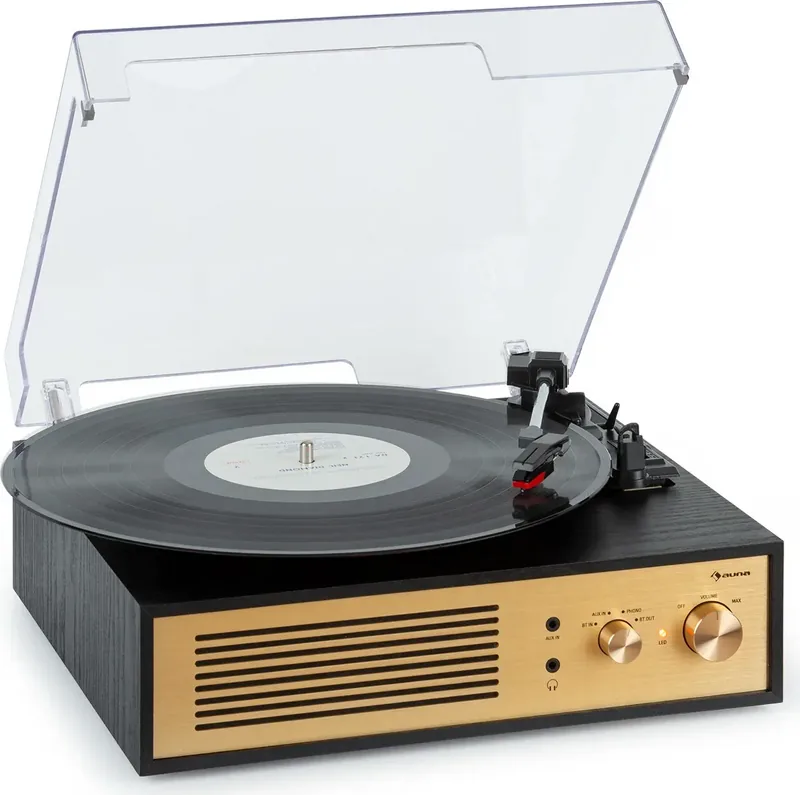
The Auna Berklee TT Classic is a versatile turntable designed for listeners who want to enjoy vinyl alongside modern audio connections. It brings record playback, wireless streaming, wired input, headphone listening, and line-level output together in one compact music setup. With support for 33, 45, and 78 RPM records, it is prepared for a broad range of collections, from current LPs to selected vintage discs.
Vinyl Playback Made Straightforward
Using the Berklee TT Classic is simple. Select PHONO mode, choose the appropriate speed, place the record on the platter, and use the tonearm lever to gently lower the stylus. A supplied 45 RPM adapter supports singles with a large center hole. The tonearm clip helps keep the arm secure when it is not in use, while the lever provides more controlled placement than lowering the arm by hand.
An Auto Stop switch adds practical flexibility. When it is set to ON, playback stops automatically at the end of a record. Set it to OFF if you prefer uninterrupted platter movement or need compatibility with records whose end grooves require manual handling. As with any turntable, careful stylus handling is important: avoid touching the needle tip and keep the unit on a stable, level surface away from vibration.
Flexible Listening Connections
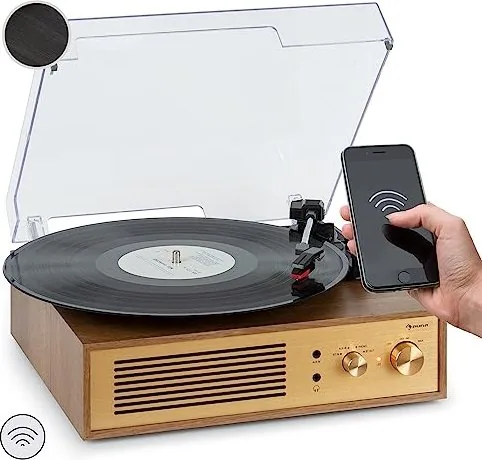
Beyond records, the Auna Berklee TT Classic works as an accessible hub for everyday music. In BT IN mode, compatible phones and audio devices can pair under the name "Berklee" and stream music wirelessly to the unit. AUX IN provides another option for devices connected with a 3.5 mm audio cable, making it useful for portable players and other wired sources.
BT OUT is especially useful for private or room-filling playback. It can send music played by the turntable to a Bluetooth speaker or Bluetooth headphones. Pairing is automatic after the receiving device enters pairing mode, although the receiver should be kept within about one meter during setup for a reliable connection. The process may take 30 to 45 seconds.
Outputs for a Personal System
For more listening choices, the Berklee TT Classic includes a headphone socket and analogue audio outputs. The line-level audio output can connect to powered speakers or the matching input on a stereo system. Passive speakers are not intended for direct connection because their output level will be very low. This combination of outputs makes the turntable adaptable for solo sessions, active-speaker systems, and compatible home audio equipment.
Notes
- Use the 45 RPM adapter for records with a large center hole.
- Keep the power plug accessible and disconnect the unit during long periods of non-use or electrical storms.
- If Bluetooth pairing fails, switch both devices off and repeat the pairing process.
Search for 67,732 Manuals online


Type-in Brand or Model