
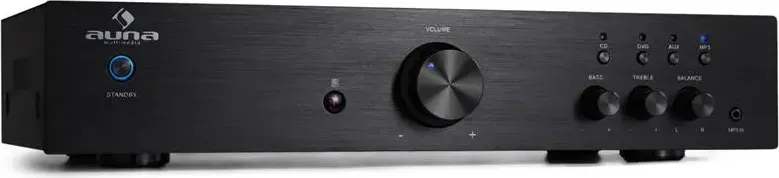
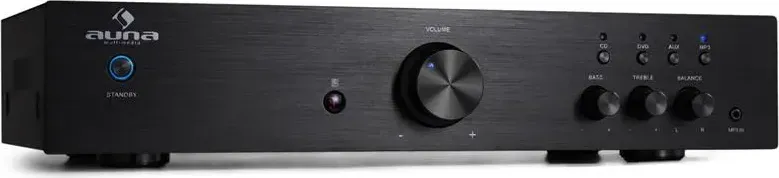
Auna AV2CD508 Manual
PDF manual · 9 Pages
English



Quick check
Incorrect answer, please try again.
Chat with your Auna AV2CD508 manual using AI
Get instant AI answers from your Auna AV2CD508 manual
Ask anything about the Auna AV2CD508. Answers come from this manual, with the pages they are based on.
Ask a Question
Do you recommend AV2CD508?
Yes NoFrequently Asked Questions
Start with the power cable, speaker connections, and volume level. If those are fine, check whether the input source is connected correctly and whether the speakers are wired securely.
Is this answer helpful?
This usually points to a loose speaker cable, a problem in the input/output connection, or an incorrect left-right balance setting. Recheck all connections and adjust the balance control.
Is this answer helpful?
The most likely reason is incorrect polarity or swapped channel wiring. Make sure the plus and minus connections match on both the speakers and the input channels.
Is this answer helpful?
The remote may have weak batteries, incorrect battery placement, too much distance from the receiver, or an obstacle blocking the signal. Also make sure the correct button is being used.
Is this answer helpful?
Bring the devices closer together, remove obstacles between them, and check the sender battery. Weak power or distance can easily interrupt the wireless link.
Is this answer helpful?
Use only a dry microfiber cloth for cleaning. Keep the unit away from moisture, heat, and direct sunlight, and avoid using chemical cleaning products that could damage the surface or components.
Is this answer helpful?
Advantages and Disadvantages
Advantages

- Covers the most common audio and connection problems in a practical way.
- Offers quick checks for speaker, remote, and Bluetooth issues.
- Includes safety, care, warranty, and disposal guidance.
- Encourages simple fixes before calling for service.
Disadvantages

- Mostly focuses on basic troubleshooting rather than advanced repairs.
- Some advice repeats cable and connection checks across different issues.
- No detailed visual setup instructions or diagrams are included.
- Users still need to inspect wiring and settings manually.
Product Specification
Audio Connections
3x Stereo Line In (RCA), Tape Out (RCA)
Dimensions
16.73x3.35x10.24in (WxHxD)
Weight
7.28lb
Product Description
Auna AV2CD508 Manual: Practical Tips for Smooth Everyday Listening
The Auna AV2CD508 Manual is a useful companion for anyone who wants a simple way to understand and maintain this audio receiver. Rather than overwhelming users with technical language, it focuses on the problems people meet most often: missing sound, weak channel output, remote control issues, and unstable Bluetooth connections. That makes it especially helpful for home users who want quick solutions and better day-to-day performance.
A major strength of the guide is its clear approach to troubleshooting. If the display lights up but no audio is heard, the manual encourages users to check the power connection, speaker wiring, and volume setting first. It also covers more detailed sound issues, such as audio coming from only one speaker, incorrect balance settings, or a stereo image that seems reversed. These are practical checks that can save time and reduce frustration before any repair is considered.
The Auna AV2CD508 Manual also highlights safe handling and basic care. It reminds users to keep the device away from moisture, direct sunlight, and excessive heat, all of which can affect performance and shorten the product’s life. Cleaning guidance is equally straightforward: avoid chemical cleaners and use only a dry microfiber cloth. Small habits like these help preserve both the appearance and reliability of the receiver.
Another valuable part of the guide is its advice on remote control and wireless use. If the remote stops responding, the first things to check are battery condition, battery placement, distance, obstacles, and the button being used. Bluetooth problems are treated in a similar way, with simple suggestions such as moving devices closer together and removing anything blocking the signal. This makes the manual especially practical for everyday use in a living room or media setup.
Beyond troubleshooting, the manual also includes important notes about warranty, repair limits, and disposal. It stresses that repairs should be handled by authorized service professionals and that batteries and electrical devices should not be discarded with household waste. In that sense, it supports both safe use and responsible ownership.
Notes
- Check cables, polarity, and balance settings before assuming a fault.
- Replace weak batteries early to avoid remote or Bluetooth issues.
- Keep the unit dry, cool, and dust-free.
- Use proper collection points for device and battery disposal.
Search for 67,732 Manuals online


Type-in Brand or Model