Get instant AI answers from your Aukey PC-LM3 manual
Ask anything about the Aukey PC-LM3. Answers come from this manual, with the pages they are based on.
Ask a Question
0/1000
Do you recommend PC-LM3?
YesNo
0
Ava Carter
4 months ago
Can the autofocus be disabled, and can the red standby LEDs be turned off?
0
Manual.ly
4 months ago
The reported behavior suggests the autofocus may override manual focus settings, causing a persistently blurry image. The red LEDs in standby and blue LEDs during camera use appear to be status indicators and may not be configurable. If focus remains poor, try the camera in another USB port or application and check for driver or firmware updates. If the issue persists, contact the seller regarding replacement or warranty options.
M: gpt-5.6-terra
M: gpt-5.6-terra
Frequently Asked
Questions
A
The Aukey PC-LM3 records video at 1920 x 1080p resolution at 30 frames per second. It supports H.264 and MJPEG video formats.
Is this answer helpful?
A
Yes. It includes built-in front and rear microphones with a noise-reduction configuration, providing a convenient audio option for calls and basic recordings.
Is this answer helpful?
A
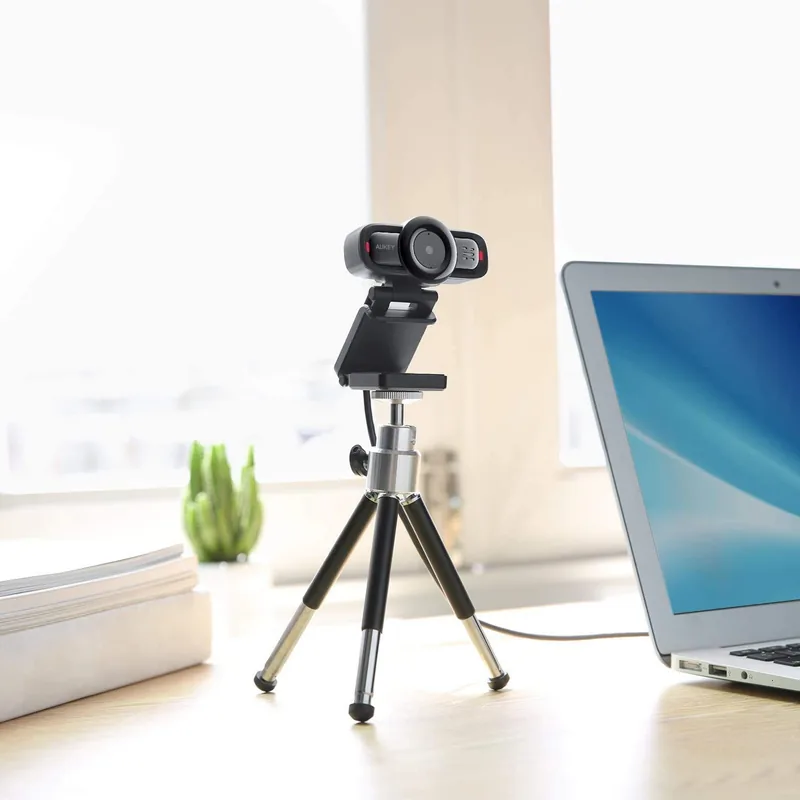
Use the foldable clip on a laptop or monitor, position the stand on a flat desk, or attach the webcam to a standard tripod using its 1/4-inch-20 screw thread.
Is this answer helpful?
A
The LED indicators light red when the webcam is connected by USB. They change to blue while the camera is active in a video chat or recording application.
Is this answer helpful?
A
Connect the USB cable to a computer, then open your video chat or recording software and select the webcam. The listed compatible systems include Windows XP or later, Mac OS X 10.6 or later, and Android 5.0 or later.
Is this answer helpful?
A
The PC-LM3 uses autofocus and lists a focus distance of approximately 1.5 to 5 meters, making it appropriate for typical seated calls and room-based recording.
Is this answer helpful?
M: gpt-5.6-terra
Advantagesand
Disadvantages
Advantages
Full HD 1080p recording at 30 fps supports clear video calls, classes, and recordings.
90-degree field of view can comfortably frame one person or a small group.
Autofocus, automatic white balance, and low-light support help with everyday indoor use.
Dual built-in microphones include a noise-reduction configuration for convenient voice capture.
Foldable clip/stand, tripod thread, long USB cable, and recording pause button add flexibility.
VS
Disadvantages
The listed focus range of 1.5 to 5 m may be less suitable for close-up tabletop shots.
Photo resolution is limited to 2 megapixels.
Noise reduction is configured, but audio performance can still depend on room acoustics.
Supported operating systems are listed, but app-specific compatibility may vary.
It is designed for indoor operating temperatures between 0 C and 45 C.
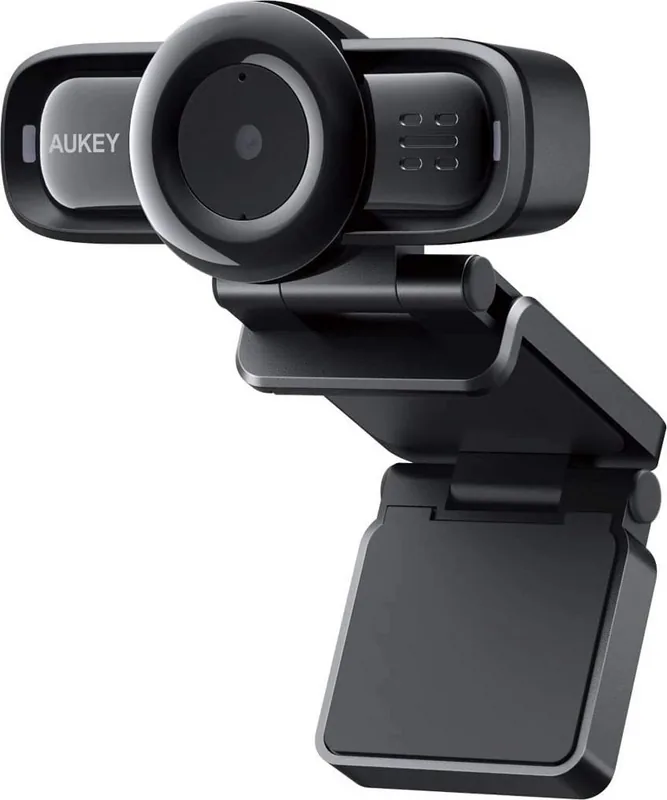
The Aukey PC-LM3 1080p Webcam is a practical video solution for remote meetings, online classes, streaming, and keeping in touch with friends and family. It records in Full HD at 1920 x 1080 resolution and 30 frames per second, helping calls and recordings look clear, smooth, and detailed. Its 90-degree field of view provides enough room for a single speaker or a small group without requiring an overly wide shot.
Clear Video and Convenient Audio
This webcam uses a 1/3-inch CMOS image sensor, autofocus, automatic white balance, and a minimum illumination rating of 2 lux. These features help it adapt to common indoor lighting conditions and maintain focus on subjects positioned approximately 1.5 to 5 meters away. Video is supported in H.264 and MJPEG formats, while the 2-megapixel photo capability is useful for quick snapshots.
Built-in dual microphones with a noise-reduction configuration support everyday voice calls and recordings. The front and rear microphone design is intended to capture speech more conveniently without adding a separate desktop microphone. An LED status indicator provides a simple visual cue: it glows red when connected and blue while the camera is active.
Flexible Placement for Your Workspace
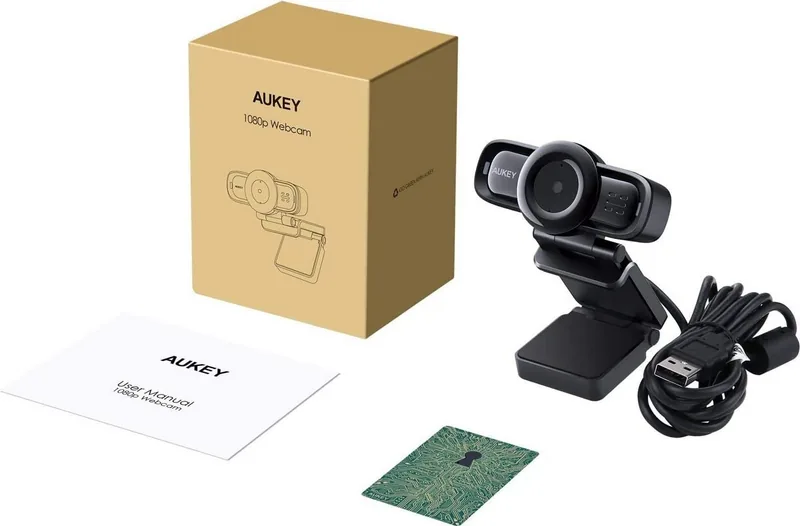
The PC-LM3 includes a foldable clip and stand that can be adjusted for a laptop screen, external monitor, desk, or other flat surface. Tilt the camera to refine the framing, or use the integrated 1/4-inch-20 thread to mount it on a standard tripod for more controlled positioning. The 175 cm USB cable also offers useful reach when your computer is placed away from the display.
Setup is straightforward. Connect the USB cable to a computer, open a compatible video chat or recording application, and select the webcam as your camera source. It supports Windows XP and later, Mac OS X 10.6 and later, and Android 5.0 and later. A dedicated pause button lets users pause and resume recording directly from the webcam.
Designed for Everyday Use
Measuring 84 x 72 x 30 mm, the compact ABS construction is suited to permanent desk setups or portable workstations. For reliable use, secure the clip or stand before starting a call, keep the camera away from liquids and extreme heat, and clean the lens only with a soft lens cloth, cotton swab, or non-abrasive lens cleaner.
Notes
Active LED illumination is blue; the connection indicator is red.
The webcam operates from 0 C to 45 C.
A stable tripod can improve framing for presentations and recordings.




Ava Carter
4 months ago
Can the autofocus be disabled, and can the red standby LEDs be turned off?
Manual.ly
4 months ago
The reported behavior suggests the autofocus may override manual focus settings, causing a persistently blurry image. The red LEDs in standby and blue LEDs during camera use appear to be status indicators and may not be configurable. If focus remains poor, try the camera in another USB port or application and check for driver or firmware updates. If the issue persists, contact the seller regarding replacement or warranty options.