
Aukey CB-H36 Manual
PDF manual · 33 Pages
English



Quick check
Incorrect answer, please try again.
Chat with your Aukey CB-H36 manual using AI
Get instant AI answers from your Aukey CB-H36 manual
Ask anything about the Aukey CB-H36. Answers come from this manual, with the pages they are based on.
Ask a Question
Do you recommend CB-H36?
Yes NoFrequently Asked Questions
The hub supports a maximum data transfer speed of 5Gbps through its USB 3.0 ports.
Is this answer helpful?
It is not recommended for charging tablets due to the 2.4A total current output being insufficient for high power demand devices.
Is this answer helpful?
The Aukey CB-H36 features four USB-A 3.0 ports for connecting multiple peripherals simultaneously.
Is this answer helpful?
The exterior casing is made of high-quality Aluminum Alloy for durability and heat dissipation.
Is this answer helpful?
No drivers are required. The device operates on a plug and play basis across all operating systems.
Is this answer helpful?
Warranty claims require the Amazon order number and product model number. Service is for products purchased directly from Aukey.
Is this answer helpful?
Advantages and Disadvantages
Advantages

- Super fast data transfer speed up to 5Gbps
- Durable and stylish Aluminum Alloy construction
- Four USB-A 3.0 ports expand connectivity options
- True plug and play with no drivers needed
Disadvantages

- Total power output insufficient for tablet charging
- Fixed cable length of 20cm limits reach
- No individual port switches for device control
- Max output current may not suit high demand devices
Product Specification
Type
USB Hub
Form Factor
1x External Cabled (Cable not detachable)
Connection
1x USB-A 3.0 (Plug via cable, 5 Gbps, 5.71 inches Cable Length)
Ports
4x USB-A 3.0 (Female)
Data Transfer
4x USB-A 3.0 (Female, 5 Gbps)
Power Supply
Power supply only via connection
Dimensions
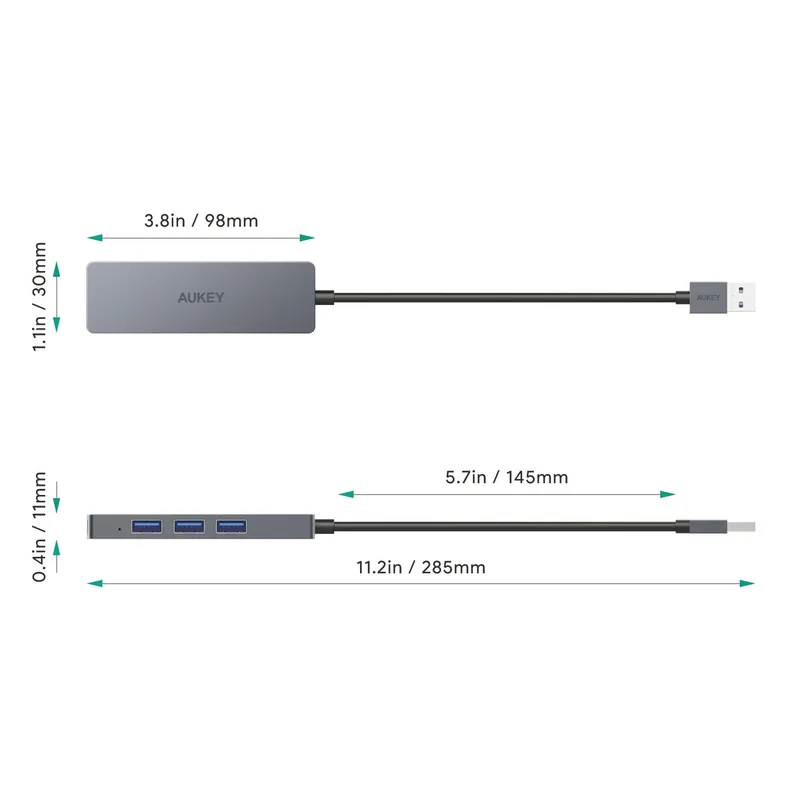
1.18 x 0.43 x 3.86 inches (W x H x D)
Weight
1.94 oz
Case Color
Gray
Compatibility
Universal
USB Label
Left
Product Description
Expanding Your Connectivity Options
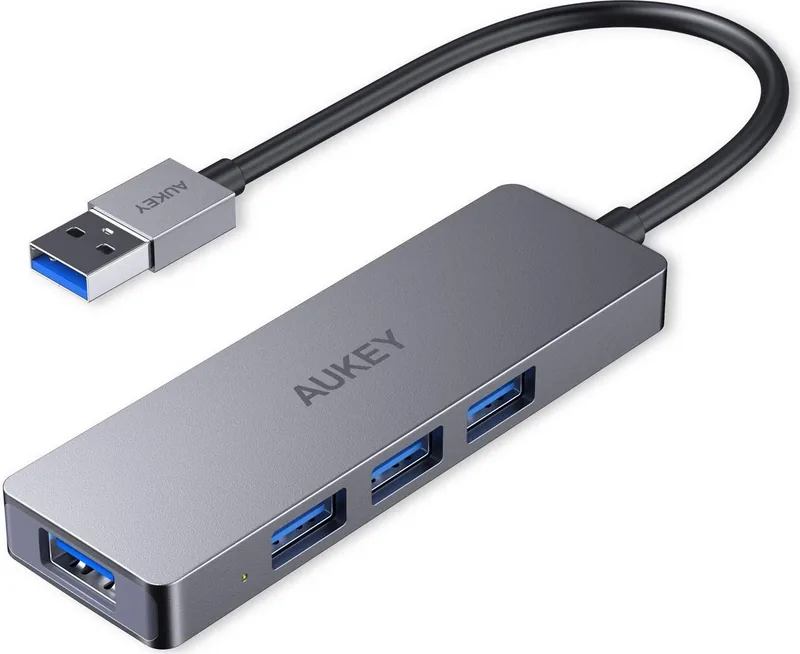
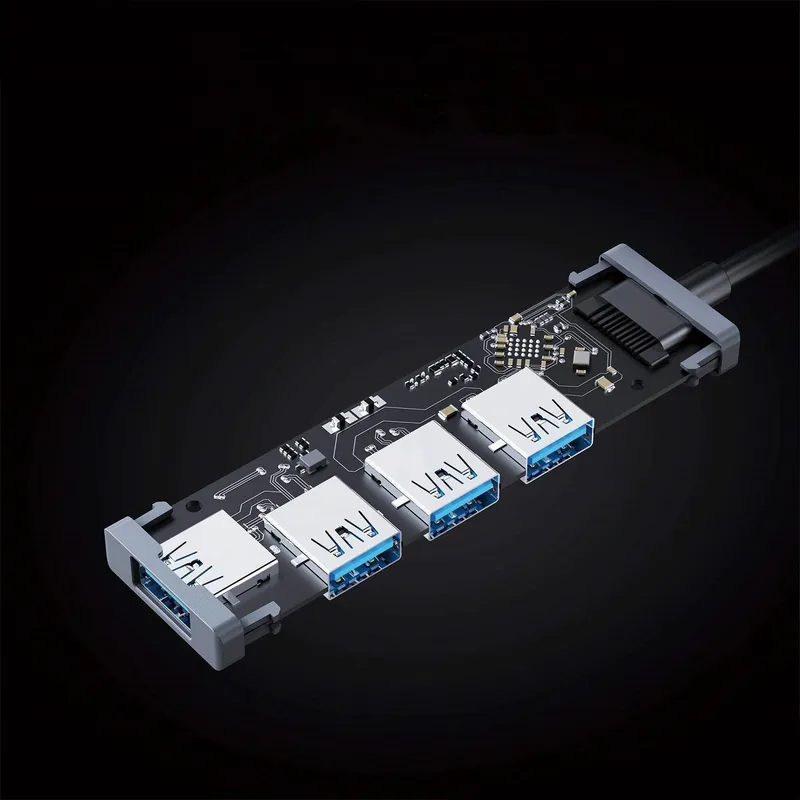
In the modern digital workspace, connecting multiple peripherals often requires a reliable solution that does not compromise on performance or aesthetics. The Aukey CB-H36 USB-Hub stands out as a robust choice for users seeking to expand their laptop or desktop capabilities without cluttering their desk space. This compact adapter features four dedicated USB-A 3.0 ports, allowing simultaneous connection for keyboards, mice, external hard drives, and other essential accessories. Whether you are a professional managing large data transfers or a consumer connecting various storage devices, this hub ensures smooth operation across all tools.
Designed with durability and style in mind, the exterior is crafted from high-quality Aluminum Alloy. This material choice not only provides a sleek, premium look that matches modern devices but also aids in passive heat dissipation during extended usage. The dimensions are incredibly compact, measuring roughly 97 x 30 x 10.5mm, making it highly portable for travelers who need connectivity anywhere they go. A 20cm cable length offers necessary flexibility in positioning, ensuring the hub remains within convenient reach while allowing the main connector to fit comfortably into your system.
Speed is a critical factor in data transmission, and the Aukey CB-H36 USB-Hub delivers significant performance with a maximum data transfer speed of 5Gbps. This capability is ideal for transferring large files quickly, reducing wait times significantly compared to older USB standards found in previous generations. The USB-A 3.0 [Plug] interface ensures backward compatibility with legacy devices while offering the enhanced bandwidth required for modern peripherals that demand higher throughputs.
Power management is another essential aspect of this hardware. The hub supports a total USB output of DC 5V at 2.4A. This allows you to power standard devices like mice and keyboards without needing individual power bricks. Note that this current output is not sufficient for charging tablets or devices with high power demands. For optimal performance, the combined power demand of all connected devices should not exceed 2.4A to prevent instability. Keeping the device away from liquids and extreme heat is recommended to maintain longevity and safety.
Setting up the system is incredibly straightforward. Simply plug the CB-H36 into an available USB-A port on your computer and immediately start connecting your devices. There are no drivers required, making it a true plug-and-play experience for all operating systems. The LED Power Indicator provides visual confirmation that the hub is active and receiving power. If questions arise regarding the product, support is available by referencing your order number and model number. Ultimately, if you are looking for the Aukey CB-H36 USB-Hub, you are choosing a blend of form and function.
For comprehensive details on installation, consult the Aukey CB-H36 USB-Hub, 4x USB-A 3.0, USB-A 3.0 [Plug] Manual specifications guide carefully.
Search for 67,706 Manuals online


Type-in Brand or Model
Lisa Weber
7 months ago
Is the build quality solid and do all four ports support USB 3.0 speed?
Manual.ly
7 months ago
Yes, the product features a massive aluminum housing that feels stable and premium compared to typical plastic hubs. It includes 4 USB ports, and all of them support USB 3.0 speeds. Users report that the connectors fit well and the build quality is valuable.