
Audibax Roma 80 Go Manual
PDF manual · 4 Pages
English



Quick check
Incorrect answer, please try again.
Chat with your Audibax Roma 80 Go manual using AI
Get instant AI answers from your Audibax Roma 80 Go manual
Ask anything about the Audibax Roma 80 Go. Answers come from this manual, with the pages they are based on.
Ask a Question
Do you recommend Roma 80 Go?
Yes NoFrequently Asked Questions
The speaker features an internal rechargeable battery capable of up to 6 hours of continuous audio playback on a full charge. For best results, ensure a full 6-hour charge before first use and every six months if storing for long periods.
Is this answer helpful?
Turn on the master speaker first and enable Bluetooth mode. Turn on the second speaker as the slave and enable Bluetooth mode. Press the BT PAIR button on the master speaker. Both screens should show bt:bt indicating automatic pairing successfully completed.
Is this answer helpful?
The system supports inputs via USB, AUX, and Combo Line/Mic jacks. These allow you to connect various devices including microphones, instruments, MP3 players, or iPods for music playback or live vocals during performances.
Is this answer helpful?
Yes, the system is versatile. You can place the unit on a speaker stand, table, or other elevated surfaces for general-purpose sound reinforcement. This setup offers better projection for larger rooms compared to floor placement.
Is this answer helpful?
The mechanical dimensions are 35.1 cm by 31 cm by 42.2 cm. The gross weight is 8.5kg, making the unit sturdy yet manageable for moving between venues or performance spots comfortably.
Is this answer helpful?
Yes, the system includes a remote control. It allows operations for play, pause, repeat, last track, and next track navigation when using USB or SD sources for media playback.
Is this answer helpful?
Advantages and Disadvantages
Advantages

- Integrated rechargeable battery offers up to 6 hours of continuous audio playback for extended use.
- Bluetooth TWS support allows two speakers to link for enhanced stereo sound without cables.
- Separate volume and echo controls for two channels provide detailed audio customization options.
- Multiple input options including USB, AUX, and Combo Line/Mic jacks offer versatile connectivity.
Disadvantages

- The unit weighs 8.5kg which may make transportation slightly difficult for some users.
- Full battery recharge takes approximately 6 hours which requires planning for long events.
- Sealed lithium battery cannot be replaced internally if the cell fails over time.
- No specific waterproof rating is mentioned, making usage in rain risky without protection.
Product Specification
Principle
2-Way
Tweeter
3x 3" / 3 in
Woofer
1x 6.5" / 6.5 in
Frequency Range
40Hz-18kHz (-6dB)
Power
40W RMS, 80W Peak
Audio Connections
AUX In (3.5mm Jack), 2x Mic/Line In (XLR/6.35mm Combo), Line Out (6.35mm Jack)
Additional Connections
USB-A
Wireless
Bluetooth
Power Supply
Li-Ion Battery, AC Power
Includes
1x Wireless Compact Speaker
Product Description
Audibax Roma 80 Go Overview
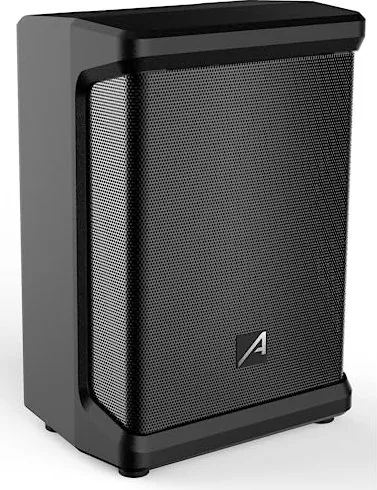
Welcome to the world of portable sound with the Audibax Roma 80 Go. This all-in-one system is designed for performers who need reliability on the move. When consulting the Audibax Roma 80 Go Manual, you will find detailed instructions to maximize performance. The unit features a powerful internal battery that lasts up to six hours of continuous audio. This feature ensures you can play through an entire event without worrying about power outlets. Charging is straightforward using the included adapter, taking about six hours to reach full capacity. Charge fully before storage and every six months if unused. If the battery is low charge, recharging might take additional time. Please note that the battery is sealed lithium.
Connectivity and Controls
Connectivity is seamless with Bluetooth capabilities. You can pair a single speaker or link two units for True Wireless Stereo sound. The screen displays a bt message to confirm pairing. For linking, press the BT PAIR button on the master speaker to sync the slave unit automatically. Ensure the channel button is set to MP3 mode before switching to Bluetooth for proper discovery. Operational controls include separate volume and echo settings for two channels. You also have access to bass, treble, and master volume adjustments. The system supports inputs via USB, AUX, and Combo Line/Mic jacks suitable for microphones and instruments.
Placement and Design
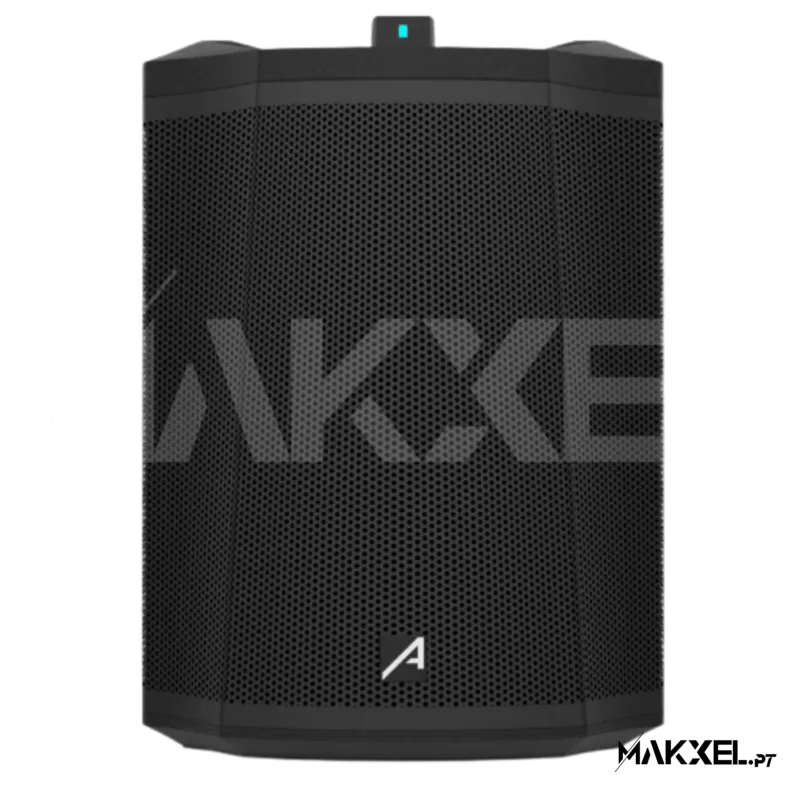
Placement flexibility is another highlight. You can tilt the cabinet back for audience-facing sound, use it as a floor monitor pointing at the performer, or place it on a stand. The mechanical design includes a 6.5-inch low frequency driver and three 3-inch high frequency drivers. Dimensions are compact at 35.1 cm by 31 cm by 42.2 cm. The gross weight is 8.5kg, making it sturdy yet manageable. The remote control functions allow play, pause, and track navigation from USB or SD sources. Additionally, the battery will slowly self-discharge if left without use. It is good practice to check the levels regularly.
Final Thoughts
Whether you are a musician or an event host, this versatile gear simplifies sound reinforcement. Always refer to the specific instructions for setup to ensure safety and optimal audio quality during your performances. The system allows independent channel mixing to tailor the audio mix. Placing the speaker on a standard stand offers general-purpose sound reinforcement for larger rooms. This configuration elevates the audio source for better projection. Enjoy True Wireless Stereo sound with this versatile audio gear.
Search for 67,732 Manuals online


Type-in Brand or Model