


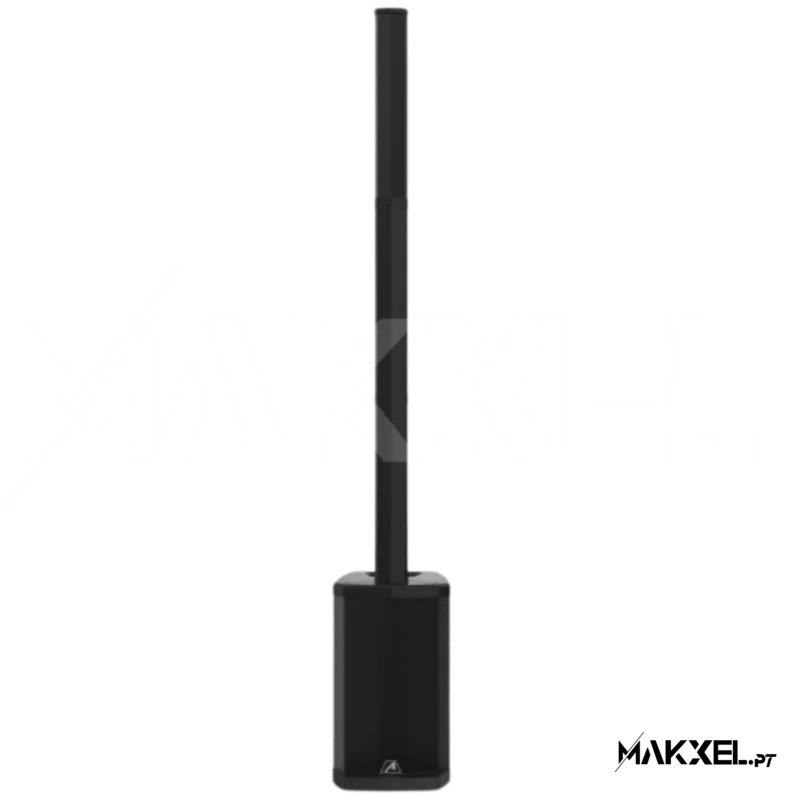
Audibax Detroit 400 BT Manual
PDF manual · 2 Pages
English



Quick check
Incorrect answer, please try again.
Chat with your Audibax Detroit 400 BT manual using AI
Get instant AI answers from your Audibax Detroit 400 BT manual
Ask anything about the Audibax Detroit 400 BT. Answers come from this manual, with the pages they are based on.
Ask a Question
Do you recommend Detroit 400 BT?
Yes NoFrequently Asked Questions
Use the XLR socket on channel one or two. Set the toggle switch to the MIC position to receive the signal correctly for your setup.
Is this answer helpful?
No, this device is designed for use in dry conditions only. Do not expose the unit to rain or moisture to prevent electronic shock.
Is this answer helpful?
Connect the unit to a 230V AC power supply at 50 Hz. Always inspect the power cord for damage before making the connection.
Is this answer helpful?
Press the DSP button repeatedly to cycle through MAIN, HIFI, MONITOR, DJ, and SPEECH modes for different performance needs.
Is this answer helpful?
Do not use solvents. Clean the plastic enclosure with a soft cloth and avoid chemical based cleaning products to maintain safety and warranty.
Is this answer helpful?
Press the TWS connection button to pair multiple compatible speakers together for stereo sound separation during events.
Is this answer helpful?
Advantages and Disadvantages
Advantages

- Versatile DSP presets for specific environment tuning.
- Multiple input types including XLR and RCA.
- Bluetooth connectivity for wireless streaming.
Disadvantages

- Plastic enclosure requires non-chemical cleaning only.
- Device must be used in dry conditions only.
- Warranty invalid if safety protocols are ignored.
Product Specification
Type
2-Way
Tweeter
6 x 2"
Woofer
1 x 8"
Frequency Range
20 Hz - 20 kHz (-6 dB)
Power
200 W RMS, 400 W Peak
Audio Connections
Stereo Line In (RCA), AUX In (3.5mm Jack), 2x Mic/Line In (XLR/1/4" Combo), Line Out (XLR)
Wireless
Bluetooth
Power Supply
Mains Powered
Max SPL
108 dB
Dimensions
10.63" x 82.09" x 14.57" (W x H x D)
Package Contents
1x Column Speaker, 1x Subwoofer
Product Description
Comprehensive Overview of the Audibax Detroit 400 BT
The Audibax Detroit 400 BT Manual serves as the primary resource for operating this robust audio system. It is designed for professionals and casual users alike who need reliable sound reinforcement. This system combines Bluetooth technology with robust physical inputs for versatile connectivity. The unit is engineered to handle various audio sources without compromising quality or safety standards in demanding environments.
Core Functional Controls
Managing sound levels is intuitive with the rotary volume control. Bass and treble effects can be adjusted to suit the room acoustics or genre preference. The DSP button offers rapid switching between MAIN, HIFI, MONITOR, DJ, and SPEECH presets. Each preset optimizes the equalization for specific use cases. This flexibility ensures the audio remains clear and balanced across different performance scenarios.
Input and Output Capabilities
Channel one and two inputs accept XLR connectors for professional microphones and guitars. Toggle switches allow selection between microphone, guitar, and line signal types. Channel three and four utilize RCA input sockets for standard line level connections. The line out socket provides a balanced XLR output for external amplification. Connectivity options include an AUX input for CD or MP3 players. Wireless audio transmission is supported through the Bluetooth connection button for mobile streaming. The TWS button enables pairing with compatible speakers for stereo separation.
Critical Safety Precautions
Adherence to safety measures is vital for preventing injury or equipment failure. The unit is designed for use in dry conditions only. Never allow moisture or rain to contact the device. Plastic enclosures must not be cleaned with solvents or chemical based products. Do not place heat sources like lighting equipment above the speaker cabinet. Secure the device firmly to prevent tipping or causing harm. Damages resulting from ignoring these rules invalidate warranty claims.
Power Management Guidelines
Connect the unit to a 230V AC, 50 Hz power supply. Always verify the power cord is in perfect condition before use. Handle the plug by the connector only to avoid damaging the cord. Insert the power plug last and remove it first to minimize shock risk. Ensure the plug is tightly connected in the outlet. Do not let the power cord touch other cables. Replace fuses only when the device is disconnected from power. Use fuses with the exact rating specified on the rear panel. Following these steps ensures longevity and safe operation for all users.
Final Recommendations
Consult the documentation provided with every purchase to understand all features. The dealer does not accept liability for defects caused by misuse. Regular checks on connections ensure consistent performance during events. Keep the manual accessible for future reference regarding maintenance schedules. This approach protects your investment and guarantees a satisfying audio experience for years of use.
Search for 67,732 Manuals online


Type-in Brand or Model