
ATEN VS381B Manual
PDF manual · 27 Pages
English



Quick check
Incorrect answer, please try again.
Chat with your ATEN VS381B manual using AI
Get instant AI answers from your ATEN VS381B manual
Ask anything about the ATEN VS381B. Answers come from this manual, with the pages they are based on.
Ask a Question
Do you recommend VS381B?
Yes NoFrequently Asked Questions
The device supports video resolutions up to True 4K (4096 x 2160 / 3840 x 2160) at 60Hz with 4:4:4 chroma subsampling. It also handles HDR, 3D, and Deep Color formats compliant with HDMI 2.0 specifications.
Is this answer helpful?
The switch features three HDMI input ports allowing you to connect up to three different source devices to a single display. You can switch between these inputs via buttons or remote.
Is this answer helpful?
Yes, the VS381B supports auto input switching. It prioritizes and outputs the latest detected HDMI input source transmission. If a source is removed, it switches to the next available port automatically.
Is this answer helpful?
The package contains 1 VS381B unit, 1 USB to DC power cable, 1 IR remote control, 1 IR receiver, and 1 user instructions. Note that HDMI cables and power adapters are not included.
Is this answer helpful?
Yes, you can use the included IR remote control to select sources. You can press numbers 1 through 3 for direct selection or use port up and down buttons to cycle through inputs.
Is this answer helpful?
ATEN warrants its hardware against flaws in materials and workmanship for a warranty period of two years commencing on the date of original purchase. Cables and accessories are not covered.
Is this answer helpful?
Advantages and Disadvantages
Advantages

- Supports True 4K resolution video up to 60Hz with 4:4:4 chroma subsampling for excellent image clarity.
- Auto switching mode prioritizes connected sources automatically for streamlined user interaction.
- Multiple control methods including front panel pushbuttons and IR remote control for flexibility.
- High data rate support up to 18 Gbps enabling bandwidth for HDR and deep color formats.
- Plug-and-play functionality removes the need for software installation or driver updates.
Disadvantages

- Maximum signal distance is limited to 5 meters for full high resolution transmission.
- HDMI cables are not included in the standard package and must be purchased separately.
- Power supply from HDMI input may be insufficient requiring the USB to DC adapter for stability.
- No software utility is available for advanced configuration or firmware updates over network.
- Limited warranty excludes cables and accessories from standard protection coverage.
Product Specification
Video Inputs
3x HDMI Input
Video Outputs
1x HDMI Output
Resolutions up to
4096x2160
Dimensions
3.11x1.02x2.83in (WxHxD)
Weight
5.29oz
Product Description
Elevate Your Visual Experience with the ATEN VS381B
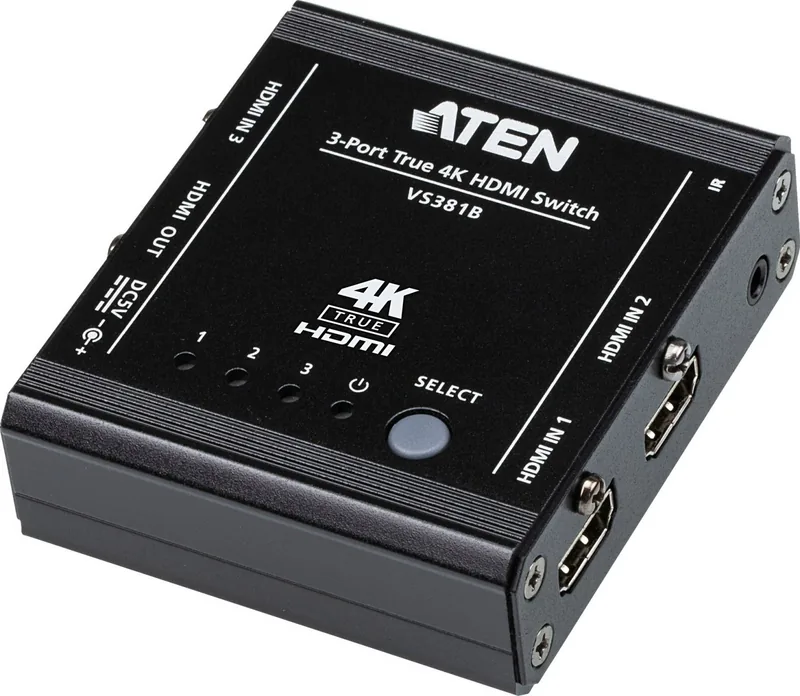
The ATEN VS381B 3-Port True 4K HDMI Switch stands out as a premier solution for managing multiple high-definition video sources. Whether you are setting up a home theater or meeting room, this switch offers seamless connectivity. Designed to support video resolutions up to True 4K at 60Hz, users can enjoy crystal clear images without compromising on quality. The device handles complex video formats including HDR and 3D, ensuring compatibility with modern screens. Integrating the ATEN VS381B Manual guidelines ensures you understand the full potential of this hardware.
One of the standout features is the auto switching capability. When you plug in a new HDMI source or remove an existing one, the VS381B intelligently prioritizes the signal. This reduces manual intervention and streamlines the workflow for busy environments. Users can also switch inputs manually using the front panel pushbuttons or the included IR remote control. This dual method of control adds flexibility depending on whether you are seated at a distance or standing near the unit. It ensures smooth transitions for presentations.
The hardware design includes cable lock screws for secure connections, preventing accidental disconnections during critical presentations. The unit supports data rates up to 18 Gbps and HDMI 2.0 compliance, including HDCP 2.2 for protected content. Audio is also seamlessly managed, supporting 7.1 channel LPCM and formats like Dolby True HD. Getting started is straightforward thanks to the plug-and-play nature of the device. No software installation is required, which simplifies the setup process significantly.
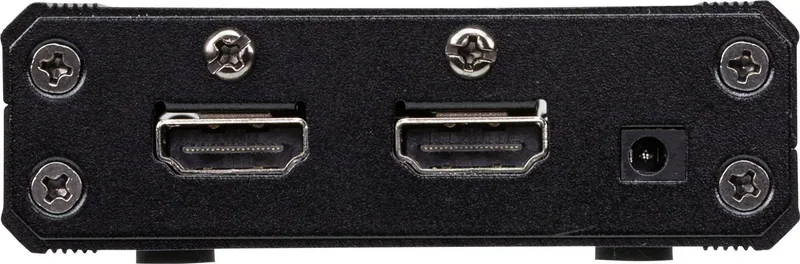
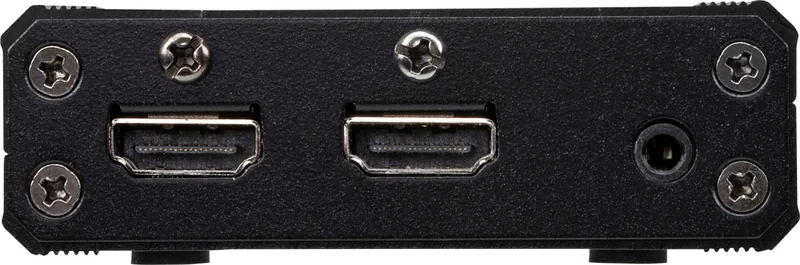
The package includes the main unit, a USB to DC power cable, an IR remote, an IR receiver, and general instructions. However, ensuring you have high-quality HDMI cables is crucial for optimal performance, as the maximum signal distance is limited to 5 meters for the full resolution specifications. Verify voltage settings to prevent damage. The front panel features green LED indicators that clearly show which port is selected. A power LED confirms the unit is receiving power. The top view shows the port selection pushbutton which cycles through sources one, two, and three.
This device fits perfectly within systems requiring robust video distribution. It complies with international safety standards and environmental regulations such as RoHS. Powering the unit via the provided USB to DC cable ensures stable operation, though external power adapters are often recommended for reliability. By integrating this switch into your workflow, you eliminate the hassle of constantly changing cables and enjoy a professional grade switching experience. ATEN provides technical support for various regions including North America and International lines. Registration is encouraged to keep your product information updated. The system includes limited warranty coverage against flaws in materials for a specific period from purchase. Ensure you plan your procurement carefully. Always review the safety section to ensure proper grounding and voltage settings before connecting power. This product may be updated with new features, so checking the official website ensures you have the latest information.
Search for 67,706 Manuals online


Type-in Brand or Model