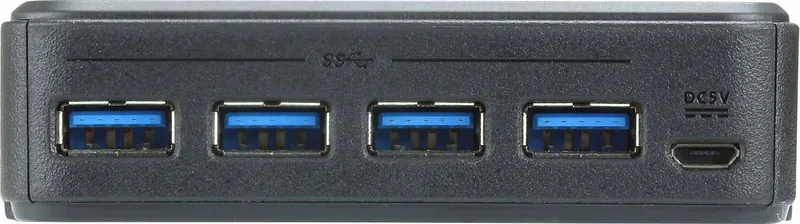
(Дополнительно) Подключите к входному порту питания Micro USB
источник питания для поддержки приложений с высоким потреблением
энергии.
A
Aperçu du matériel
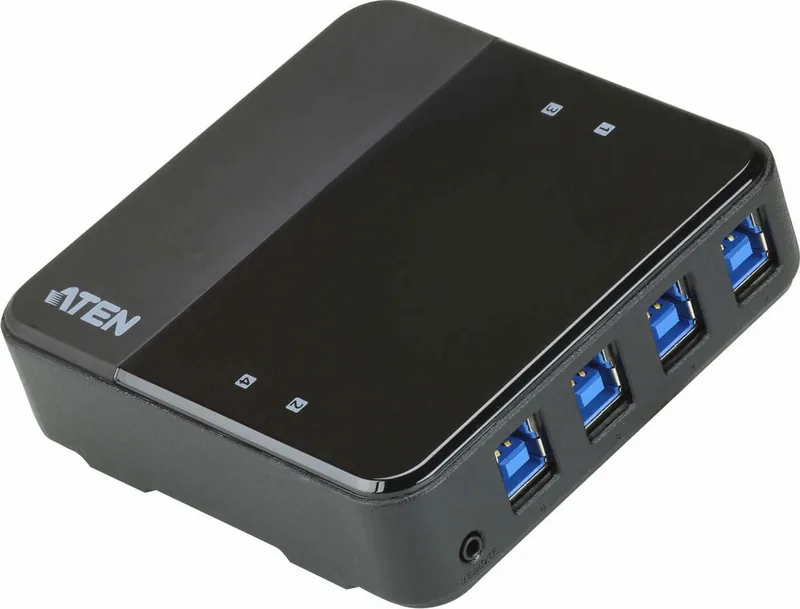
Vues avant et supérieure du US234 / US434 / US3324 / US3344
1
DEL d'indication de console
2
Ports appareils USB 3.1 Gen 1
3
Entrée d'alimentation Micro USB
4
Sélecteur de port distant
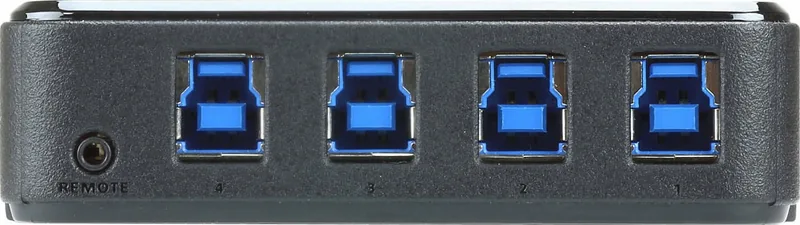
Vue arrière du US234 / US434 / US3324 / US3344
5
Ports PC
6
Prise du sélecteur port distant
B
Installation du matériel
1
Branchez l'extrémité USB 3.1 Gen 1 Type-A ou Type-C des câbles USB inclus
sur vos ordinateurs (US234 / US3324 : jusqu'à 2 ordinateurs ; US434 /
US3344 : jusqu'à 4 ordinateurs) et branchez l'extrémité USB 3.1 Gen1 Type-B
des câbles USB inclus sur l'arrière du US234 / US434 / US3324 / US3344.
2
Branchez vos périphériques USB sur le US234 / US434 / US3324 / US3344.
3
Branchez le sélecteur de port distant sur la prise de sélecteur de port distant
sur le US234 / US434 / US3324 / US3344.
4
Basculez d'un ordinateur à l'autre en appuyant sur le sélecteur de port distant.
La DEL d'indication de console s'allume pour indiquer l'ordinateur connecté.
5
(Facultatif) Connectez le port d'alimentation Micro USB à une source
d'alimentation pour soutenir les applications avec des exigences d'alimentation
plus élevées.
/2
%
Quick check
I'm not a robot
Incorrect answer, please try again.
Chat with your ATEN US3344-AT manual using AI
Get instant AI answers from your ATEN US3344-AT manual
Ask anything about the ATEN US3344-AT. Answers come from this manual, with the pages they are based on.
Ask a Question
0/1000
Do you recommend US3344-AT?
YesNo
Frequently Asked
Questions
A
It lets several computers share the same USB peripherals through one switching hub. You can connect devices like keyboards, mice, printers, or cameras and move control between PCs with a selector.
Is this answer helpful?
A
The 4-port model is made for up to four computers. It is intended for shared workstations where multiple systems need access to the same USB devices.
Is this answer helpful?
A
Use the remote port selector. Pressing it changes the active PC, and the console LED shows which computer is currently connected to the shared peripherals.
Is this answer helpful?
A
Not always. It includes an optional Micro USB power input for setups that use peripherals with higher power needs or when extra stability is helpful.
Is this answer helpful?
A
Common USB peripherals such as keyboards, mice, printers, HD cameras, and some USB graphics adapters can be shared, depending on the device and system compatibility.
Is this answer helpful?
A
No. Connect the PCs, attach the USB peripherals, plug in the remote selector, and start switching. The layout is designed for straightforward setup and daily use.
Is this answer helpful?
M: OA-GPT-54-NAN
Advantagesand
Disadvantages
Advantages
Supports sharing USB peripherals across up to 4 computers in one setup.
Remote port selector offers fast one-touch switching without software.
USB 3.1 Gen 1 helps maintain responsive performance for common USB devices.
Optional Micro USB power input improves compatibility with higher-power peripherals.
VS
Disadvantages
Requires manual switching, so it is not fully automatic.
Device support may vary for very power-hungry peripherals without extra power.
Cable routing can become messy when several PCs are connected.
Best results depend on correct setup and compatible USB cables.
If you manage multiple computers but want to keep one set of USB peripherals, the ATEN US3344-AT USB 3.0 Sharing Switch, 4-Port Manual is designed to make that setup feel simple and organized. This compact switch lets you share devices such as keyboards, mice, printers, cameras, and USB graphics adapters across several PCs without constantly unplugging and reconnecting cables.
Built for multi-PC workflows
The standout idea behind this switch is convenience. With up to four connected computers, you can move a shared USB device from one system to another using the remote port selector. A clear console LED shows which computer is currently active, helping reduce confusion during fast-paced work. For smaller setups, the same family also supports two-port variants, but the 4-port model is especially useful for labs, studios, and office desks where several machines need the same accessories.
Practical connections and easy control
ATEN includes USB 3.1 Gen 1 connectivity, which keeps data flow responsive for everyday peripherals and many high-bandwidth devices. The rear PC ports make installation straightforward, while the front device ports keep your accessories accessible. The remote selector adds a physical one-touch switching method, which is often more reliable than software-based control when you need quick changes.
Helpful power support for demanding devices
One useful detail in the ATEN US3344-AT USB 3.0 Sharing Switch, 4-Port Manual is the optional Micro USB power input. This extra power path can support peripherals with higher power requirements, making the switch more flexible for devices that need a little extra stability. That makes it a strong fit for mixed-use environments where not every USB device draws the same amount of power.
Why it stands out
Beyond the core hardware, the manual emphasizes simple setup: connect the computers, attach the USB peripherals, plug in the remote selector, and switch as needed. The design keeps shared workspaces cleaner and helps teams save time by reducing cable swapping. For users who value a tidy desk and a dependable way to share USB hardware, this switch is an efficient solution.
Notes
Best for shared desks, test benches, and multi-PC environments.
Micro USB power is optional, but useful for power-hungry peripherals.
The LED indicator makes active-computer status easy to see at a glance.