
ATEN US224/US424 Manual
PDF manual · 1 Pages
English


Quick check
Incorrect answer, please try again.
Chat with your ATEN US224/US424 manual using AI
Get instant AI answers from your ATEN US224/US424 manual
Ask anything about the ATEN US224/US424. Answers come from this manual, with the pages they are based on.
Ask a Question
Do you recommend US224/US424?
Yes NoFrequently Asked Questions
Yes, the unit supports multiplatform environments including Windows, Linux, Mac, and Sun OS.
Is this answer helpful?
Yes, the system supports hot plugging, meaning devices can be connected or disconnected without rebooting the host system.
Is this answer helpful?
The US424 model supports up to 4 computers sharing 4 USB devices like keyboard, mouse, and peripherals.
Is this answer helpful?
The unit is non-powered by default but supports an optional USB power adapter if additional power is needed.
Is this answer helpful?
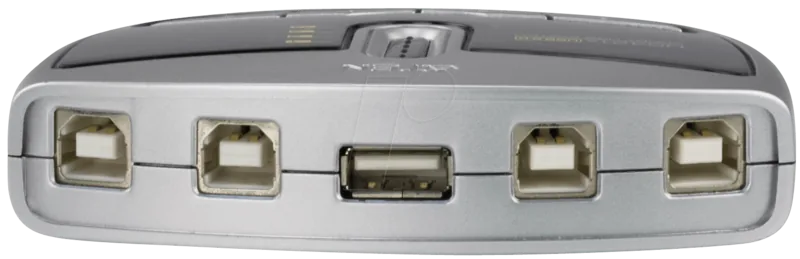
Computer connections use USB Type A Male and Device connections use USB Type A Female connectors.
Is this answer helpful?
Operating temperature ranges from 5 to 40 degrees Celsius to ensure hardware stability without condensation.
Is this answer helpful?
Yes, LED indicators display port focus visually to inform users which computer is currently active.
Is this answer helpful?
Advantages and Disadvantages
Advantages

- Reduces cable clutter significantly with all-in-one design.
- Enables 4 computers to share 4 USB devices simultaneously.
- Features a remote port selector for convenient placement.
- Supports multiple platforms including Windows, Linux, and Mac.
- Includes overcurrent protection for equipment safety.
Disadvantages

- Non-powered without optional USB power adapter.
- Limited to sharing only 2 or 4 specific computers.
- Requires physical USB Type A connectors only.
- LED indicators may be hard to see in bright light.
- Dimensions may not fit very small desks.
Product Specification
Type
USB Sharing Switch
Ports
4
Features
Sharing Switch
Product Description
Maximizing Office Efficiency with the ATEN USB 2.0 Sharing Switch
Managing multiple computers in a modern workspace often leads to cluttered desks and redundant hardware costs when technicians need to use one set of peripherals across different workstations. Standard setups require separate input devices for each machine which wastes valuable desk space and increases the initial investment in peripherals significantly. The ATEN USB 2.0 Sharing Switch 4-port solution offers a streamlined alternative that addresses these common pain points directly to improve daily workflows and reduce operational downtime significantly.
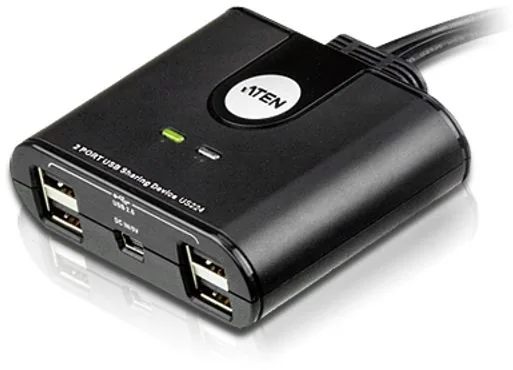
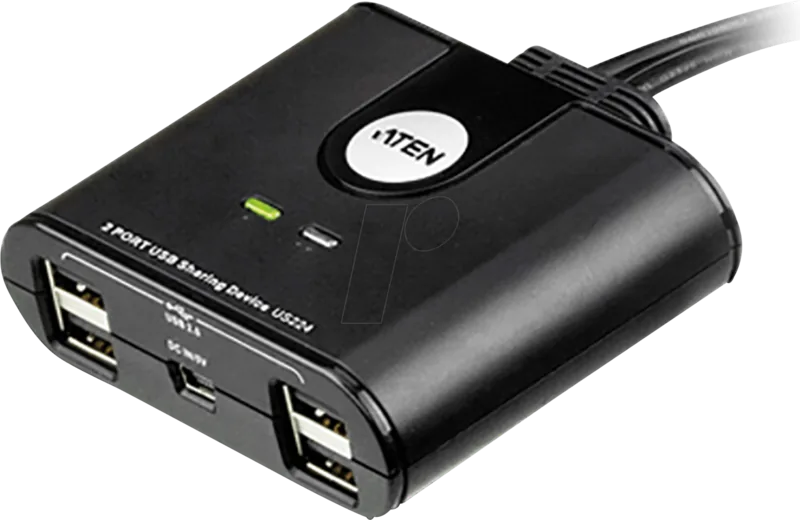
This device enables up to four computers to share a single set of USB peripherals effectively for a typical setup like a keyboard mouse and two additional devices like printers. By consolidating these connections users eliminate the need for extra cabling that often snakes across the floor or under desks. The all-in-one design significantly reduces cable clutter resulting in a neater and more professional environment today.
Installation is straightforward without requiring complex software drivers or firmware updates on the host machine. The unit features a remote port selector which allows users to switch connections from a convenient desktop location easily. This physical controller simplifies the desktop layout and ensures that whichever computer requires access gets it instantly without delay.
Compatibility is another strong point of this hardware platform supporting multiplatform environments including Windows Linux Mac and other OS types. Users trust this brand for consistent results in IT deployments. The device includes LED indicators to display port focus giving visual confirmation of which computer is currently active and selected securely. Safety is maintained through built-in overcurrent protection safeguarding connected equipment from unexpected power surges.
Power requirements are minimal as the unit is generally non-powered but supports an optional USB power adapter if needed for high performance operations. While the 2-port model exists for smaller setups the 4-port variant provides maximum flexibility for larger teams and complex workflows effectively and efficiently. Whether for a small business or home office reducing peripheral duplication saves money and space while maintaining full functionality for every connected system in the network.
In terms of physical properties the unit is made of durable plastic housing that is lightweight yet robust enough for daily use over years without breaking. Operating temperature ranges from 5 to 40 degrees Celsius ensuring hardware stability in various office climates without condensation issues affecting performance or longevity of the shared devices over time significantly.
In conclusion this product represents a smart choice for organizations looking to optimize workflow without sacrificing performance or reliability in their IT infrastructure plans. The combination of ease of use cross-platform support and physical durability ensures longevity in busy office settings worldwide consistently. It is the ideal way to share USB peripherals in a multimedia office environment reliably.
Search for 67,706 Manuals online


Type-in Brand or Model
Isaiah Lueilwitz
6 months ago
Is the remote switch cable detachable for longer reach, and does this unit auto-switch between PCs or must I press the button manually?
Manual.ly
6 months ago
The remote switch cable is fixed and cannot be detached, which simplifies setup but requires careful handling to avoid cable damage. This model does not support automatic PC detection. You must manually press the switch button to toggle peripherals between connected computers. It remains effective for mice, keyboards, and printers on windows, linux, and raspberry pi systems without additional software.