
ATEN UH3237 Manual
PDF manual · 21 Pages
English



Quick check
Incorrect answer, please try again.
Chat with your ATEN UH3237 manual using AI
Get instant AI answers from your ATEN UH3237 manual
Ask anything about the ATEN UH3237. Answers come from this manual, with the pages they are based on.
Ask a Question
Do you recommend UH3237?
Yes NoFrequently Asked Questions
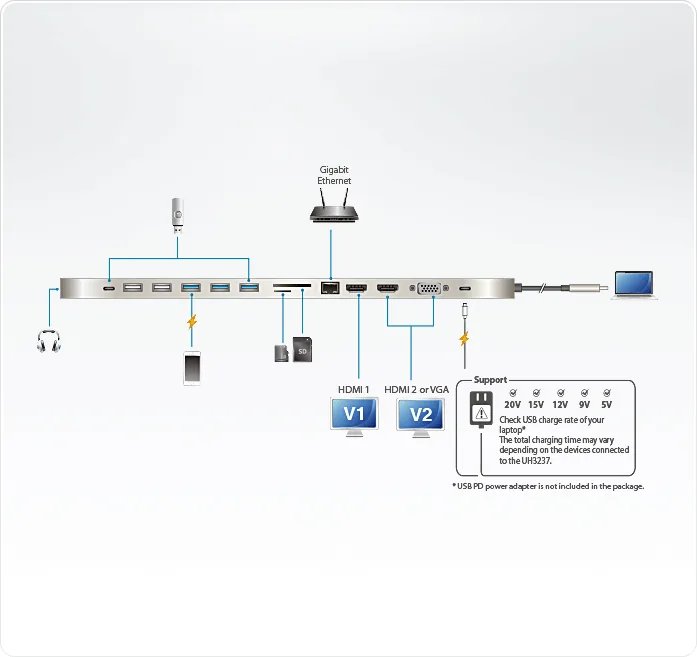
The ATEN USB-C Multiport Dock supports USB Power Delivery 3.0, providing up to 85W of power pass-through to charge your laptop. This includes voltage profiles of 5V, 9V, 12V, 15V, and 20V.
Is this answer helpful?
Yes, you can connect two monitors using the HDMI and VGA ports for a dual-view setup at 1080p resolution. However, note that Mac computers only support single-view output as they do not utilize MST technology.
Is this answer helpful?
No, the dock is designed for plug-and-play operation. It is compatible with Windows, OS X, and iPadOS without the need for installing any additional software drivers.
Is this answer helpful?
No, the USB-C PD power adapter is not included in the package. You will need to use a Limited Power Source (LPS) certified USB-C adapter with at least 65W capability for optimal performance.
Is this answer helpful?
The dock features built-in card readers that support SD, SDHC, SDXC, Micro SD, and MMC cards, with Micro SD slots supporting capacities up to 128GB.
Is this answer helpful?
For Windows, you need version 10 or later with an Intel 7th-Gen Core processor or newer. For Mac, use macOS 10.12 or later on a MacBook 2015 or newer. iOS requires version 12.1 or higher on an iPad Pro.
Is this answer helpful?
Advantages and Disadvantages
Advantages

- Supports up to 85W power delivery pass-through for fast laptop charging
- Enables dual monitor setups with HDMI and VGA outputs simultaneously
- Includes versatile connectivity with USB 3.2 Gen 1, USB 2.0, and Gigabit Ethernet
- Built-in SD and MicroSD card readers for quick data access
- Driver-free operation compatible with Windows, macOS, and iPadOS
Disadvantages

- Mac computers do not support dual-view mode due to lack of MST technology
- USB-C power adapter is not included in the package
- Total USB port output is limited to 5V, 10W across all six ports
- Requires a computer with DisplayPort Alt Mode for video output
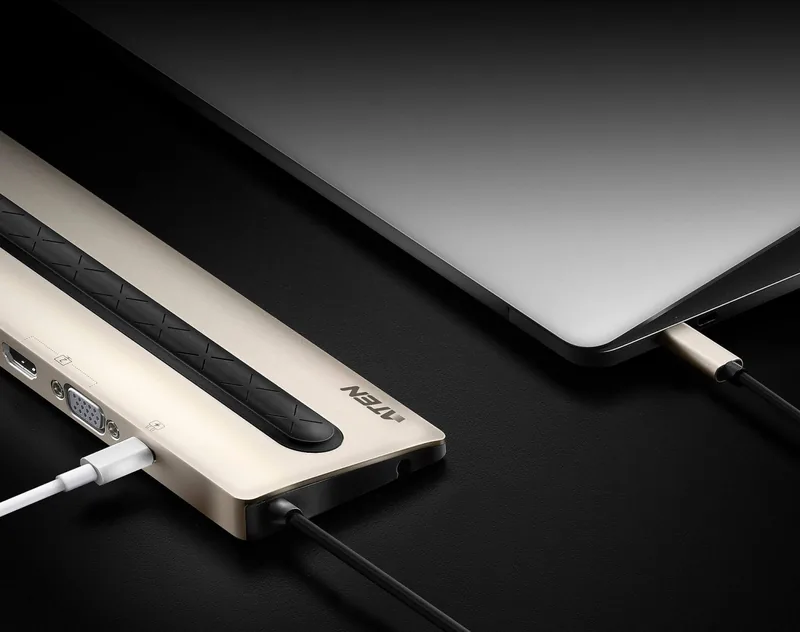
- Laptop must be positioned carefully to fit on top of the dock
Product Specification
Type
LAN adapter, USB hub, card reader, video adapter
Form factor
1x external wired (connection cable not detachable)
Connection
1x USB-C 3.0 (connector via cable, 5Gb/s, USB-C with DisplayPort, USB PD 3.0 max. 20V/3.5A/70W, 11.81 inch cable length)
Interface
1x RJ-45, 1x USB-C 3.0 (female), 3x USB-A 3.0 (female), 2x USB-A 2.0 (female), 1x VGA (female), 1x microSD, 1x SD Card, 2x HDMI (female), 1x Jack (female, 3.5mm)
Transmission
1x RJ-45 (10/100/1000Base-T), 1x USB-C 3.0 (female, 5Gb/s), 1x USB-A 3.0 (female, 5Gb/s, USB BC 1.2 5V/1.5A/7.5W), 2x USB-A 3.0 (female, 5Gb/s), 2x USB-A 2.0 (female, 480Mb/s), Total USB power: 5V/2A/10W, 1x microSD (microSD), 1x SD Card (SD Card, MMC), 1x VGA (female, max. 1920x1080@60Hz), 2x HDMI (female, max. 2x 1920x1080@60Hz or 1x 3840x2160@30Hz), 1x Jack (female, 3.5mm)
Power supply
Power supply also via connection, mains connection (1x USB-C female USB PD max. 20V/5A/85W, passthrough 70W), external power supply possible but not included
Dimensions
13.79x0.58x2.95 inches (WxDxH)
Weight
13.06 oz
Case color
gray
Compatibility
universal
Manufacturer warranty
two years
USB spelling
Link
Product Description
Elevate Your Workspace with the ATEN USB-C Multiport Dock
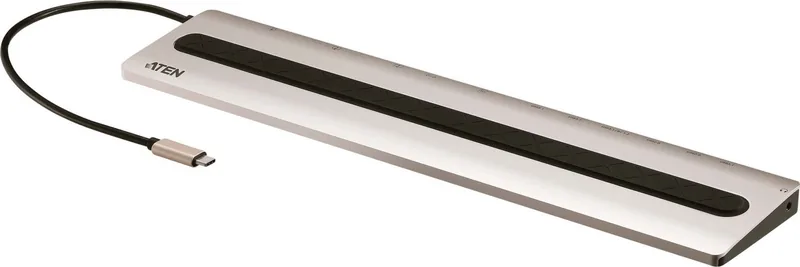
The ATEN USB-C Multiport Dock is designed to transform your laptop into a powerful, all-in-one workstation. This sleek device offers a comprehensive upgrade path for professionals who need to connect multiple peripherals without cluttering their desk. By utilizing a single USB-C cable, you can instantly expand your connectivity options to include up to 13 different devices. The dock supports high-speed data transfer via USB 3.2 Gen 1 ports and provides robust video output capabilities, allowing you to drive dual HD monitors or a stunning 4K display depending on your configuration.
Power management is a standout feature of this unit. With support for USB Power Delivery 3.0, the dock can deliver up to 85W of power pass-through to your laptop, ensuring your device stays charged even under heavy load. This eliminates the need for a separate charger while you work. The integrated Gigabit Ethernet port guarantees a stable wired internet connection, which is crucial for bandwidth-intensive tasks. Additionally, built-in card readers for SD and MicroSD cards make it easy to transfer photos and documents directly from cameras or mobile devices.
Designed with an ergonomic and minimalist aesthetic, the UH3237 features an ultra-slim profile that allows users to place a 15-inch laptop directly on top of the dock, saving valuable desk space. It is compatible with major operating systems including Windows, macOS, and iPadOS, requiring no additional software drivers for plug-and-play functionality. Whether you are extending your desktop environment or mirroring your screen for presentations, this dock delivers seamless performance and reliability.
Search for 67,706 Manuals online


Type-in Brand or Model