
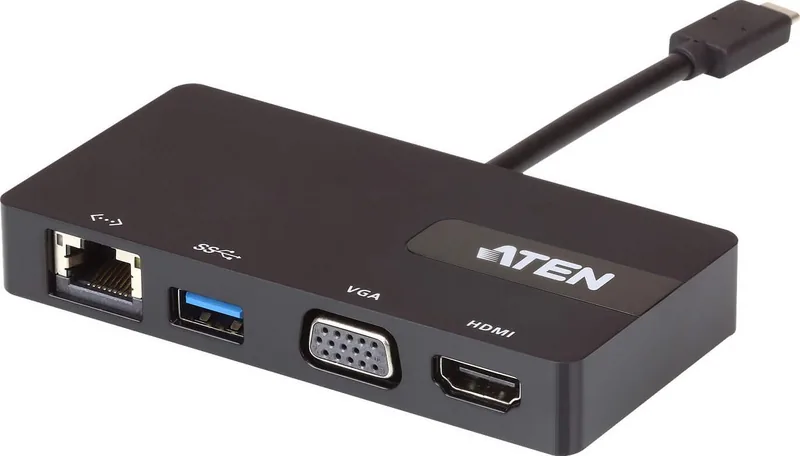

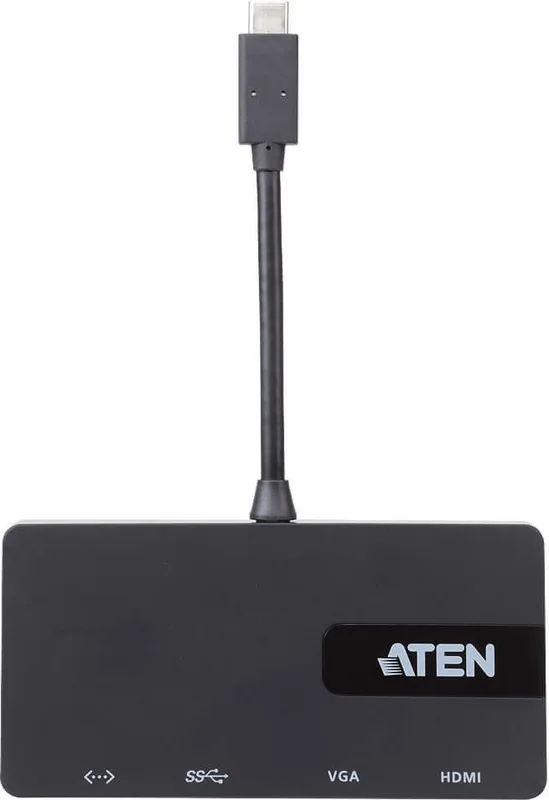
ATEN UH3232 Manual
PDF manual · 13 Pages
English



Quick check
Incorrect answer, please try again.
Chat with your ATEN UH3232 manual using AI
Get instant AI answers from your ATEN UH3232 manual
Ask anything about the ATEN UH3232. Answers come from this manual, with the pages they are based on.
Ask a Question
Do you recommend UH3232?
Yes NoVideo Manual
Minim Port di Laptop? Pakai ini aja! USB MULTIPORT DOCK ATEN UH3230 & CAMLIVE UC3020 | #REVIEW
Frequently Asked Questions
It expands a compatible USB-C computer or tablet with USB-A ports, HDMI, DisplayPort, VGA, Gigabit Ethernet, audio, and SD or Micro SD card access through one connection.
Is this answer helpful?
Yes. With a compatible USB-C PD power adapter connected to the dock's DC-in port, it supports Power Delivery pass-through up to 60W. Actual charging depends on the adapter and laptop requirements.
Is this answer helpful?
Yes, compatible Windows USB-C computers can use DisplayPort plus HDMI or VGA for two 1080p displays at 60 Hz. The computer must support DP Alt Mode and MST. Mac systems support single-view output.
Is this answer helpful?
A single DisplayPort or HDMI monitor can operate at up to 3840 x 2160 at 30 Hz. VGA supports up to 1920 x 1200 at 60 Hz. Dual-view output is up to 1920 x 1080 at 60 Hz per display.
Is this answer helpful?
It supports compatible USB-C Windows 10 or later computers, MacBook models from 2015 onward, MacBook Pro models from 2016 onward, and certain iPad Pro devices. Video requires USB-C DisplayPort Alt Mode.
Is this answer helpful?
No. The SD and Micro SD card readers cannot operate simultaneously. Card-reader behavior follows the order in which cards are inserted.
Is this answer helpful?
Advantages and Disadvantages
Advantages

- Connects up to 10 devices through one USB-C host connection.
- Supports up to 60W USB Power Delivery pass-through with a compatible adapter.
- Offers 4K at 30 Hz on a single HDMI or DisplayPort display.
- Provides Gigabit Ethernet, SD and Micro SD readers, audio, and three USB-A ports.
- Slim metal design helps create a compact and organized workspace.
Disadvantages

- USB-C host must support DisplayPort Alt Mode for video output.
- Dual-display operation depends on Windows MST support; Mac supports single-view output.
- 4K output is limited to 30 Hz.
- USB-C PD power adapter is required for laptop charging and is not included.
- SD and Micro SD cards cannot be used simultaneously.
Product Specification
Type
LAN adapter, USB hub, card reader, video adapter
Form factor
1x external wired (connection cable non-removable)
Host connection
1x USB-C 3.0 (port, 5 Gb/s, USB-C with DisplayPort 1.2, USB PD 2.0)
Ports
1x RJ-45, 1x USB-C 3.0 (port), 3x USB-A 3.0 (port), 1x microSD, 1x SD card, 1x DisplayPort (port), 1x HDMI (port), 1x VGA (port), 1x audio jack (port, 3.5 mm)
Data transfer
1x RJ-45 (10/100/1000Base-T), 1x USB-C 3.0 (port, 5 Gb/s, USB PD 2.0, 20 V/3 A), 1x USB-A 3.0 (port, 5 Gb/s, USB BC 1.2, 5 V/1.5 A/7.5 W), 2x USB-A 3.0 (port, 5 Gb/s, 2x 5 V/1 A/5 W), total USB power: 5 V/10 A/50 W, 1x microSD (microSD), 1x SD card (SD card, MMC), 1x DisplayPort (port, max. 3840x2160@30 Hz), 1x HDMI (port, max. 3840x2160@30 Hz), 1x VGA (port, max. 1920x1080@30 Hz), 1x audio jack (port, 3.5 mm)
Power supply
Power supply also via host connection, power input (1x USB-C port USB PD 3.0, max. 20 V/3 A/60 W, passthrough 20 V/3 A/60 W), external power adapter possible but not included
Dimensions
11.02 x 0.59 x 2.95 in (W x H x D)
Weight
11.11 oz
Case color
silver
Compatibility
universal
Special features
metal housing
USB naming
Link
Product Description
ATEN Multiport Dock, USB-C 3.0 [Plug] - Read, Download & Print Free
The ATEN UH3234 USB-C Multiport Dock is a compact workstation upgrade designed for laptops, compatible tablets, and modern USB-C setups. With a single host connection, it expands a device into a versatile hub for displays, storage, networking, audio, and USB accessories. Its ultra-slim metal housing keeps desks organized while providing practical connectivity for work, study, presentations, and travel.
One Cable, Extensive Connectivity
The dock connects up to 10 devices through its integrated USB-C host connector. It includes three USB 3.1 Gen 1 Type-A ports for peripherals such as keyboards, mice, drives, and accessories. One USB-A port supports BC 1.2 fast charging at up to 7.5W, while the combined USB output is rated at up to 10W. Built-in SD and Micro SD readers add convenient access to compatible memory cards, although both card slots cannot be used simultaneously.
A Gigabit Ethernet port provides a stable wired network option when Wi-Fi is unreliable or unavailable. The 3.5 mm four-pole audio jack supports headphones, speakers, or a headset with microphone, helping create a cleaner desktop connection point for everyday communication and media.
Flexible Display Options
ATEN UH3234 supports DisplayPort, HDMI, and VGA monitor connections. A single HDMI or DisplayPort screen can reach 4K resolution at 30 Hz, making it suitable for detailed documents, media playback, and large-screen productivity. For multi-display Windows systems, the dock can support dual 1080p displays at 60 Hz through DisplayPort plus HDMI or VGA, provided the host graphics hardware supports MST technology.
Video output requires a USB-C host with DisplayPort Alt Mode. Mac systems support single-view output, so users should confirm their computer capabilities before planning a dual-monitor workspace. The dock does not support DP++ signal conversion through optional DisplayPort-to-DVI or HDMI adapters.
Power Pass-Through for Daily Work
With a compatible USB-C Power Delivery adapter connected to its DC-in port, the UH3234 can pass through up to 60W to a laptop. Supported PD 2.0 profiles include 5V, 9V, 12V, and 20V. The dock itself uses the first 15W of available power, with remaining power supplied to the connected computer. Charging results depend on the laptop and adapter specifications.
Notes
- Connect the USB-C power adapter before using the dock to reduce temporary USB disconnections.
- The slim design can support a 13-inch laptop positioned on top when its USB-C port is on the left side.
- Compatible platforms include select Windows, macOS, and iPad Pro USB-C devices.
Search for 67,706 Manuals online


Type-in Brand or Model