

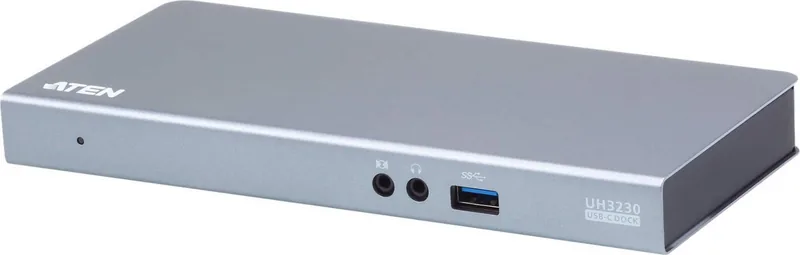
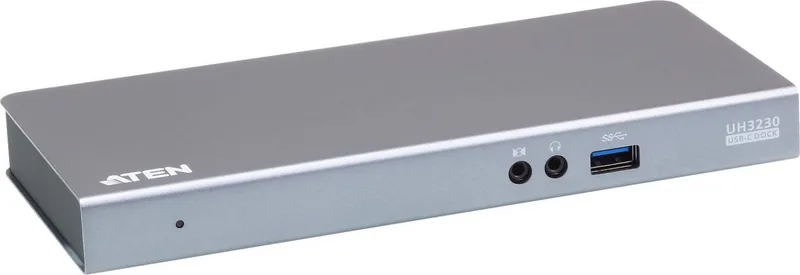
ATEN UH3230 Manual
PDF manual · 15 Pages
English



Quick check
Incorrect answer, please try again.
Chat with your ATEN UH3230 manual using AI
Get instant AI answers from your ATEN UH3230 manual
Ask anything about the ATEN UH3230. Answers come from this manual, with the pages they are based on.
Ask a Question
Do you recommend UH3230?
Yes NoFrequently Asked Questions
Yes, the UH3230 supports dual monitor setups using DisplayPort and HDMI. You can run them in mirror or extended mode, though Mac users are limited to single-view output.
Is this answer helpful?
Yes, it supports USB Power Delivery 2.0. However, your laptop must be compatible with standard USB-C charging profiles like 20V/3A, as it cannot charge devices with proprietary interfaces.
Is this answer helpful?
It works with Mac OS X 10.12 and later. Note that Multi-Stream Transport is not supported, so you can only use one external display for extended desktop functionality.
Is this answer helpful?
The dock supports up to 4K (3840 x 2160) at 30 Hz on a single screen. For dual screens, it supports Full HD (1920 x 1080) at 60 Hz per monitor.
Is this answer helpful?
Download the driver from the ATEN website based on your operating system. Unzip the file and run the setup executable. A system reboot might be necessary after installation.
Is this answer helpful?
The package contains the UH3230 dock, a USB-C cable, an AC power adapter with cable, and user instructions. Ensure all items are present before use.
Is this answer helpful?
Advantages and Disadvantages
Advantages

- Supports dual 4K monitors for enhanced productivity
- Charges laptops via USB-C Power Delivery
- Includes Gigabit Ethernet for stable networking
- Features front panel USB port for fast charging
- Compact metal design ensures durability
Disadvantages

- Mac OS does not support Multi-Stream Transport
- Does not charge devices with proprietary USB-C interfaces
- Requires specific power adapter specs for laptop charging
- Limited to 4K at 30Hz resolution
- Drivers may require reboot after installation
Product Specification
Type
LAN Adapter, USB Hub, Video Adapter
Form Factor
1x external wired
Connection
1x USB-C 3.0 (Female, 5Gb/s, USB-C with DisplayPort, USB PD 3.0 max. 20V/3A/60W), 1x USB-C 3.0 (Male via cable, 5Gb/s)
Interface
1x RJ-45, 1x USB-C 3.0 (Female), 3x USB-A 3.0 (Female), 1x HDMI (Female) 1x DisplayPort (Female), 2x Jack (Female, 3.5mm)
Transfer
1x RJ-45 (10/100/1000Base-T), 1x USB-C 3.0 (Female, 5Gb/s), 1x USB-A 3.0 (Female, 5Gb/s, USB BC 1.2 5V/2.1A/10.5W), 2x USB-A 3.0 (Female, 5Gb/s), 1x HDMI (Female, max. 4096x2160@30Hz), 1x DisplayPort (Female, max. 3840x2160@30Hz), 2x Jack (Female, 3.5mm)
Power Supply
Power not via connection, AC adapter (1x barrel connector), external power supply required and included (1x barrel connector 20V/4.5A/90W)
Dimensions
7.87x0.87x3.58 inches (WxHxD)
Weight
20.24 oz
Chassis Color
gray
Compatibility
universal
Features
Metal chassis
Manufacturer Warranty
two years
USB Spelling
Link
Product Description
Elevate Your Workspace with the ATEN USB-C Multiport Dock
Transform your laptop into a powerful desktop workstation with the ATEN UH3230 USB-C Multiport Dock. This versatile docking station is designed to streamline your connectivity, offering a seamless way to connect multiple peripherals through a single high-speed USB-C cable. Whether you are working from home or in a corporate office, this dock provides the flexibility and performance needed for modern productivity.
The UH3230 features eight distinct ports that allow you to connect up to two external monitors, a network connection, audio devices, and various USB peripherals. It supports dual monitor setups with resolutions up to 4K via DisplayPort and HDMI, enabling you to work on multiple applications simultaneously without lag. The inclusion of Gigabit Ethernet ensures a stable internet connection, while the front-panel USB 3.1 port offers quick access for data transfers and fast charging of mobile devices.
Power management is a key highlight of this device. The rear USB-C host port supports USB Power Delivery 2.0, allowing the dock to charge your compatible laptop directly while it operates. This eliminates the need for a separate power brick for your computer, reducing cable clutter significantly. Additionally, the dock includes audio input and output jacks, making it ideal for video conferences and multimedia consumption.
Installation is straightforward, with drivers available for both Windows and Mac OS X systems. Once connected, the dock automatically detects displays and peripherals, ensuring a plug-and-play experience. The metal housing provides durability and heat dissipation, making it a reliable companion for daily use. With its compact design and robust feature set, the ATEN UH3230 is an essential tool for anyone looking to maximize their workspace efficiency.
Important Notes
- Mac computers support single-view output only due to MST limitations.
- Ensure your power adapter meets the required specifications (20V/3A, etc.) for laptop charging.
- Always check for the latest firmware updates to ensure compatibility with newer devices.
Search for 67,706 Manuals online


Type-in Brand or Model