
ATEN StreamLIVE HD UC9020 Manual
PDF manual · 65 Pages
English



Quick check
Incorrect answer, please try again.
Chat with your ATEN StreamLIVE HD UC9020 manual using AI
Get instant AI answers from your ATEN StreamLIVE HD UC9020 manual
Ask anything about the ATEN StreamLIVE HD UC9020. Answers come from this manual, with the pages they are based on.
Ask a Question
Do you recommend StreamLIVE HD UC9020?
Yes NoFrequently Asked Questions
No. The system operates independently of a PC or laptop. You can manage all stream settings using the ATEN OnAir application installed on a compatible iPad, eliminating the need for additional computing hardware.
Is this answer helpful?
The unit supports popular Content Delivery Networks including YouTube, Facebook, and Twitch. You can configure the stream URL and key for multiple platforms simultaneously within the settings menu.
Is this answer helpful?
The device works with various iPad Pro, iPad, iPad Air, and iPad Mini models running iOS 11 or later. Both older Lightning connectors and newer USB-C connectors are supported with appropriate cables.
Is this answer helpful?
Yes. The system allows live-stream video recording to an external USB 3.0 or later storage device. A maximum of two stream outputs or one stream and one recording is allowed.
Is this answer helpful?
The output resolution reaches 1080p30 standard for streaming. Inputs can handle up to 4K resolutions for loop-through, though the encoder caps at 1080p for live distribution.
Is this answer helpful?
Use the included Ethernet cable to connect the Gigabit LAN port to your router or switch. This provides the stable connection required for high-quality live video transmission.
Is this answer helpful?
Yes. ATEN provides a limited hardware warranty of two years from the date of original purchase. This covers flaws in materials and workmanship for most regions.
Is this answer helpful?
Advantages and Disadvantages
Advantages

- All-in-one design integrates capture, switch, encoder, and mixer seamlessly.
- PC-free operation allows streaming directly via iPad app without a computer.
- Supports simultaneous dual-stream output for multi-platform broadcasting.
- Fanless design ensures silent operation during audio-sensitive recordings.
- Includes up to eight pre-programmed scenes for quick live transitions.
Disadvantages

- Requires an iPad running iOS 11 or later for full app functionality.
- HDMI inputs do not support HDCP encrypted content sources.
- Video recording requires an external USB storage device connected to the unit.
- Firmware upgrades depend on a USB drive which adds complexity to the process.
- Only compatible with Apple devices, limiting cross-platform flexibility.
Product Specification
Compression
H.264
Resolution
1920x1080p (30fps/Recording, 60fps/Pass-Through), 4096x2160p (60fps/Pass-Through), 3840x2160p (60fps/Pass-Through)
Inputs
3x HDMI, 1x Composite Audio, 1x 0.26 in Jack
Outputs
1x HDMI, 1x 0.14 in Jack
Interfaces
1x USB-A 3.0, 1x USB-A 2.0, 1x Gigabit LAN
Power Consumption
13W
Dimensions
11.38x7.48x3.82 in
Weight
4.17 lbs
Features
Standalone Device
Manufacturer Warranty
2 years
Product Description
Elevate Your Live Streaming Experience
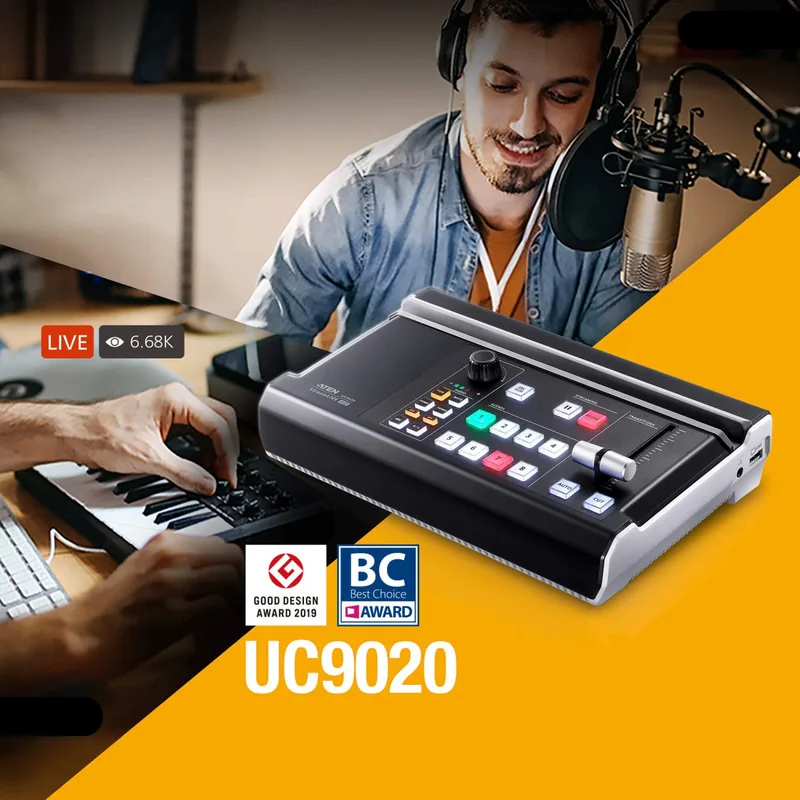
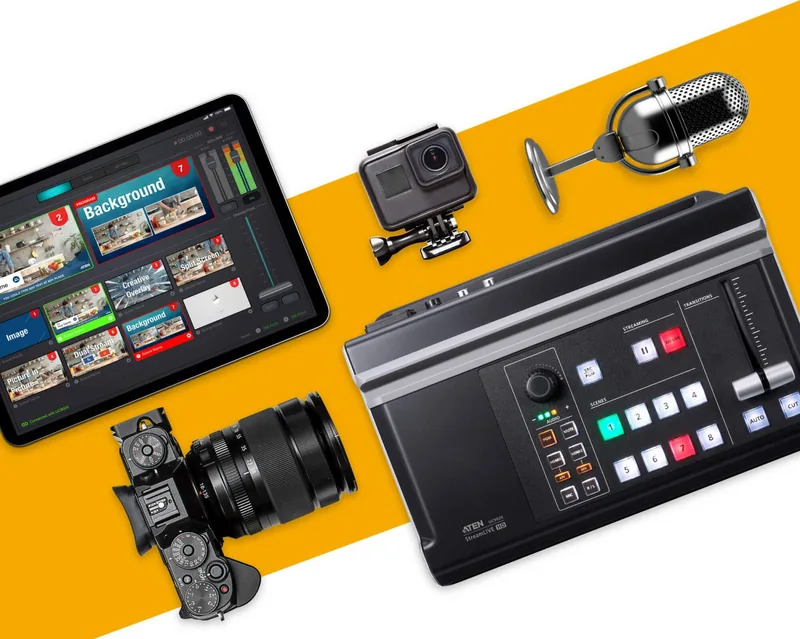
Broadcasting high-quality content online requires reliable hardware that simplifies workflow without compromising quality. The ATEN StreamLIVE HD stands out as a premier solution for creators seeking a robust yet accessible setup. This all-in-one device integrates video capture, switching, encoding, and mixing into a single compact unit designed for portability and ease of use. Whether you are producing a gaming stream, educational webinar, or live event, this mixer ensures professional results.
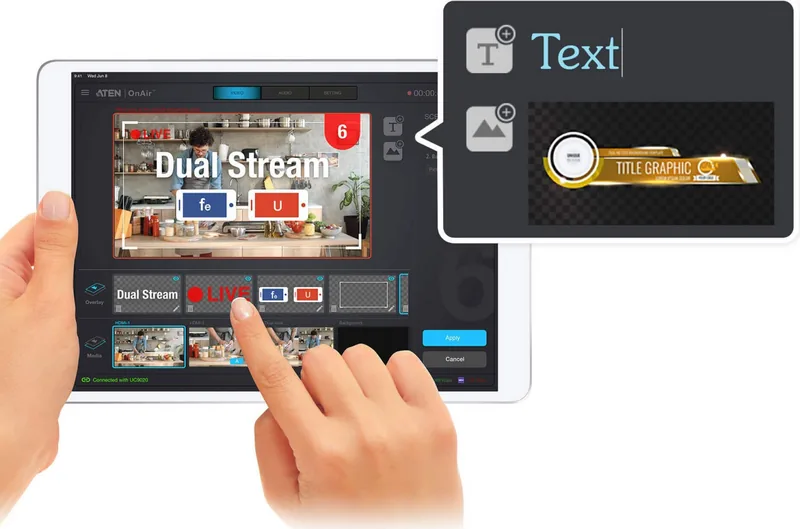
One of the most significant advantages is its PC-free and software-free operation. By utilizing the intuitive ATEN OnAir application on an iPad, users can manage complex video layouts and audio levels directly from a tablet. This flexibility allows filmmakers to operate independently of a laptop, reducing setup time and physical clutter. The interface supports up to eight pre-programmed scenes, enabling seamless transitions during active broadcasts. Additionally, the unit handles multiple input sources such as HDMI devices and microphones, ensuring a rich multimedia experience. Users can switch between video sources instantly using the illuminated control buttons on the front panel.
Connectivity options are comprehensive and future-proof. The device supports gigabit Ethernet connections for stable network transmission to popular platforms like YouTube, Facebook, and Twitch. Users can also record streams directly to external USB storage formatted for high-speed data transfer, utilizing USB 3.2 Gen1 ports. The hardware design features luminous keys for easy source selection and a fanless system for silent operation, which is crucial for audio-sensitive environments.
Detailed guidance is available to ensure optimal configuration for your specific needs. Referencing the ATEN StreamLIVE HD Multi-Channel AV Mixer Manual for setup instructions helps users navigate initial setup, firmware updates, and advanced settings like audio compression and video resolution adjustments. This resource covers everything from hardware assembly to troubleshooting potential network issues. With built-in scene management and overlay capabilities for text and images, broadcasters maintain full creative control.
For those concerned with compatibility, the system works with various iPad models running iOS eleven or later. It supports both Lightning and USB-C connectors depending on the tablet generation. The included cables facilitate direct data transfer without complex adapters. While the primary focus is on live streaming, the ability to export recordings offers a backup solution for content creation. The mixer supports simultaneous dual output for monitoring purposes during production. The unit includes a microphone input and line level inputs alongside HDMI audio capture. This versatile machine empowers individuals and small teams to compete with larger studios by offering powerful tools in a portable package.
Search for 67,706 Manuals online


Type-in Brand or Model