

ATEN KH1508A Manual
PDF manual · 90 Pages
English



Quick check
Incorrect answer, please try again.
Chat with your ATEN KH1508A manual using AI
Get instant AI answers from your ATEN KH1508A manual
Ask anything about the ATEN KH1508A. Answers come from this manual, with the pages they are based on.
Ask a Question
Do you recommend KH1508A?
Yes NoFrequently Asked Questions
The device is a KVM switch that allows control of eight computers using one keyboard, mouse, and monitor.
Is this answer helpful?
Yes, you can daisy chain up to 31 additional switches to manage a total of 1024 computers.
Is this answer helpful?
You can use front panel buttons, hotkeys, or the On-Screen Display menu system for selection.
Is this answer helpful?
Yes, components can be added or removed without powering off the switch during operation.
Is this answer helpful?
It supports Windows, Linux, Unix, Novell, FreeBSD, Sun, and Mac operating systems.
Is this answer helpful?
Updates should be downloaded from the website when functionality improvements are needed.
Is this answer helpful?
Yes, it supports a two-level password system with one administrator and ten user profiles.
Is this answer helpful?
Advantages and Disadvantages
Advantages

- High-density port configuration using standard Cat 5 cabling reduces cable clutter and installation time.
- Supports hot plugging for adding or removing devices without needing to power down the entire system unit.
- Allows daisy chaining of up to 31 units to manage over one thousand computers from a single console.
- Comprehensive On-Screen Display menu supports multiple user accounts and detailed port management configurations.
- Compatible with diverse operating systems including Windows, Linux, Unix, and Mac without driver installation requirements.
Disadvantages

- Daisy chain cables are sold separately and must be purchased to expand the system beyond the single unit capacity.
- Requires careful voltage setting verification before operation to prevent potential damage from incorrect power supply connections.
- Password recovery requires physical access to open the housing and adjust internal jumpers on the main board unit.
- Some older operating systems may not fully support hot plugging features affecting mouse and keyboard responsiveness after change.
- The maximum distance for Cat 5e cables is limited to fifty meters for high-resolution video support without signal loss.
Product Specification
Ports
8
Monitor
VGA
Keyboard/Mouse
PS/2
Audio
N/A
LAN
N/A
Resolution
1600x1200
Features
1 RJ-11 (Firmware Update)
Product Description
Managing Server Console Access with the ATEN KH1508A
Overview of the ATEN KH1508A
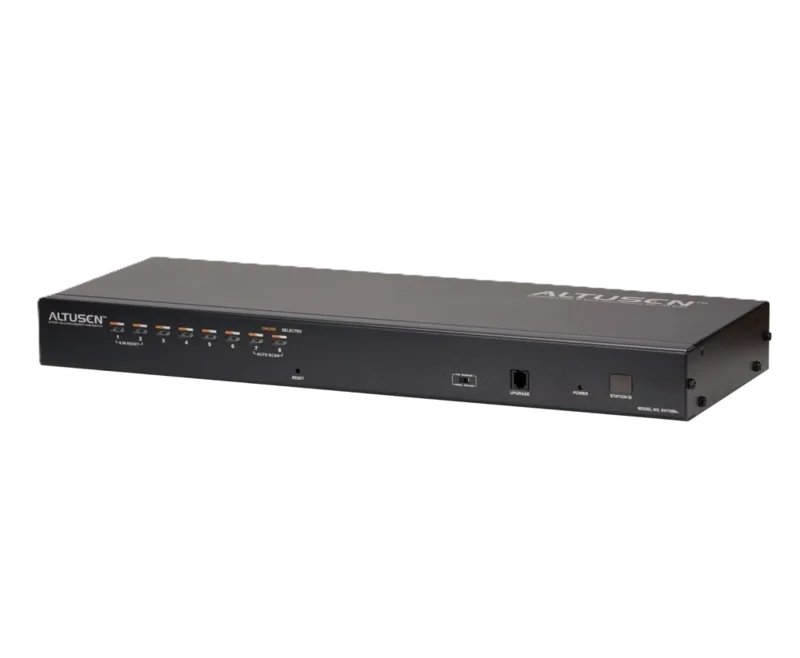
In the modern data center environment, efficiency is paramount for IT administrators. The ATEN KH1508A offers a robust solution for controlling multiple computers from a single location. This Cat 5 High-Density KVM Switch allows you to control eight PCs simultaneously using just one keyboard, mouse, and monitor. When you consult the ATEN KH1508A Manual, you will find detailed guidance on maximizing this device's potential without complex configurations. The hardware independent design ensures compatibility across various operating systems including Windows, Linux, MacOS, and Sun systems.
Key Features and Benefits
This KVM switch is designed for high-density installations. It utilizes compact RJ-45 connectors and Cat 5e or Cat 6 cabling to reduce clutter significantly. The unit features a seven-segment front panel LED that displays the station position automatically. You can select ports via push-buttons on the front panel, using hotkey combinations, or through an On-Screen Display menu system. The OSD supports multi-language options including English and German. Video resolution support reaches up to 1920 x 1200 at 60 Hz, ensuring clarity across screens. Additionally, the system supports hot plugging, meaning you can add or remove components without powering down the switch. Security is integrated into the design with a two-level password system that restricts unauthorized access.
Installation and Scalability
Setup is straightforward as the device recognizes station positions automatically when daisy-chaining. You can connect up to 31 additional switches to the primary device. This architecture allows a single console to manage as many as 1024 computers in total. Grounding is essential during installation to prevent damage from electrical surges. The unit comes with a mounting kit for rack installation or you can stack units on a desktop. Firmware upgrades are supported to keep the system current with the latest improvements. The package includes a firmware upgrade cable and mounting bracket for flexible deployment scenarios.
Security and Administration
Security is integrated into the design with a two-level password system. There is one administrator account and ten user profiles available. This prevents unauthorized access to the connected computers. The firmware upgrade utility allows for simultaneous updates across the daisy chain. Whether managing a small office or a large server room, this system saves time and reduces energy costs. Proper configuration ensures that all operations run smoothly while maintaining high uptime standards for your infrastructure. You can also enable broadcast mode to send commands to all connected targets simultaneously for streamlined maintenance tasks.
Note: Always verify voltage settings before operation to ensure safety.
Search for 67,706 Manuals online


Type-in Brand or Model