

ATEN CS724KM Manual
PDF manual · 99 Pages
English



Quick check
Incorrect answer, please try again.
Chat with your ATEN CS724KM manual using AI
Get instant AI answers from your ATEN CS724KM manual
Ask anything about the ATEN CS724KM. Answers come from this manual, with the pages they are based on.
Ask a Question
Do you recommend CS724KM?
Yes NoFrequently Asked Questions
It allows you to control up to four computers with a single keyboard, mouse, and monitor setup.
Is this answer helpful?
It supports extended desktops with up to sixteen monitors total using Boundless Switching.
Is this answer helpful?
No, it is bus-powered but requires connection to at least two computers for sufficient power.
Is this answer helpful?
Yes, by daisy-chaining two units you can manage up to eight computers from one console.
Is this answer helpful?
Yes, it supports Linux 64 bit systems with specific firmware upgrades.
Is this answer helpful?
It is a feature where moving the mouse cursor across border switches focus to another computer.
Is this answer helpful?
You can use the front panel pushbuttons or specific hotkey combinations on your keyboard.
Is this answer helpful?
Advantages and Disadvantages
Advantages

- Controls up to 4 computers with single keyboard and mouse
- Bus-powered design eliminates need for external power adapter
- Supports extended desktops with up to sixteen monitors
- Flexible port selection via pushbutton, hotkey, and mouse
- Compatible with Windows and Linux operating systems
Disadvantages

- Requires Driver AP software for extended desktop functionality
- Limited to 4 ports per unit without daisy chaining
- Mouse switching requires a 3-button scroll wheel
- Firmware upgrade needed for specific features on Linux
- External power needed if fewer than two computers connected
Product Specification
Type
KVM Switch
Ports
4
Monitor
N/A
Keyboard/Mouse
USB
Audio
4x 3.5mm Jack
LAN
1x 1000Base-T
Resolution
N/A
Features
incl. power supply (5V)
Product Description
Revolutionizing Multi-Computer Workflows with ATEN Technology
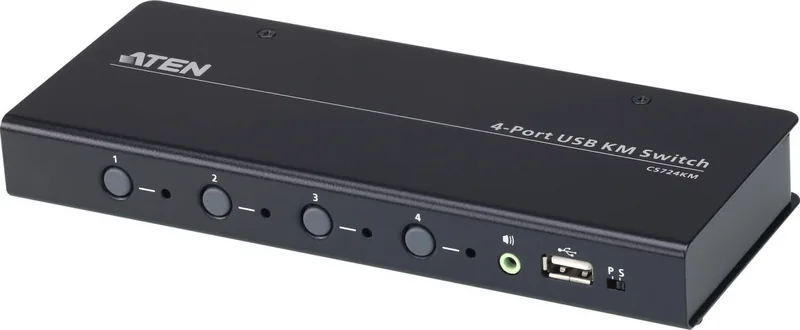
Managing multiple computers is a significant challenge for system administrators and power users alike. The ATEN CS724KM 4-Port USB Boundless KM Switch offers a streamlined solution for those who need consolidated control. This device enables users to manage up to four computers using a single keyboard and mouse setup. By consolidating peripherals, workspace clutter is significantly reduced. The focus of this technology lies in its intuitive switching capabilities known as Boundless Switching.
Boundless Switching allows users to move the mouse cursor across screen borders to switch control seamlessly. There are no buttons to press or specific key combinations required for this primary function. It supports extended desktops with up to sixteen monitors total. This feature expedites the process of switching between computers for a smooth experience. Imagine moving from your main work monitor to a secondary development terminal simply by shifting your mouse hand. The configuration utility allows users to define the physical layout of these displays.
The system includes an intuitive GUI-based configuration utility. This tool allows users to customize mouse cursor movement paths according to the specific monitor layout at the workstation. It is essential for complex multitasking applications found in control rooms. The product is designed to simplify administrative tasks and save valuable desk space. It is especially suitable for industries requiring intensive monitoring of multiple systems. The utility is compatible with Windows operating systems.
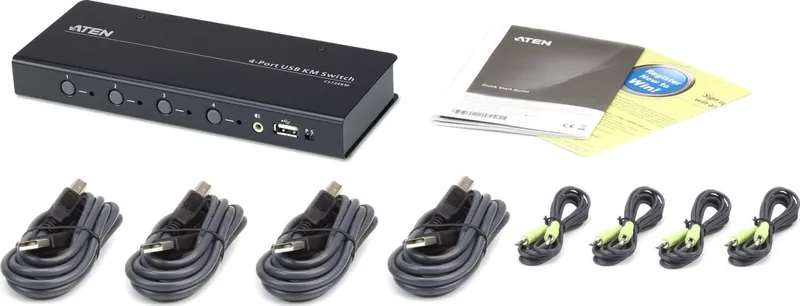
Hardware setup is straightforward and efficient. The unit is bus-powered, meaning no external power adapter is required in most successful setups. It requires connection to at least two computers to get sufficient power supply. You can also daisy-chain two units to control up to eight computers from a single console. This scalability supports growing infrastructure needs without the cost of extra consoles. The front panel features four port selection pushbuttons and audio ports with priority logic.
Port selection offers extreme flexibility. Users can switch via front panel pushbutton, keyboard hotkey, mouse cursor, and RS-232 commands. There is also the ability to independently switch keyboard, mouse, USB peripheral, and audio focus via hotkeys. This granular control ensures the right peripherals go to the right machine simultaneously. The switch supports both Windows and Linux operating systems. For Linux, firmware upgrades are required for specific features. Security standards are met through FCC compliance for commercial environments.
Note: Verify voltage settings before use to prevent electrical damage. Ensure all connected devices are properly grounded to avoid interference. The unit operates in environments with specific temperature limits. Always check for the latest firmware updates via the ATEN CS724KM 4-Port USB Boundless KM Switch Manual resources to maintain performance and stability.
Search for 67,706 Manuals online


Type-in Brand or Model