
ATEN CS692 Manual
PDF manual · 24 Pages
English



Quick check
Incorrect answer, please try again.
Chat with your ATEN CS692 manual using AI
Get instant AI answers from your ATEN CS692 manual
Ask anything about the ATEN CS692. Answers come from this manual, with the pages they are based on.
Ask a Question
Do you recommend CS692?
Yes NoFrequently Asked Questions
The CS692 supports HD video up to 1080p and resolutions up to 1920 x 1200, and is compatible with widescreen LCD monitors. Video DynaSync helps optimize resolution when switching between ports.
Is this answer helpful?
You can switch using the remote port selector pushbutton, hotkey sequences initiated by tapping Scroll Lock twice (or toggling to Ctrl), or by double-clicking the mouse scroll wheel if a compatible 3-key scroll-wheel USB mouse is used and mouse port-switching is enabled.
Is this answer helpful?
Yes. The console mouse port is a USB 2.0 port that can function as a USB hub for peripheral sharing, but you must disable mouse emulation to use it as a hub and some setups may require an external power adapter for bus-powered devices.
Is this answer helpful?
The CS692 supports audio with full bass response for 2.1 channel systems and allows independent switching of KVM and audio focus, though audio through a monitor’s built-in speakers cannot always be switched independently.
Is this answer helpful?
The CS692 is multiplatform and supports Windows (2000–7 and server variants), macOS, many Linux distributions and several UNIX systems. Specific compatibility depends on keyboard/mouse drivers and platform settings; Mac keyboard mapping and emulation are available.
Is this answer helpful?
Firmware upgrades require connecting the CS692 to a separate computer in Firmware Upgrade Mode by holding the remote port selector while plugging in the purple USB connector. Run the Firmware Upgrade Utility from ATEN’s support site and follow the on-screen steps; normal KVM functions are suspended during the process.
Is this answer helpful?
Basic troubleshooting includes power-cycling the CS692 and connected devices, ensuring cables are fully connected, updating graphics or peripheral drivers, enabling necessary emulation settings via hotkeys, and referring to the troubleshooting guide for symptoms like hot-plug incompatibility or failed upgrades.
Is this answer helpful?
Advantages and Disadvantages
Advantages

- Supports full HD video up to 1920 x 1200 with Video DynaSync to optimize display switching.
- Multiple switching methods: remote port selector, hotkeys, and mouse scroll-wheel double-click.
- USB 2.0 peripheral sharing via console mouse port and support for multifunction/wireless devices.
- Power-on detection automatically switches to the active computer when one system is off.
- Compact design with built-in 1.2 m KVM cables and broad multiplatform OS compatibility.
Disadvantages

- Non-powered design may limit USB hub/peripheral performance without an external adapter.
- Mouse port-switching only works with USB 3-key scroll wheel mice and enabled emulation.
- Independent audio switching cannot separate monitor-built-in speaker audio for all setups.
- Some graphics cards may not support cable hot-plugging; driver updates may be required.
- Firmware upgrades require disconnecting the unit and using a separate computer to run the utility.
Product Specification
Type
Cable Switch
Ports
2
Monitor
HDMI
Keyboard/Mouse
USB
Audio
Speaker, Microphone
LAN
N/A
Resolution
1920x1200
Product Description
ATEN CS692 — Compact 2-Port USB HD Audio/Video KVM Switch
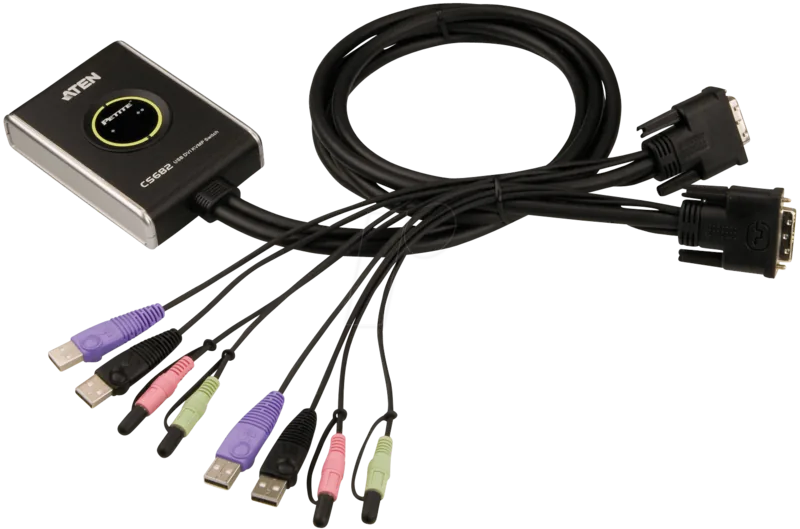
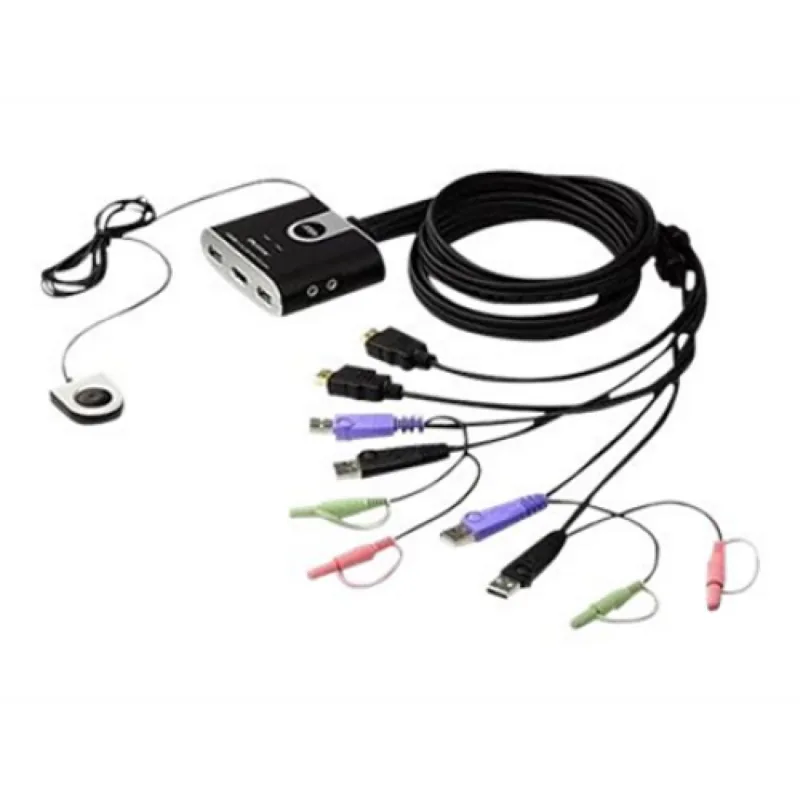
The ATEN CS692 is a compact 2-port USB HD audio/video KVM switch designed for users who need to control two computers with a single USB keyboard, USB mouse and one HD audio/video console. Engineered for multimedia and productivity environments, the CS692 delivers full HD video (up to 1920 x 1200), stereo audio support including 2.1 channel bass response, and USB 2.0 peripheral sharing through the console mouse port. Its built-in 1.2 m cables and compact housing make it easy to deploy on cluttered desktops or in small workspaces.
Featuring multiple convenient switching methods, the CS692 supports a remote port selector, hotkey combinations, and mouse-based switching (double-click the scroll wheel). Video DynaSync optimizes display resolution when switching and eliminates boot-up display issues. The unit also includes power-on detection to automatically switch to an active computer if the other system is powered off, and supports gaming and multimedia keyboards along with multifunction and wireless mice.
The CS692 is multiplatform compatible, supporting Windows, macOS, Linux and various UNIX variants. It provides console audio jacks for speakers and microphone, and has independent KVM and audio focus switching so audio and KVM control can be assigned to different computers. Keyboard and mouse emulation ensure broad driver compatibility and smooth peripheral behavior during switching. The console mouse port can act as a USB hub for additional peripherals if mouse emulation is disabled.
Designed with practical deployment in mind, the CS692 is non-powered, firmware upgradable, and supports a range of hotkey operations including auto-scan intervals, emulation toggles, platform detection and Video DynaSync invocation. The package includes the KVM switch with remote port selector, hotkey stickers and a quick start guide. ATEN provides global technical support and firmware utilities to keep the unit current.
Whether for a dual-PC workstation, multimedia editing setup, or a gaming/streaming environment, the CS692 offers an efficient, user-friendly solution to manage two systems from one HD console while preserving peripheral sharing and high-quality video and audio performance.
Notes
- Supports up to 1920 x 1200 resolution and 1080p video.
- Mouse port-switching requires a USB 3-key scroll wheel mouse and enabled emulation.
- USB 2.0 peripheral sharing via the mouse port may require an external power adapter for some hubs.
- Non-powered unit; verify system grounding and compatibility with hot-plugging for certain graphics cards.
Search for 67,706 Manuals online


Type-in Brand or Model
UtSint75
9 months ago
I like the fast HDMI switching, but I read that USB can disconnect and that audio may have noise/whistling after switching. Is this normal, and how can I fix it?
Manual.ly
9 months ago
USB dropouts and intermittent audio noise are usually caused by cabling, power, or signal compatibility rather than the switch failing completely. Please check: (1) all HDMI and USB connections are fully seated and not loose; (2) use shorter, quality cables (avoid loose adapters or hubs); (3) if USB freezes, unplug and replug the USB cable to the PC, and then switch ports again; (4) for audio noise, confirm the monitor/sound device is selected correctly in the OS and test with another speaker or display port; (5) reboot both PCs and the KVM once to reinitialize the audio/USB handshake. If the issue persists on multiple computers, contact support with your cable models and test results.