
ATEN CS52DP Manual
PDF manual · 2 Pages
English



Quick check
Incorrect answer, please try again.
Chat with your ATEN CS52DP manual using AI
Get instant AI answers from your ATEN CS52DP manual
Ask anything about the ATEN CS52DP. Answers come from this manual, with the pages they are based on.
Ask a Question
Do you recommend CS52DP?
Yes NoFrequently Asked Questions
It controls two separate computers from a single set of peripherals, allowing you to toggle between them quickly.
Is this answer helpful?
Press the remote port selector located on the front panel to toggle control instantly between the connected systems.
Is this answer helpful?
The front panel features console ports, audio connectors, and a remote port selector with LED indicators for status.
Is this answer helpful?
No, the Micro-B power cable is not included in the standard package, so you may need to source it separately.
Is this answer helpful?
Yes, you can connect additional devices to a USB hub and link that hub to the USB Type-A ports for sharing.
Is this answer helpful?
The LED indicator for the selected port glows green to provide visual confirmation of the active connection.
Is this answer helpful?
Yes, all connected devices should be properly grounded to prevent damage from static electricity or power surges.
Is this answer helpful?
Advantages and Disadvantages
Advantages

- Supports both DisplayPort and USB-C inputs seamlessly for versatile connectivity.
- Includes audio connectors for microphone and speakers sharing across machines.
- Easy switching with remote port selector and visual green LED indicators.
- USB Type-A ports allow for USB peripheral hub sharing for printers and drives.
- Consolidates workspace by using single keyboard and monitor setup for two PCs.
Disadvantages

- Micro-B power cable is not included in the package box with the unit.
- Requires specific hybrid cables for DisplayPort and USB-C devices to work.
- Limited to only two computer systems for control sharing at one time.
- Needs proper grounding to prevent damage from static electricity or surges.
- Remote port selector might require reaching if the unit is mounted far away.
Product Specification
Type
KVM Switch
Ports
2 (1x DisplayPort 1.2, 1x USB-C)
Display
DisplayPort 1.2
Keyboard/Mouse
2x USB-A
Audio
2x 3.5mm Audio Jack
Network
N/A
Resolution
4096x2160@60Hz
Switching
Wired (Remote Button)
Product Description
Enhance Multi-Computer Productivity with the ATEN Device
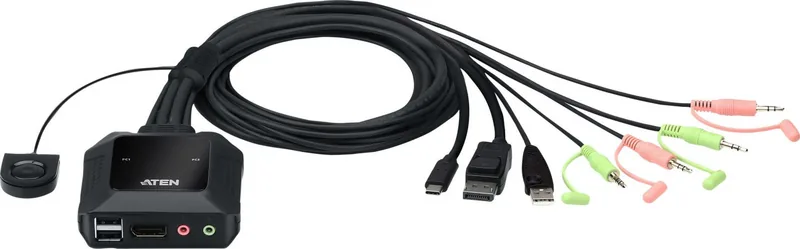
In today's fast-paced digital environment, managing multiple devices without clutter is essential. The ATEN 2-Port USB-C DisplayPort Hybrid Cable KVM-Switch offers a sleek solution for users needing seamless control over two separate computers from a single set of peripherals. Whether you are a professional developer managing code on different machines or a home office enthusiast juggling work and personal systems, this switch consolidates your workspace efficiently. It stands out as a versatile tool designed to simplify complex setups significantly.
Seamless Connectivity Standards
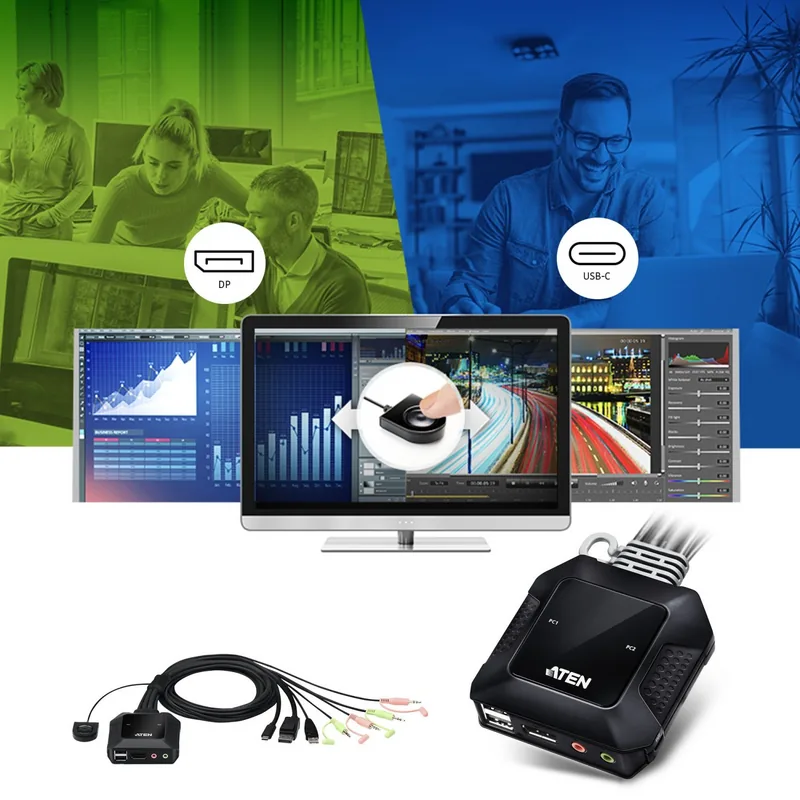
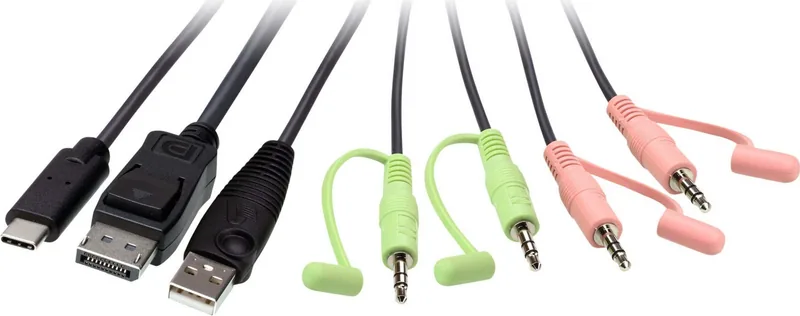
This device connects directly to your system units using hybrid cables that support multiple signal types efficiently. One side utilizes DisplayPort, USB-A, and audio for standard computers, while the other supports high-speed USB-C for modern laptops and docking stations. Audio connectivity is fully integrated, allowing you to share speakers and microphones across both systems without disconnecting physical cables. You simply have one monitor, keyboard, and mouse, and the switch handles the routing logic for you perfectly. This ensures your desk remains clean and tidy.
Advanced Features and Installation
Setup is straightforward once you understand the port layout clearly. You connect your monitor, keyboard, mouse, and audio equipment to the console ports on the face of the unit. Crucially, the USB Type-A ports allow for peripheral sharing beyond just keyboards. You can connect additional devices like printers or drives to a USB hub and link that hub to the port to share them between machines. For optimal performance, especially with power-hungry USB-C devices, connecting an external power source via the Micro-B port is highly recommended.
Safety Considerations
For safety, ensure all connected devices are properly grounded to avoid damage from static electricity or power surges. This is critical for preventing electrical issues during operation. Switching between systems is intuitive and rapid for the end user. A remote port selector located on the front panel allows you to toggle control instantly. When a specific port is active, the corresponding LED indicator glows green, providing clear visual confirmation. This eliminates the guesswork and saves valuable time when transitioning between tasks or testing environments effectively.
Implementation Notes
Ensure proper ventilation around the unit. Do not stack other items on top of the housing to avoid overheating. The power adapter requires a stable 5V DC connection for best results. Check cables regularly for wear or damage. Secure all connections to prevent loose signals.
Conclusion on Efficiency
By reducing cable clutter and enhancing efficiency, this KVM switch proves its value in any professional setup today. It supports various legacy and modern connection standards while maintaining audio fidelity and performance. Experience smooth workflow management and prioritize performance with this robust hardware solution. It is ideal for users seeking a reliable bridge between disparate computing platforms who need stability.
Search for 67,706 Manuals online


Type-in Brand or Model