
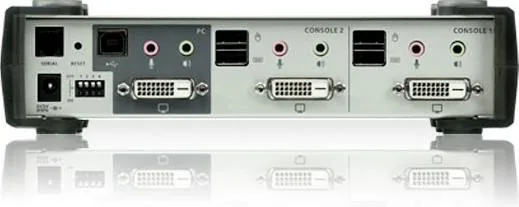
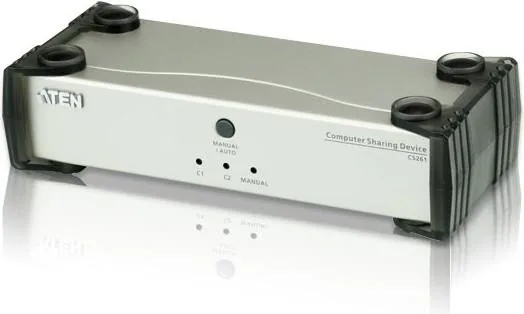
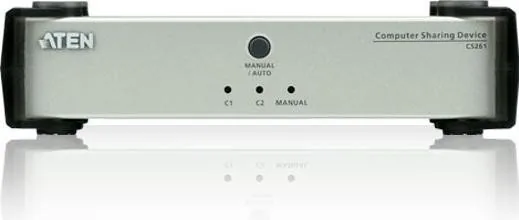
ATEN CS261 Manual
PDF manual · 22 Pages
English



Quick check
Incorrect answer, please try again.
Chat with your ATEN CS261 manual using AI
Get instant AI answers from your ATEN CS261 manual
Ask anything about the ATEN CS261. Answers come from this manual, with the pages they are based on.
Ask a Question
Do you recommend CS261?
Yes NoFrequently Asked Questions
You must install a HyperTerminal application on a computer not part of the main setup. Use an RJ-11 to DB-9 serial adapter to connect the computer's serial port to the CS261 Serial port.
Is this answer helpful?
Once the RS-232 link is open, the CS261 stops accepting commands from front panel buttons or most hotkeys. It will only respond to serial inputs until the session closes.
Is this answer helpful?
Yes, using the layout command followed by the country code like jp for Japanese or fr for French allows you to change the layout without touching the physical keyboard.
Is this answer helpful?
Use the scr command with a parameter. For example, scr t1 sets it to one minute, while scr t4 sets it to fifteen minutes depending on your desired duration.
Is this answer helpful?
Yes, simply type the reset command followed by Enter. This restores all configuration parameters back to their original factory settings immediately.
Is this answer helpful?
Advantages and Disadvantages
Advantages

- Bi-directional RS-232 interface enables remote system control via PC or controller
- Supports multiple OS configurations including Mac, PC, and Sun systems
- Flexible EDID modes allow automatic or manual display resolution management
- Compliant with FCC Class A and RoHS standards for commercial safety
- Remote firmware upgrade capability keeps device software current
Disadvantages

- Requires separate HyperTerminal application installation for operation
- RS-232 control limits usage of front panel buttons during active sessions
- Specific RJ-11 to DB-9 adapter model needed for proper serial connection
- Default settings may require manual adjustment for non-standard setups
- Complex command syntax might have a learning curve for new users
Product Specification
Type
KVM Splitter
Ports
2
Monitor
DVI-D
Keyboard/Mouse
USB
Audio
Speakers, Microphone
LAN
N/A
Resolution
3840x2160@30Hz
Product Description
Mastering Remote Control with the ATEN CS261
The ATEN CS261 stands as a robust solution for professionals seeking seamless computer sharing capabilities. This device serves as a vital bridge, allowing users to manage multiple systems from a single console while maintaining high performance and reliability. At the heart of its advanced functionality lies a built-in bi-directional RS-232 serial interface, empowering system administrators to execute precise control commands through external controllers or personal computers.
Streamlined System Management
Integrating the ATEN CS261 Manual into your workflow unlocks a world of automation possibilities. By utilizing HyperTerminal sessions on Windows-based systems, operators can send specific commands to alter device behavior instantly. Whether you need to switch between connected computers, adjust operating system settings, or modify keyboard layouts, the command-driven approach ensures efficiency without constant physical interaction.
The versatility extends to display management through EDID modes. Users can implement custom resolutions or let the device automatically detect connected displays for optimal signal transmission. This adaptability makes the unit ideal for diverse environments ranging from commercial offices to technical data centers where consistent video output is critical.
Advanced Configuration Features
Beyond basic switching, the ATEN CS261 offers granular control over system parameters. Administrators can set timeout periods for screen savers, activate or disable audio beeper alerts, and configure hotkey combinations for rapid access. The ability to reset USB connections remotely adds a layer of troubleshooting capability that minimizes downtime. Furthermore, the firmware upgrade mode ensures the hardware remains current with the latest features and security patches.
Security and compliance are also paramount. The device adheres to FCC Class A standards, ensuring it operates safely in commercial settings without causing harmful radio frequency interference. RoHS compliance confirms the product meets strict environmental guidelines regarding hazardous substances. These certifications provide peace of mind for organizations prioritizing regulatory adherence and workplace safety.
Conclusion
Leveraging the full potential of this KVM switch requires understanding its command structure. From setting default configurations to executing complex status checks, the ATEN CS261 provides a comprehensive toolkit for IT professionals. Its reliable design and extensive feature set make it a cornerstone for modern multi-computer setups.
Important Notes
- Always use an RJ-11 to DB-9 adapter for serial connections.
- Default settings favor English language and PC operating systems.
- Remote control disables most front panel button functions.
Search for 67,706 Manuals online


Type-in Brand or Model