

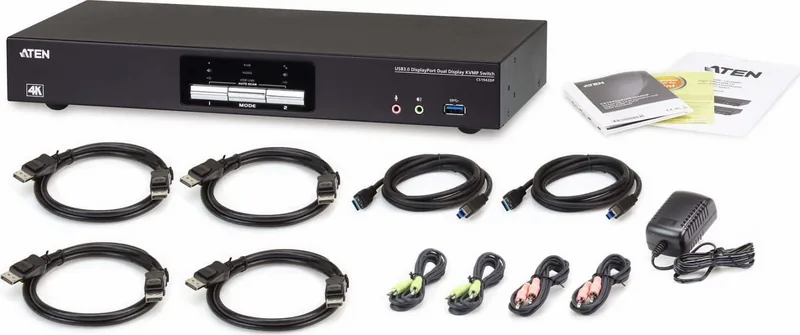
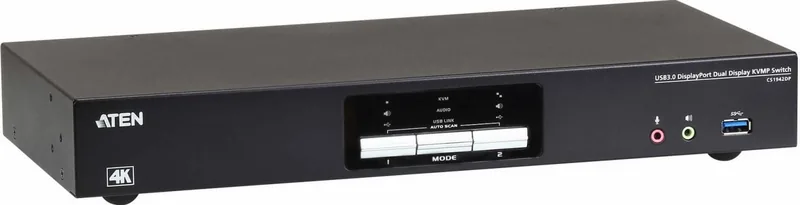
ATEN CS1942DP Manual
PDF manual · 16 Pages
English



Quick check
Incorrect answer, please try again.
Chat with your ATEN CS1942DP manual using AI
Get instant AI answers from your ATEN CS1942DP manual
Ask anything about the ATEN CS1942DP. Answers come from this manual, with the pages they are based on.
Ask a Question
Do you recommend CS1942DP?
Yes NoFrequently Asked Questions
It is a 4-port USB 3.0 4K DisplayPort KVM switch designed to let one set of peripherals control multiple computers. It is useful for workstations, labs, and professional setups that need fast switching and high-resolution output.
Is this answer helpful?
Yes. It includes a bidirectional RS-232 interface that allows control through serial commands. This is especially useful for administrators and advanced users who want more precise configuration options.
Is this answer helpful?
You need a computer, a HyperTerminal-style application or similar terminal software, and an RJ-11 to DB-9 serial adapter. The serial link must be opened with the correct command before other actions can be sent.
Is this answer helpful?
Yes. The switch supports hotkey customization, including different keys for hotkey setting mode and switching behavior. This helps match the device to user preference or existing workflow habits.
Is this answer helpful?
You can change the baud rate, keyboard language layout, hotkey behavior, USB reset behavior, firmware upgrade mode, and restore defaults. You can also check the current KVM status.
Is this answer helpful?
Yes. Its 4K support, dual-display design, and serial control options make it well suited for technical, office, and managed environments where performance and control both matter.
Is this answer helpful?
Advantages and Disadvantages
Advantages

- Supports 4K DisplayPort dual-display setups for sharp, high-resolution multitasking.
- RS-232 commands provide advanced remote control and easier system management.
- Customizable baud rate, keyboard layout, and hotkeys improve flexibility.
- Status commands help verify configuration and troubleshoot settings quickly.
Disadvantages

- RS-232 setup requires terminal software and an additional serial connection.
- Some front panel and hotkey functions are disabled while serial control is active.
- Command-based operation may feel complex for users who want a simple plug-and-play switch.
Product Specification
Type
KVM Switch
Ports
2
Monitor
DisplayPort 1.2
Keyboard/Mouse
USB
Audio
4x Jack
LAN
1x 100Base-TX
Resolution
4096x2160@60Hz
Special Features
2-port USB 3.0 Hub, Dual-Monitor
Product Description
ATEN CS1942DP: Smart 4K KVM Control with RS-232 Flexibility
The ATEN CS1942DP is designed for users who need fast, reliable control over multiple high-resolution systems without cluttering the workspace. As a 4-port USB 3.0 4K DisplayPort dual-display KVM switch, it brings together crisp visual performance, convenient switching, and practical serial management in one compact solution. For anyone comparing workflow tools or looking up the ATEN CS1942DP Manual, this model stands out for its balance of performance and control.
Built for demanding setups
With support for dual DisplayPort output and 4K resolution, the CS1942DP is well suited for professional environments where image clarity matters. It helps streamline access to multiple computers while keeping keyboard, mouse, and display connections centralized. That means fewer cables, less desk clutter, and smoother transitions between systems.
One of the strongest advantages of this switch is its RS-232 serial interface. This feature allows advanced control through a computer or controller, making it useful in technical installations and managed environments. Through simple command-based operation, users can open and close the serial link, switch ports, adjust baud rate, change keyboard layouts, modify hotkeys, reset USB behavior, and even access firmware upgrade mode.
Practical control options
The ATEN CS1942DP supports command confirmation messages, which makes troubleshooting easier during setup. It also offers flexibility for different operating preferences, including language layout selection and hotkey customization. That is especially valuable in shared or international workspaces where users may need tailored input settings.
Another useful detail is the ability to view status information through RS-232 commands. This gives administrators a quick look at current configuration settings such as hotkeys, keyboard emulation, and mouse emulation. For users who want more than basic switching, these management features add real value.
Why it matters
The CS1942DP is not just about switching screens; it is about making multi-computer control more efficient. It combines high-end display capability with professional-grade command control, which can simplify everyday work and help maintain consistency across systems. Whether used in a lab, office, or control environment, it offers a dependable way to manage connected machines.
Notes
- RS-232 control requires a serial connection and terminal software.
- Front panel and hotkey behavior changes while serial control is active.
- Default settings are easy to restore if configuration needs to be reset.
Quick takeaway
If you need a KVM switch that supports advanced control, stable switching, and 4K DisplayPort output, the ATEN CS1942DP is a strong fit. It is especially appealing for users who value both everyday convenience and deeper system management.
Search for 67,706 Manuals online


Type-in Brand or Model
Eliza Grant
8 months ago
For a 2-channel KVM, how fast is the source switching? Some reviews report about 5 seconds, including USB disconnect/reconnect. Is that normal, and can it be reduced?
Manual.ly
8 months ago
Switching time includes two parts: video sync and USB handover. With USB keyboard/mouse and especially USB audio devices, the KVM has to re-enumerate the USB peripherals on the new source, which can add several seconds. A delay in the range of about 3 to 6 seconds (or a bit more depending on your OS and devices) is often normal, even if the video itself changes faster. To reduce perceived delay, connect only the essential USB devices, avoid switching additional USB audio interfaces when possible, and ensure all peripherals are powered and ready on each computer. Firmware updates may also improve behavior. If you tell us your exact devices, we can advise what to expect.