
ATEN CS1734B Manual
PDF manual · 56 Pages
English



Quick check
Incorrect answer, please try again.
Chat with your ATEN CS1734B manual using AI
Get instant AI answers from your ATEN CS1734B manual
Ask anything about the ATEN CS1734B. Answers come from this manual, with the pages they are based on.
Ask a Question
Do you recommend CS1734B?
Yes NoFrequently Asked Questions
The CS1734B is a KVM switch that allows one keyboard, video, and mouse to control four computers. It features a USB 2.0 hub and supports audio.
Is this answer helpful?
You can connect up to four computers using this model. There is an alternative two-port version available for smaller setups.
Is this answer helpful?
Yes, the device supports Mac keyboards with specific USB cable connections required for emulation on PC based systems.
Is this answer helpful?
You can switch ports using front panel pushbuttons, hotkeys on the keyboard, mouse gestures, or the On Screen Display menu.
Is this answer helpful?
No, basic operation requires no software installation. However, firmware upgrades may require a Windows-based utility on a host computer.
Is this answer helpful?
Connect the upgrade cable to a computer COM port and run the utility software from the support website to update the firmware.
Is this answer helpful?
It is a feature that stores the monitor's EDID data to optimize display resolution and timing for better video performance.
Is this answer helpful?
Advantages and Disadvantages
Advantages

- Independent switching of KVM, USB, and audio focus enhances multitasking capabilities significantly.
- Built-in USB 2.0 hub saves ports on computers and allows peripheral sharing effortlessly.
- Supports multiple operating systems including Windows, Linux, and Mac without driver software.
- Easy setup process requires no complex software installation on the connected host machines.
- Video resolution support up to 2048 by 1536 provides sharp display quality for detailed work.
Disadvantages

- Custom SPHD connectors require specific cables not compatible with standard VGA setups.
- Mac and Sun computers must strictly use USB cable connections for full functionality support.
- Firmware upgrade requires a direct connection to a COM port using specific upgrade utility software.
- Front panel pushbutton settings offer limited customization compared to full OSD menu configurations.
- Audio input priority requires correct cabling to ensure microphones function across all ports.
Product Specification
Ports
4
Monitor
VGA
Keyboard/Mouse
USB
Audio
Speakers, Microphone
LAN
N/A
Resolution
2048x1536
Features
2-port USB 2.0 Hub
Product Description
Optimizing Multi-Computer Workspaces
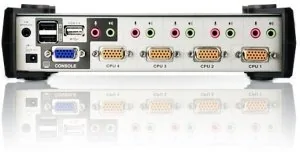
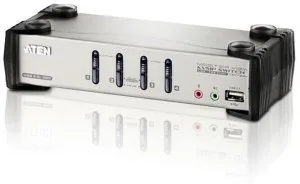
Managing multiple systems efficiently is essential for modern professional workstations and data centers. The ATEN CS1734B provides a robust hardware solution designed to streamline the management of four separate personal computers in a single environment. This device functions as a high-performance KVM switch allowing a single keyboard, monitor, and mouse console to control multiple machines simultaneously. By consolidating resources, users save significant desk space and reduce hardware costs associated with maintaining separate peripherals for each system.
The unit features a built-in USB 2.0 hub which extends connectivity options for external peripherals like printers and scanners. Unlike older designs, this model supports independent focus switching specifically for keyboard input, audio output, and USB hub access. This asynchronous switching feature allows you to direct KVM focus to one computer while sending audio to another. You might work on a critical spreadsheet on one machine while printing from a second connected unit without interrupting your current session. Audio capabilities include 2.1 channel surround sound support via dedicated front and rear panel jacks, ensuring high-quality sound delivery.
Setup is notably straightforward since no software installation is required on the host computers for basic operation. You simply connect the provided cables to the appropriate ports and power on the devices. The interface supports a wide range of operating systems including Windows, Linux, and Mac platforms with full compatibility. Users can change active ports using front panel pushbuttons, defined hotkey combinations, or innovative mouse gestures involving the scroll wheel. An On Screen Display menu provides a graphical interface to manage complex settings like auto-scan duration or custom port names without leaving the console.
For detailed instructions on secure firmware upgrades and specific hotkey configurations, users often refer to the ATEN CS1734B Manual. This resource covers critical safety warnings and troubleshooting steps essential for maintaining long-term system stability. Regular firmware updates ensure compatibility with newer devices and evolving operating environments. The switch also supports Video DynaSync technology which stores monitor EDID data to adapt timing for optimal display resolution across different display types. It handles resolutions up to 2048 by 1536 pixels.
In summary, this switch significantly improves workflow efficiency in server rooms or engineering stations. It reduces physical clutter and simplifies management tasks for IT administrators. Whether you are an experienced developer or manage a small network, having centralized control streamlines daily operations and reduces error potential during maintenance tasks effectively.
Search for 67,706 Manuals online


Type-in Brand or Model
Marcus Schulz
7 months ago
Is the hotkey sequence for switching manageable? I want to avoid resolution drops or monitor blackouts when cycling through connected PCs.
Manual.ly
7 months ago
The hotkey function is customizable. Some users have found the factory default sequence complex, so adjusting it is recommended. To prevent resolution issues or screen blackouts during switching, ensure your graphic drivers are current on all connected machines. Our support team can provide specific shortcut mappings if needed.