
ATEN CS1716i Manual
PDF manual · 209 Pages
English



Quick check
Incorrect answer, please try again.
Chat with your ATEN CS1716i manual using AI
Get instant AI answers from your ATEN CS1716i manual
Ask anything about the ATEN CS1716i. Answers come from this manual, with the pages they are based on.
Ask a Question
Do you recommend CS1716i?
Yes NoFrequently Asked Questions
It serves as a KVM switch allowing remote management of multiple computers over a network using a single console setup and web browser access.
Is this answer helpful?
Open a browser and enter the IP address of the switch. Default login uses administrator username and password which must be changed for security.
Is this answer helpful?
The device supports Windows Mac and legacy Sun systems. Specific converters may be required for older Sun hardware configurations.
Is this answer helpful?
Yes hotkey combinations like Num Lock plus Minus key allow port switching directly from the local keyboard interface.
Is this answer helpful?
A connection speed of at least 128 kbps is recommended for best results with video transmission to connected computers.
Is this answer helpful?
Yes firmware can be upgraded via the dedicated port to ensure compatibility and fix bugs found in later revisions.
Is this answer helpful?
Connect the grounding wire to the terminal then to a safe earth object to prevent static electricity damage to the unit.
Is this answer helpful?
Advantages and Disadvantages
Advantages

- Remote access over network using standard web browsers
- Support for USB and PS/2 keyboards and mice
- Support for Windows Mac and Sun operating systems
- Rack mountable design for data center use
- Hotkey functionality for quick port switching
Disadvantages

- Requires stable LAN connection for remote access
- Default passwords require immediate change for security
- Browser must support 128 bit encryption protocols
- Legacy Sun systems need specific console converters
- Installation requires physical grounding for safety
Product Specification
Type
IP-Switch
Ports
16
Monitor
VGA
Keyboard/Mouse
PS/2 & USB
Audio
N/A
LAN
1x 100Base-TX
Resolution
1600x1200
Product Description
Remote Server Management with ATEN CS1716i
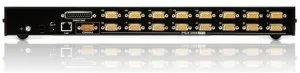
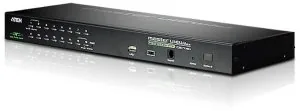
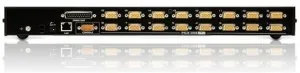
Unlock remote control over your entire server room with the ATEN CS1716i. This advanced KVM switch enables administrators to manage computers over the network without physical presence. You can access up to sixteen machines simultaneously through a standard web browser. The device supports both USB and PS/2 interfaces ensuring compatibility with various legacy and modern systems. Setup is designed for flexibility whether you install it in a standard 19-inch rack or as a standalone console station. Grounding requirements follow ATEN CS1716i Manual standards for static damage prevention. You will need a monitor keyboard and mouse for the console port along with a network connection. Network speed recommendations suggest at least 128 kilobits per second for smooth video transmission. Browsers must support 128 bit encryption for secure access. The system allows three distinct methods for switching between ports including manual selection via front panel switches. You can also choose On Screen Display menus or utilize convenient hotkey shortcuts like Num Lock plus the minus key. Operating systems supported include Windows Mac and Sun legacy hardware requiring specific converters if necessary. Security is a priority with default administrator credentials that should be changed immediately upon first use. Firmware upgrades are supported to keep the device functioning optimally over time. Log servers are available for tracking session data requiring specific database drivers. Audio alerts can be enabled or disabled through the configuration menu to assist with port changes. The hardware section highlights important ports for LAN connections and power input. Power adapters are included to ensure stable operation during critical management tasks.
Installing the unit requires basic hardware assembly using the provided mounting kit for rack environments. You must connect the provided KVM cable sets to link the switch ports to individual computer video and input ports. The rear panel features a grounding terminal which should be connected to a proper earth point for safety. If you experience connection issues check the IP configuration settings on the network interface. The default IP address is often 192.168.0.60 if DHCP fails. You can use hotkeys to scan all ports automatically for quick access during maintenance work. Resetting the keyboard or mouse on the target computer is possible through specific function keys. This functionality allows you to refresh the connection state without rebooting the remote servers.
The interface provides a Graphical User Interface for remote sessions and text menus for local console access. It simplifies complex server management tasks into simple graphical clicks. You may encounter security alerts from your browser which can be safely ignored if the certificate is valid. The device handles multiple sessions simultaneously allowing efficient workflow across different systems. Regular updates ensure that firmware remains compatible with new security protocols. The included mounting brackets allow for secure installation in data center racks or on desktop environments. This comprehensive solution streamlines IT operations by centralizing access to critical infrastructure components. You may use specific key combinations to navigate the operating system settings quickly. For example pressing F1 sets the system to Windows while F2 switches to Mac environments. This feature prevents the need to manually change keyboard layouts for different server types. The port selection LED indicators provide visual feedback regarding the currently active computer. You can pause auto scanning by pressing the P key if you need to inspect a specific log file. The device supports skipping between stations which is useful for distributed data centers.
Search for 67,706 Manuals online


Type-in Brand or Model