

ATEN CL5708IN Manual
PDF manual · 261 Pages
English



Quick check
Incorrect answer, please try again.
Chat with your ATEN CL5708IN manual using AI
Get instant AI answers from your ATEN CL5708IN manual
Ask anything about the ATEN CL5708IN. Answers come from this manual, with the pages they are based on.
CL5708IN Maintenance Schedule
Check the website regularly to find the latest information and packages to update your KVM switch.
For security, set the IP Installer utility to View Only or Disable after each use.
Free maintenance reminders
Timed to your purchase date. Always free, unsubscribe anytime.
Ask a Question
Do you recommend CL5708IN?
Yes NoFrequently Asked Questions
It is an LCD KVM over IP switch for controlling multiple computers from one console, with both local and remote access options. It helps reduce rack clutter while centralizing server management.
Is this answer helpful?
The CL5708IN controls up to 8 directly connected computers. With compatible daisy-chained switches, the overall installation can grow much larger.
Is this answer helpful?
Yes. Users can access the switch through a web browser or stand-alone client applications, allowing secure remote control over the network.
Is this answer helpful?
Yes, the front USB port can share a peripheral such as a flash drive or printer with connected computers on the same level, one at a time.
Is this answer helpful?
The unit supports password-based login, remote authentication methods, encryption, and event logging. These features help protect access in shared or sensitive environments.
Is this answer helpful?
Yes, it is designed for 1U rack mounting and includes mounting hardware. Proper grounding, cable planning, and ventilation space are important during installation.
Is this answer helpful?
It offers hotkeys, OSD menus, Auto Scan, broadcast control, port naming, and firmware upgrades, which streamline day-to-day management of multiple systems.
Is this answer helpful?
Advantages and Disadvantages
Advantages

- 1U slideaway LCD console saves rack space while combining display, keyboard, and touchpad in one unit.
- Supports both local console use and secure remote access through browser or client applications.
- Daisy chaining expands capacity with compatible switches, making growth easier.
- Built-in OSD, hotkeys, and Auto Scan simplify port navigation and monitoring.
- Security features include authentication, encryption, and logging for controlled access.
Disadvantages

- Expansion depends on compatible ATEN switches and correct daisy-chain setup.
- USB peripheral sharing is limited to USB cable connections, not PS/2 links.
- The console LCD tops out at 1280 x 1024, which may not suit higher-resolution needs.
- Setup and management can feel complex for users who only need basic switching.
Product Specification
Type
Rack KVM Switch
Ports
8
Monitor
19"
Resolution
1280x1024
Input Devices
PS/2 & USB
Audio
N/A
LAN
1x 100Base-T
Rack Height
1U
Special Features
KVM Console, Notebook-like keyboard with touchpad
Product Description
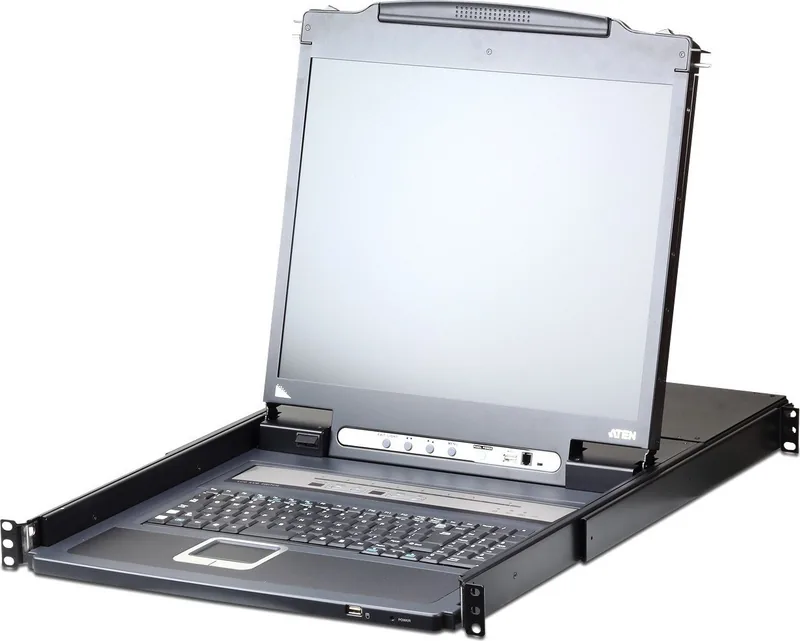
ATEN CL5708IN, DE, 8-Port: Compact Control for Busy Server Racks
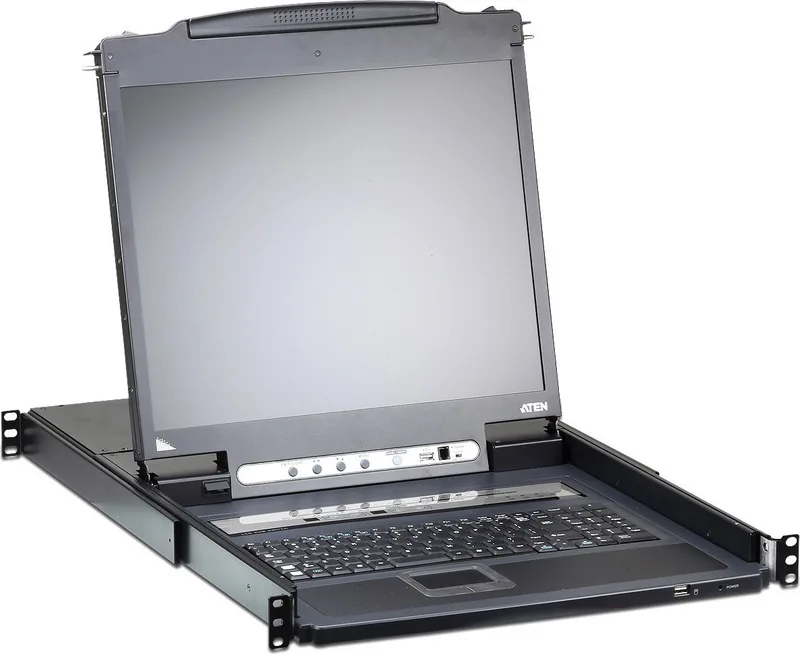
The ATEN CL5708IN, DE, 8-port Manual points to a powerful LCD KVM over IP switch designed for administrators who need direct, reliable control without wasting rack space. Built as a 1U slideaway console, this model combines an LCD screen, keyboard, and touchpad in one unit, making it a practical fit for server rooms, labs, and small data center environments where every inch matters.
What makes the CL5708IN especially appealing is its balance of local convenience and remote access. From the front panel, users can work through the integrated console, switch ports with hotkeys or the on-screen display, and even connect a USB peripheral for shared use across attached systems. From the network side, the switch supports browser access and client applications, so administrators can reach connected computers securely from different locations when physical access is not possible.
This 8-port version is well suited for setups that need centralized management of several machines without moving to a larger, more complex platform. It supports daisy chaining with compatible switches, which helps expand the installation as requirements grow. The result is a flexible control hub that can start small and scale over time. Security is another strong point, with password-based access, remote authentication support, encryption, and logging features that help keep sensitive environments organized and protected.
The hardware design also reflects real-world maintenance needs. The sliding LCD console, external console port, LED indicators, and firmware upgrade support all make the unit easier to operate and maintain. Features like Auto Scan, Broadcast mode, and OSD-based port management are especially useful when managing multiple systems that need regular monitoring or repeated configuration changes.
For teams comparing rack-mounted KVM solutions, the CL5708IN stands out as a space-saving, feature-rich option that focuses on usability, compatibility, and remote administration. It is not just about switching between ports; it is about streamlining the everyday work of server control in a compact, practical format.
Notes
- Best for environments that need local and remote KVM access in one unit.
- The 8-port layout is ideal for smaller installations with room to expand.
- USB peripheral sharing works with USB cable connections, not PS/2.
Search for 67,706 Manuals online


Type-in Brand or Model