
ATEN CAMLIVE+ UC3021 Manual
PDF manual · 40 Pages
English



Quick check
Incorrect answer, please try again.
Chat with your ATEN CAMLIVE+ UC3021 manual using AI
Get instant AI answers from your ATEN CAMLIVE+ UC3021 manual
Ask anything about the ATEN CAMLIVE+ UC3021. Answers come from this manual, with the pages they are based on.
Ask a Question
Do you recommend CAMLIVE+ UC3021?
Yes NoFrequently Asked Questions
It supports unencrypted 4K video input and captures it as 1080P for streaming or recording on computers and mobile devices.
Is this answer helpful?
Yes, it supports up to 60W USB-C power delivery pass-through charging for connected devices.
Is this answer helpful?
Most systems support plug and play without drivers. Windows 7 users must install a specific driver.
Is this answer helpful?
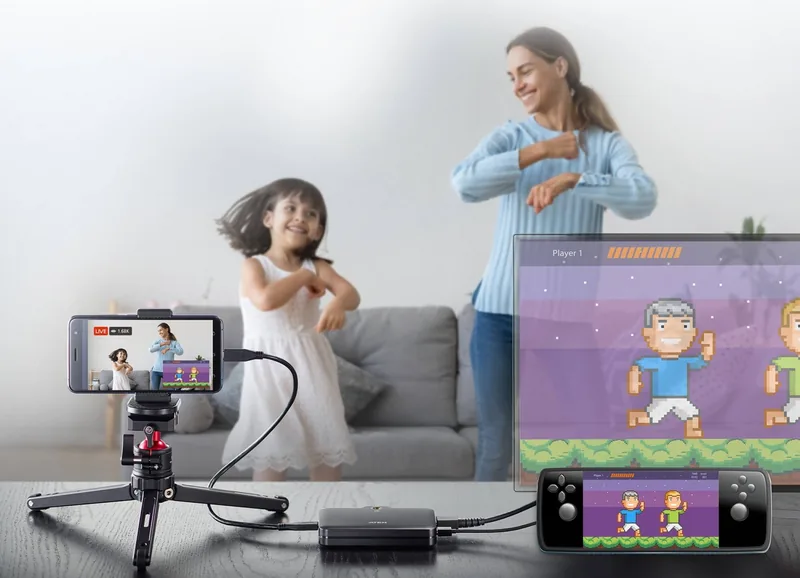
Yes, the HDMI loop-out port features latency-free video preview suitable for vlogging and live events.
Is this answer helpful?
No, the CAMLIVE+ cannot display or capture HDCP protected content and requires unencrypted signals.
Is this answer helpful?
It works with popular platforms like OBS Xsplit Twitch YouTube and Facebook for live streaming and recording needs.
Is this answer helpful?
Yes, the hardware is covered against material flaws for a warranty period of two years from the date of purchase.
Is this answer helpful?
Advantages and Disadvantages
Advantages

- Supports 4K unencrypted video input for 1080P capture on various systems
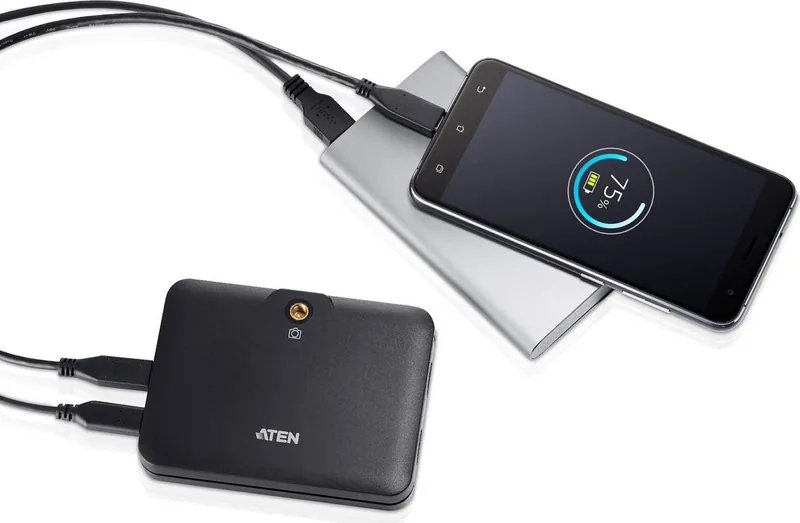
- Features 60W USB-C power delivery pass-through for simultaneous charging
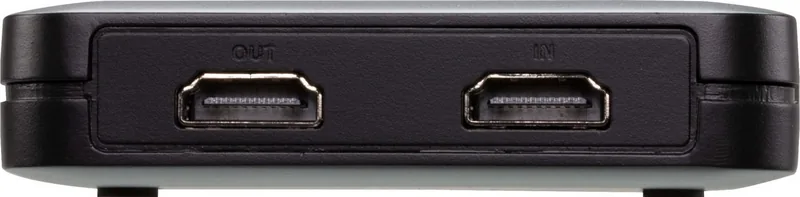
- HDMI loop-out port allows for real-time video preview without delay
- Plug and play compatibility with Windows Mac and Android platforms
- Includes a camera mount adapter for secure and stable mounting
Disadvantages

- Windows 7 users require downloading an additional driver separately
- Cannot display or capture content protected by HDCP encryption
- An external USB-C power adapter is needed for full pass-through
- Limited to indoor use based on safety instructions provided
- USB 2.0 interface forces MJPEG compression instead of RAW output
Product Specification
Compression
N/A
Resolution
3840x2160 (60fps/Pass-Through, 60fps/Recording), 1920x1080 (60fps/Pass-Through, 60fps/Recording), 1280x720 (60fps/Pass-Through, 60fps/Recording), 720x480 (60fps/Pass-Through, 60fps/Recording)
Inputs
HDMI
Outputs
HDMI
Interface
1x USB-C 3.0, 1x USB-C 3.0 (PD 3.0, 60W)
Dimensions
4.52x3.34x0.79"
Weight
3.17 oz
Features
Standalone Device, with 1/4" Thread
Product Description
Explore Professional Streaming Solutions
The CAMLIVE+ unit is designed for creators seeking high-quality video capture experiences. It serves as a significant leap forward. This device delivers a seamless experience by capturing unencrypted 4K video input and converting it into a usable 1080P signal for platforms like Twitch or YouTube. The product supports USB-C connection types which allows for direct integration with Thunderbolt 3 laptops. Users can rely on the included ATEN CAMLIVE+ Manual for guidance on installation processes that ensure stability during live broadcasts. It ensures stable performance even in challenging environments.
Power management is a standout feature of this hardware. The system supports up to sixty watts of USB-C power delivery pass-through capability. This means your laptop or Android phone can charge while you record. It handles various power profiles such as five volts, nine volts, fifteen volts, and twenty volts. You simply need to ensure a proper power adapter is available to utilize the full power potential. This design reduces cable clutter effectively. Audio quality is maintained at sixteen-bit PCM samples during capture. This ensures clear sound synchronization alongside your video feed. Compatible with major software suites available today.
Connectivity options are extensive to fit diverse setups. You can use the included HDMI input for cameras or capture cards. The HDMI loop-out port provides a latency-free preview for your host display. This allows you to monitor your stream without delay. The software free nature means plug and play functionality on Windows and Mac systems without needing extra drivers. Android support is also robust with specific UVC compatibility requirements.
Hardware setup is straightforward with a dedicated camera mount adapter included in the box. This piece snaps onto the unit to allow mounting on standard camera rigs effectively. It facilitates stable installations for outdoor events or indoor studios. The device operates within standard temperature ranges and must be kept indoors. Ventilation slots are designed to prevent overheating during extended operations. Proper placement avoids dust intake risks inside. Safety instructions emphasize unplugging before cleaning or maintenance tasks are performed.
Updating the device firmware is possible through a utility found online easily. This keeps the unit compatible with new operating systems released recently. Users should check for the latest Win seven driver if they utilize older hardware setups. Troubleshooting steps involve checking cable connections and power sources. The warranty period covers manufacturing defects for two years. This product serves as a versatile tool for modern content creators globally.
Search for 67,706 Manuals online


Type-in Brand or Model