


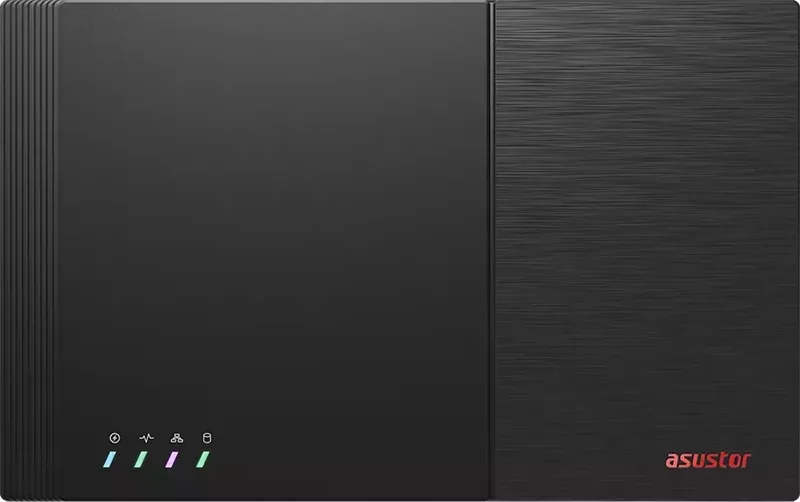
Asustor Flashstor FS67 Manual
PDF manual · 30 Pages
English



Quick check
Incorrect answer, please try again.
Chat with your Asustor Flashstor FS67 manual using AI
Get instant AI answers from your Asustor Flashstor FS67 manual
Ask anything about the Asustor Flashstor FS67. Answers come from this manual, with the pages they are based on.
Ask a Question
Do you recommend Flashstor FS67?
Yes NoFrequently Asked Questions
The series includes the Asustor Flashstor FS6706T and FS6712X. The FS6706T provides six M.2 NVMe SSD slots, while the FS6712X provides twelve slots.
Is this answer helpful?
The FS67 series uses M.2 2280 NVMe SSDs with an M-Key connector. At least one compatible SSD is required before storage can be configured.
Is this answer helpful?
Yes. The network indicators show that the FS6712X supports 10GbE, 5GbE, 2.5GbE, 1GbE, and 100MbE connections. The FS6706T supports 2.5GbE, 1GbE, and 100MbE connections.
Is this answer helpful?
Initialization can be started with ASUSTOR Control Center on Windows or macOS, through a browser using the NAS IP address, or with the AiMaster app on a mobile device connected to the same local network.
Is this answer helpful?
Yes. FS67 devices support up to 16 GB of memory. Shut down the NAS, disconnect all cables, follow ESD precautions, and install the DIMM correctly before reassembling the chassis.
Is this answer helpful?
SSD heatsinks are optional. They can be installed after the M.2 drives are fitted and are available separately. Up to three heatsinks can be installed per side according to the hardware layout.
Is this answer helpful?
Advantages and Disadvantages
Advantages

- All-flash architecture uses M.2 2280 NVMe SSDs for responsive storage performance.
- Two capacity options are available: six SSD bays on FS6706T and twelve on FS6712X.
- FS6712X supports network links up to 10GbE, while FS6706T includes 2.5GbE capability.
- Setup can be completed through desktop discovery software, a web browser, or the AiMaster mobile app.
- HDMI, S/PDIF, USB 3.2 Gen 2, USB 2.0, and RJ45 connections add deployment flexibility.
Disadvantages

- M.2 SSDs are not included and compatible drives must be selected separately.
- Initializing the NAS or creating a volume erases data stored on installed SSDs.
- Memory upgrades require opening the chassis and careful ESD-safe handling.
- Optional SSD heatsinks are sold separately.
- The unit should be operated only in a ventilated environment between 0 C and 40 C.
Product Specification
Hard drive
N/A
Additional ports
2x USB-A 3.1 (host), 2x USB-A 2.0 (host), 1x HDMI 2.0b, 1x SPDIF
RAID levels
0/1/5/6/10/JBOD/Single
CPU
Intel Celeron N5105, 4C/4T, 2.00-2.90 GHz, 4 MB + 2 MB cache, 10 W TDP, codename "Jasper Lake" (Tremont, Intel 10 nm+ + Intel 14 nm)
RAM
4 GB DDR4 SO-DIMM (1x 4 GB, 1 free slot, max. 16 GB), 8 GB flash
Fan
1x 3.15 in, 18.7 dB(A)
Dimensions
12.14 x 1.9 x 7.6 in (W x H x D)
Features
iSCSI, 256-bit AES encryption, FTP server, iTunes server, WebDAV, cloud storage, SSD cache/TRIM support
Warranty
36 months
USB notation
Link
Product Description
Asustor Flashstor FS67 SSD NAS Manual: Fast All-Flash Storage for Modern Networks
The Asustor Flashstor FS67 SSD NAS is an all-flash network storage platform designed for users who want responsive, compact storage without the noise and mechanical limits of traditional hard drives. The FS67 series includes the six-bay FS6706T and twelve-bay FS6712X, using M.2 2280 NVMe SSDs to create a flexible storage pool for media, backups, shared workspaces, and high-speed file access.
Built Around NVMe SSD Expansion
The key advantage of the Flashstor FS67 family is its M.2 NVMe-focused design. The FS6706T supports up to six SSDs, while the FS6712X expands this capacity to twelve drives. SSDs are installed inside the chassis, with each drive seated at a 45-degree angle and secured by a locking lever. This approach supports tidy installations and makes it possible to build an all-flash NAS tailored to capacity and performance needs.
Before initializing the system or creating a storage volume, existing data on installed M.2 SSDs should be backed up. Initialization can erase the drives, so planning the storage layout before setup is important. Optional M.2 heatsinks are also available for users who want added thermal management for installed SSDs.
Connectivity and Everyday Flexibility
The FS67 series provides practical connectivity for a home office, creative workspace, or small business environment. Rear connections include HDMI, S/PDIF, USB 3.2 Gen 2, USB 2.0, and RJ45 networking. Network status is easy to monitor through front LED indicators. The FS6706T supports 1GbE, 100MbE, and 2.5GbE link indications, while the FS6712X adds support for 5GbE and 10GbE connections.
Both models can be connected to a router, switch, or hub, then powered on using the side-mounted power button. A supplied cable holder can help keep the power connection secure when the NAS is moved or placed in a busy equipment area.
Setup and Memory Options
The Asustor Flashstor FS67 SSD NAS Manual highlights three convenient setup paths. ASUSTOR Control Center can locate the NAS on Windows or macOS, a browser can start initialization through the device IP address, and the AiMaster mobile app can discover and configure the NAS from a phone or tablet on the same local network.
For workloads that benefit from extra memory, FS67 systems support up to 16 GB of RAM. Memory upgrades require careful handling, full shutdown, cable removal, and electrostatic discharge precautions.
Note: Install the NAS on a stable, dry surface with unobstructed ventilation. Use the supplied power adapter and operate it within the recommended 0 C to 40 C ambient temperature range.
Search for 67,706 Manuals online


Type-in Brand or Model