
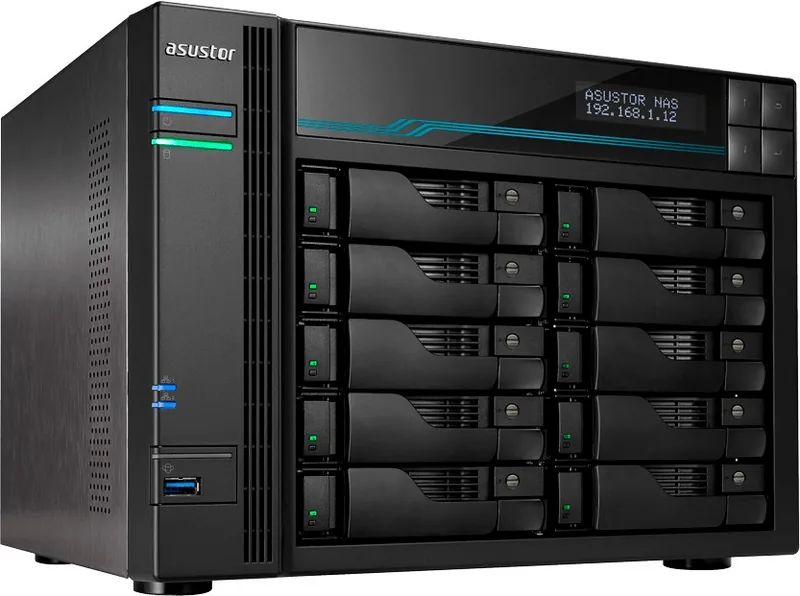
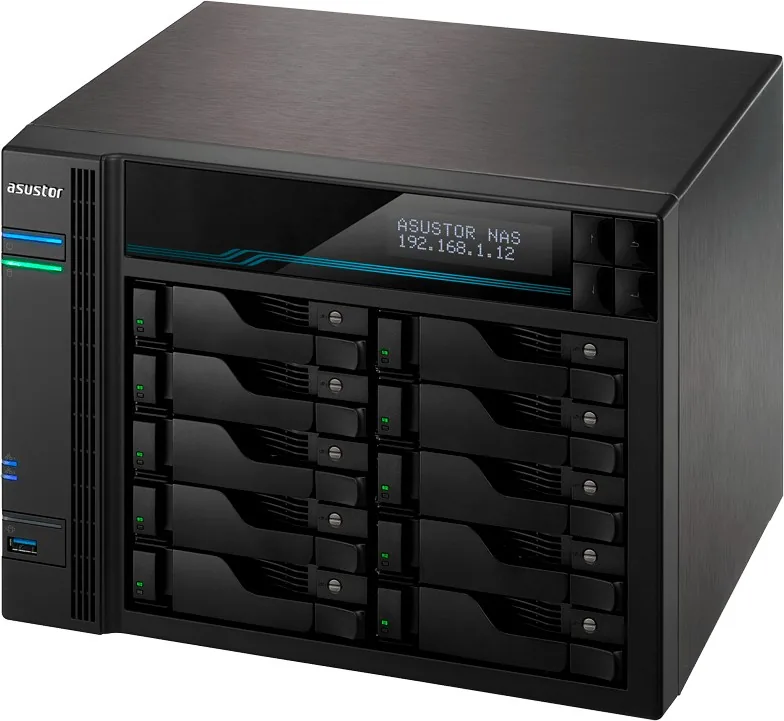
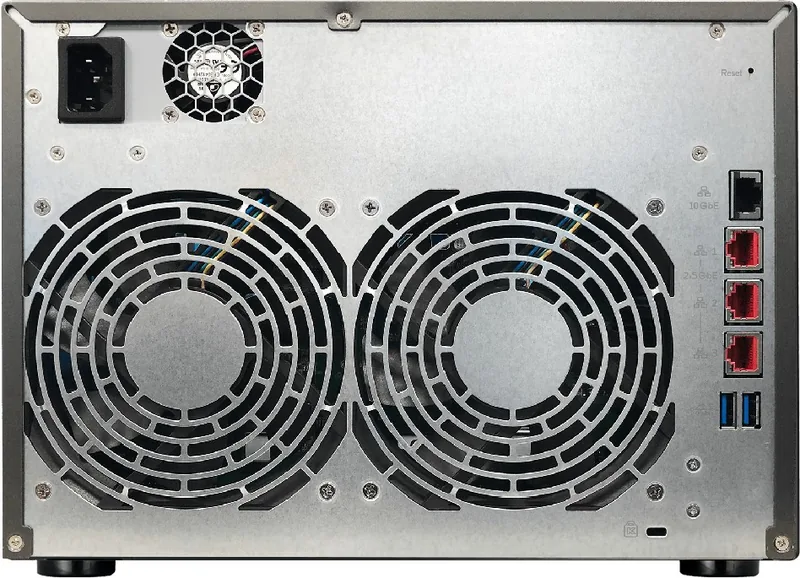
Asustor AS7110T Lockerstor 10 Pro Manual
PDF manual · 34 Pages
English



Quick check
Incorrect answer, please try again.
Chat with your Asustor AS7110T Lockerstor 10 Pro manual using AI
Get instant AI answers from your Asustor AS7110T Lockerstor 10 Pro manual
Ask anything about the Asustor AS7110T Lockerstor 10 Pro. Answers come from this manual, with the pages they are based on.
Ask a Question
Do you recommend AS7110T Lockerstor 10 Pro?
Yes NoFrequently Asked Questions
Check if both devices are on the same local network and ensure the network LED is lit. Try disabling firewalls temporarily. If it still fails, connect directly via cable and set a static IP address (169.254.1.10) on your computer before rescan.
Is this answer helpful?
No, you should not mix PCIe NVMe and SATA AHCI SSDs in the M.2 slots simultaneously. Doing so will prevent the NAS from booting properly. It is recommended to use identical models for optimal performance.
Is this answer helpful?
Release the latch on the drive cage, pull out the tray, insert the drive into the caddy securing it with four screws, slide the tray back until it clicks, and lock the mechanism using the screwdriver slot.
Is this answer helpful?
You will need a Phillips head screwdriver to remove the case cover and secure components. Ensure the device is powered off and unplugged before starting any internal upgrades.
Is this answer helpful?
Yes, once initialized via the web interface or mobile app, the device supports standard remote access features through the ADM operating system, allowing file sharing and management from anywhere.
Is this answer helpful?
A blinking blue power LED indicates the device is waking up from sleep mode (S3). A solid blue light means the device is fully powered on and operational.
Is this answer helpful?
Advantages and Disadvantages
Advantages

- High-speed connectivity with one 10GBase-T and three 2.5GBase-T ports
- Flexible upgrade options for RAM and M.2 NVMe/SATA SSDs
- Built-in LCD screen for easy local management and troubleshooting
- Multiple software installation methods including mobile app support
- Compliant with major safety and electromagnetic standards
Disadvantages

- Requires careful handling during internal component upgrades to avoid warranty voiding
- Mixing PCIe NVMe and SATA AHCI M.2 drives may prevent system boot
- Initial setup requires specific network configurations if automatic detection fails
Product Specification
Hard Drive
N/A
Internal
10x 2.5"/3.5", SATA 6Gb/s, Hot-Swap
External
3x 2.5GBase-T, 1x 10GBase-T
Additional Ports
2x USB-A 3.1 (Host), 1x USB-A 3.0 (Host), 2x M.2/M-Key (NVMe/SATA, 2280/2260/2242)
RAID Level
0/1/5/6/10/JBOD/Single
CPU
Intel Xeon E-2224, 4C/4T, 3.40-4.60GHz, 8MB+1MB Cache, 71W TDP, Codename "Coffee Lake-ER" (Coffee Lake, Intel 14nm++)
RAM
8GB DDR4 ECC SO-DIMM (1x 8GB, 1 Slot free, max. 64GB), 8GB Flash
Fan
2x 120mm, 22dB(A)
Power Consumption
78.7W (Operation), 40.1W (Idle)
Dimensions
11.54x8.50x9.06 in (WxDxH)
Weight
15.65 lbs
Features
LCD, iSCSI, 256bit AES Encryption, FTP Server, iTunes Server, WebDAV, Cloud Storage, SSD Cache/TRIM Support
Warranty
36 Months
USB Spelling
Link
Product Description
Asustor AS7110T Lockerstor 10 Pro: A Powerful Network Storage Solution
The Asustor AS7110T Lockerstor 10 Pro stands as a robust network-attached storage device designed for professionals and power users who demand high-speed data transfer and reliable performance. This model is particularly notable for its advanced connectivity options, featuring three 2.5GBase-T ports and a single 10GBase-T port, ensuring that your network infrastructure can keep up with modern bandwidth requirements. Whether you are managing large media files, running virtual machines, or handling critical business data, the AS7110T provides the necessary throughput to minimize bottlenecks.
Setting up this NAS is an intuitive process supported by multiple installation methods. Users can utilize the ASUSTOR Control Center on Windows or macOS, perform a web-based initialization, or even use the AiMaster mobile application for seamless setup on the go. For those who prefer direct interaction, the built-in LCD display allows for local configuration of network settings, volume management, and system monitoring without needing a computer. The hardware design prioritizes ease of maintenance, offering accessible slots for M.2 SSDs and system memory upgrades, allowing the device to grow alongside your storage needs.
Safety and compliance are paramount in the AS7110T design. The unit adheres to strict FCC and CE regulations, ensuring minimal electromagnetic interference while maintaining operational stability. Proper ventilation is essential, and the device includes clear LED indicators to monitor power status, system health, and network activity at a glance. With comprehensive documentation guiding the installation of hard drives and accessories, the AS7110T proves to be a versatile and future-proof addition to any home or office network environment.
Important Notes
- Always back up data before performing hardware changes like RAM or drive installation.
- Ensure static electricity precautions are taken when opening the chassis.
- Use only compatible M.2 SSDs to avoid boot issues.
Pros and Cons
Pros
- High-speed connectivity with one 10GBase-T and three 2.5GBase-T ports.
- Flexible upgrade options for RAM and M.2 NVMe/SATA SSDs.
- Built-in LCD screen for easy local management and troubleshooting.
- Multiple software installation methods including mobile app support.
- Compliant with major safety and electromagnetic standards.
Cons
- Requires careful handling during internal component upgrades to avoid warranty voiding.
- Mixing PCIe NVMe and SATA AHCI M.2 drives may prevent system boot.
- Initial setup requires specific network configurations if automatic detection fails.
Search for 67,706 Manuals online


Type-in Brand or Model