
Asustor AS67 Lockerstor Gen2 Manual
PDF manual · 41 Pages
English



Quick check
Incorrect answer, please try again.
Chat with your Asustor AS67 Lockerstor Gen2 manual using AI
Get instant AI answers from your Asustor AS67 Lockerstor Gen2 manual
Ask anything about the Asustor AS67 Lockerstor Gen2. Answers come from this manual, with the pages they are based on.
Ask a Question
Do you recommend AS67 Lockerstor Gen2?
Yes NoFrequently Asked Questions
All AS67 series models (AS6702T, AS6704T, AS6706T) provide two M.2 SSD slots for NVMe drives. Check Asustor's compatibility list for supported M.2 models before purchasing and follow the shutdown and grounding precautions when installing.
Is this answer helpful?
You can initialize via ASUSTOR Control Center (Windows/Mac), by entering the NAS IP in a web browser, using the AiMaster mobile app, or via the LCD display on models that include it. Follow the installation wizard prompts to configure network, volumes, and admin credentials.
Is this answer helpful?
AS67 devices support up to 16GB RAM. Power down and disconnect all cables before opening the chassis. Ground yourself to avoid electrostatic discharge, use the correct screwdriver, and avoid touching module connectors. Consider purchasing memory from authorized sources to avoid compatibility or warranty issues.
Is this answer helpful?
Ensure your PC and NAS are on the same LAN and network LED is lit. Disable local firewalls temporarily, try a different Ethernet port or cable, or connect directly and set a manual IP (e.g., 169.254.1.10/255.255.0.0) to rediscover the NAS. Contact Asustor support if problems persist.
Is this answer helpful?
The internal PCIe socket does not support hot-swap. Shut down and unplug the NAS before removing or installing PCIe devices. Note that switching between PCIe and M.2 modes may require the NAS to remain powered during the mode change process — follow official instructions closely.
Is this answer helpful?
Power, system, network, USB and disk LEDs show status: e.g., blue steady = power on, green steady = system ready, blue steady = network connected, disk green steady = disk ready; flashing patterns indicate activity, hibernation or errors; red disk LED signals disk abnormality.
Is this answer helpful?
Use the provided power adapter, place the NAS on a flat stable surface within 0–40°C, avoid liquids and blocked vents, unplug before cleaning or internal maintenance, and follow local electronic recycling regulations when disposing of the device.
Is this answer helpful?
Advantages and Disadvantages
Advantages

- Flexible storage: supports 2.5"/3.5" SATA drives plus two M.2 NVMe SSD slots for caching or tiering.
- High expandability: PCIe slot supports AS-T10G2 10GbE NIC for faster network performance.
- Multiple setup methods: desktop Control Center, web initialization, AiMaster mobile app, and LCD-based init.
- Clear status and control: front LCD on select models plus comprehensive LED indicators and one-touch backup.
- Memory upgradeable to 16GB to support heavier multitasking and apps.
Disadvantages

- Hardware upgrades require care: improper installation may void warranty or damage components.
- M.2/PCIe changes may require specific brackets and careful sequencing; power interrupts during PCIe mode switches can render the NAS inoperable.
- Some accessories (memory, NIC) may need to be purchased separately from Asustor or dealers.
- Default admin password after LCD init is weak ('admin'); immediate password change required.
- Not all third-party memory or drives are guaranteed compatible; check Asustor compatibility lists first.
Product Specification
Hard Drive
N/A
External
2x 2.5GBase-T
Additional Ports
2x USB-A 3.1 (Host), 1x HDMI 2.0b, 4x M.2/M-Key (NVMe/SATA, 2280/2260/2242)
RAID Level
0/1/5/6/10/JBOD/Single
CPU
Intel Celeron N5105, 4C/4T, 2.00-2.90GHz, 4MB+2MB Cache, 10W TDP, Codename "Jasper Lake" (Tremont, Intel 10nm+ + Intel 14nm)
Warranty
36 Months
USB Notation
Link
Product Description
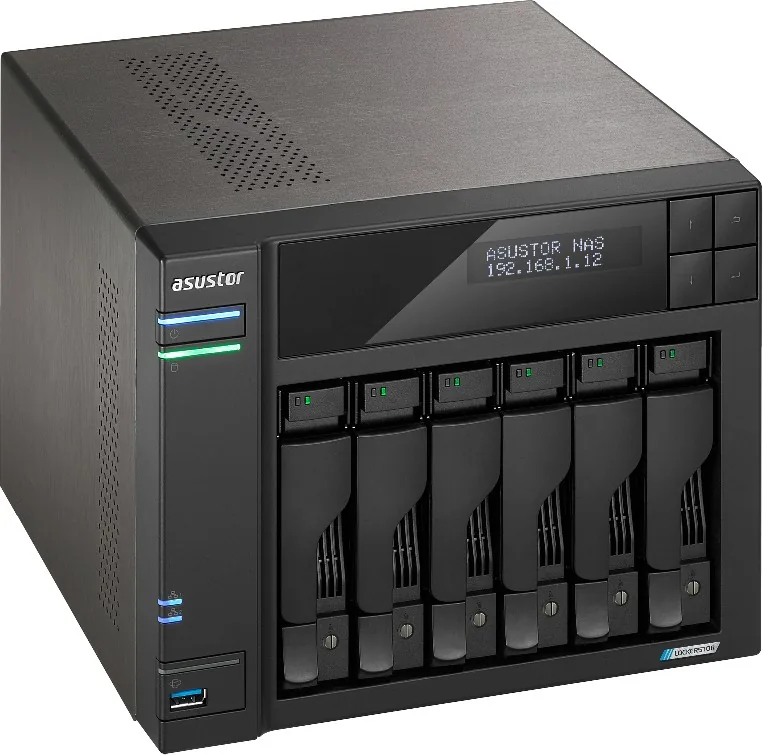
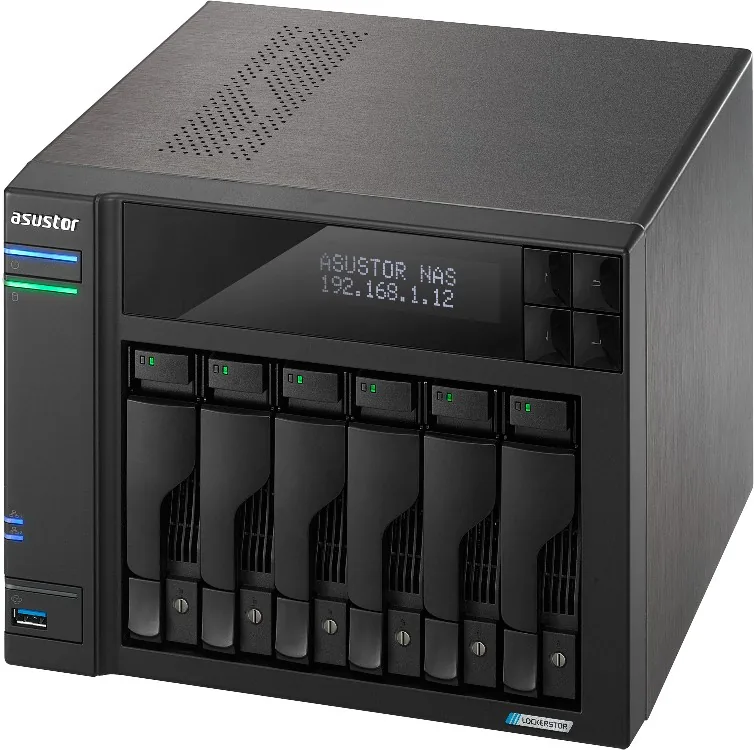
Asustor AS67 Lockerstor NAS Gen2 — Powerful, flexible storage for home and small business
The Asustor AS67 Lockerstor NAS Gen2 is a high-performance, expandable network storage solution designed for users who need fast, reliable file access, backup, and multimedia services. Built on a modern platform, the AS67 series (AS6702T, AS6704T, AS6706T) combines flexible drive configurations, M.2 SSD caching, optional 10GbE networking, and a rich software ecosystem to serve as a centralized data hub for offices, creative workflows, and advanced home setups.
Key hardware highlights
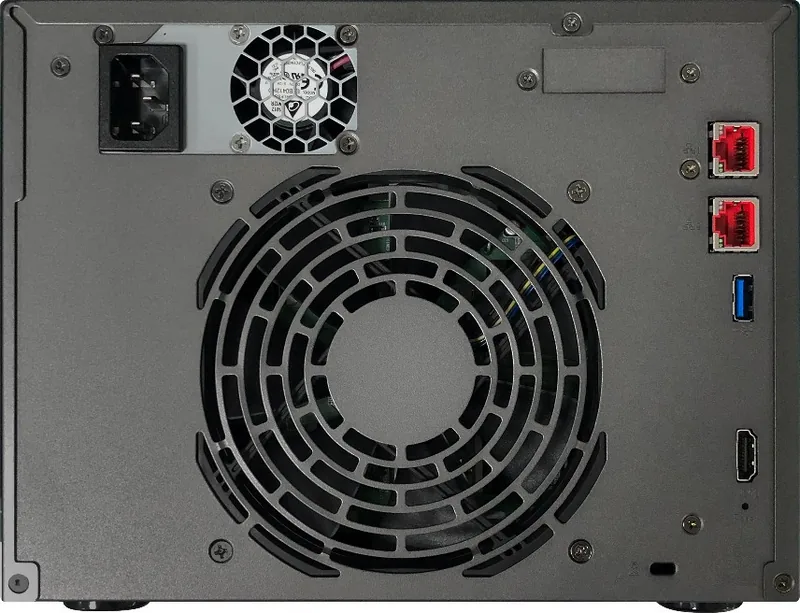
The Lockerstor Gen2 supports multiple 2.5"/3.5" SATA drives with hot-swappable trays and tray locks for secure installation. Two onboard M.2 slots enable NVMe SSD caching or tiered storage to boost responsiveness for databases and virtual machines. Some models include an LCD panel for quick status checks and one-touch backups. The chassis provides clear LED indicators for power, system, network, USB and individual disk status, plus front and rear connectivity including USB 3.2, HDMI and 2.5G RJ45 ports. Select models accept an AS-T10G2 10GbE NIC via a PCIe slot for high-bandwidth workflows.
Installation and expandability
Drive installation is straightforward with tool-assisted trays and standard mounting screws. Memory is upgradeable (up to 16GB) following safety precautions and proper grounding. Installing M.2 SSDs and PCIe network cards is supported, but users should follow the recommended procedures (power states, proper brackets, and screw sequences) to avoid damage. The power cord bracket and fan-screw mounting provide secure cable retention for mobile or rack-adjacent setups.
Software and configuration
Multiple setup paths are available: a desktop Control Center utility for Windows/macOS, web initialization via the NAS IP and port, the AiMaster mobile app for Android/iOS, and LCD-based initialization on supported models. ADM (ASUSTOR Data Master) manages system settings, network configuration, storage volumes, user accounts and power options. The default admin password after LCD initialization is "admin" (change immediately).
Use cases
This NAS suits mixed workloads: centralized backups, media streaming, collaborative file sharing, lightweight virtualization, and small-scale virtualization or container services. With optional 10GbE and NVMe caching, it can handle demanding concurrent access and throughput-critical tasks.
Notes:
- Always back up important data before initializing or reconfiguring drives; installation will erase drive data.
- Follow electrostatic discharge precautions and power-down procedures when upgrading memory or installing hardware.
- Consult compatibility lists for supported hard drives and M.2 SSDs.
Search for 67,706 Manuals online


Type-in Brand or Model