
Asustor AS5404T Nimbustor 4 Gen2 Manual
PDF manual · 29 Pages
English



Quick check
Incorrect answer, please try again.
Chat with your Asustor AS5404T Nimbustor 4 Gen2 manual using AI
Get instant AI answers from your Asustor AS5404T Nimbustor 4 Gen2 manual
Ask anything about the Asustor AS5404T Nimbustor 4 Gen2. Answers come from this manual, with the pages they are based on.
Ask a Question
Do you recommend AS5404T Nimbustor 4 Gen2?
Yes NoFrequently Asked Questions
Check your network connection to ensure the computer and device are on the same local network. Verify the network LED is lit. If not, try changing the cable or port. Disable any active firewalls on your computer that might block the connection.
Is this answer helpful?
Select the shutdown option in the administration menu to allow a graceful shutdown. Alternatively, hold the power button for fifteen seconds to force a shutdown. Always listen for the beep to indicate the status change has occurred.
Is this answer helpful?
You will need a standard Phillips screwdriver. A screwdriver that matches the screw size exactly is recommended. Ensure you have a clean workspace free of static electricity to prevent damage to sensitive internal components.
Is this answer helpful?
You can install RAM modules, but it voids the warranty if done incorrectly. It is recommended to purchase compatible modules from local dealers or the official shop. Avoid touching connectors and ground yourself before installation to prevent static discharge.
Is this answer helpful?
Blue indicates powering on or network connection. Green indicates the system is ready or accessing data. Red indicates a drive fault. Orange suggests the unit is in sleep mode. White light may indicate the night mode is active.
Is this answer helpful?
Open a web browser and enter the NAS IP address found in your router settings. If the IP is unknown, download the software to help locate the device. Follow the wizard to configure the initial settings and login credentials.
Is this answer helpful?
Yes, it is designed for home and small business needs with a compact form factor. The dual 2.5G ports handle large media files easily. Ensure you place it on a flat surface with adequate ventilation for optimal performance.
Is this answer helpful?
Advantages and Disadvantages
Advantages

- Dual 2.5GBase-T network ports provide faster data transfer speeds than traditional Gigabit connections.
- Four drive bays allow for flexible storage configurations with 3.5-inch or 2.5-inch SATA drives.
- Supports RAM upgrades up to 16 gigabytes for improved performance under heavy workloads.
- Four M.2 SSD slots offer options for caching or additional storage capacity enhancement.
- Mobile app integration enables easy monitoring and setup via smartphones or tablets.
Disadvantages

- RAM installation requires technical care to avoid voiding the warranty or damaging components.
- Powering down requires following specific menu procedures rather than a simple power cut.
- Users must handle components carefully to avoid static electricity damage during upgrades.
- Installation may be complex for those unfamiliar with standard networking hardware setups.
- Ventilation must be maintained to operate within safe temperature ranges preventing overheating.
Product Specification
Storage Type
N/A
Internal Drive Bays
4x 2.5"/3.5", SATA 6Gb/s, Hot-Swap
External Interfaces
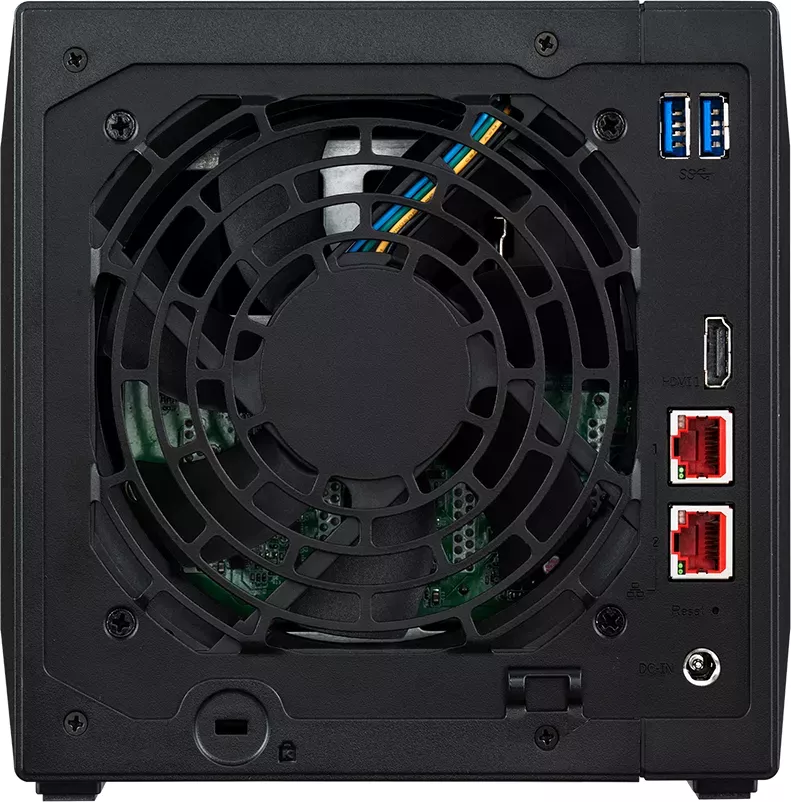
2x 2.5GBase-T
Additional Ports
3x USB-A 3.1 (Host), 1x HDMI 2.0b, 4x M.2 M-Key (PCIe, 2280)
RAID Level
0/1/5/6/10/JBOD/Single
CPU
Intel Celeron N5105, 4C/4T, 2.00-2.90GHz, 4MB+2MB Cache, 10W TDP, Codename "Jasper Lake" (Tremont, Intel 10nm+ + Intel 14nm)
RAM
4GB DDR4 SO-DIMM (1x 4GB, 1 Slot free, max. 16GB), 8GB Flash
Fan
1x 120mm, 19.7dB(A)
Power Consumption
38.3W (Operating), 17.7W (Idle)
Dimensions
6.85x6.69x9.06in (WxHxD)
Weight
4.98lbs
Features
iSCSI, WebDAV, FTP-Server, 256-bit AES Encryption, IR-Sensor
Warranty
3 Years
USB Documentation
Link
Product Description
Transforming Your Network Storage with Asustor AS5404T
The Asustor AS5404T Nimbustor 4 Gen2 stands as a robust solution for home and small business networking data needs. Designed for enthusiasts requiring reliability, this device offers significant storage expansion capabilities within a sleek compact form factor. Equipped with dual 2.5GBase-T ports, users can experience significantly faster network transfer speeds compared to traditional Gigabit connections. This bandwidth improvement ensures smooth 4K streaming and rapid file access across the entire local network without bottlenecks.
Advanced Hardware Capabilities
The Nimbustor 4 supports four drive bays, allowing for flexible storage configurations using standard 3.5-inch or 2.5-inch SATA drives. Users seeking high performance can also utilize the four M.2 SSD slots for read caching or additional storage capacity. This flexibility extends to system memory as well, with support for upgrading RAM up to 16 gigabytes to handle heavy multitasking workloads. Proper installation requires careful handling to avoid static discharge or physical damage during module insertion. The system supports M.2 slots specifically designed for SSDs to enhance speed. Additionally, the device includes specific safety warnings regarding temperature regulation during operation. Users are advised to avoid placing the unit on uneven surfaces for stability. Proper disposal of the packaging materials is recommended after unboxing. This ensures the product remains safe and effective for daily usage. Maintenance involves regular cleaning of dust from the ventilation slits.
Software and Control Experience
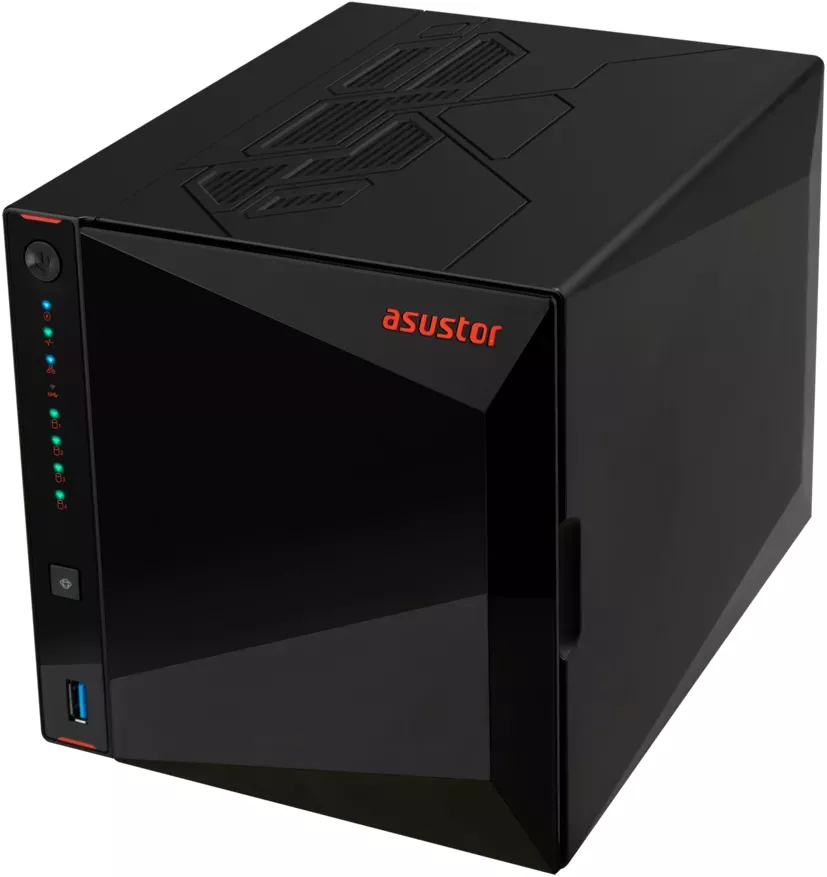
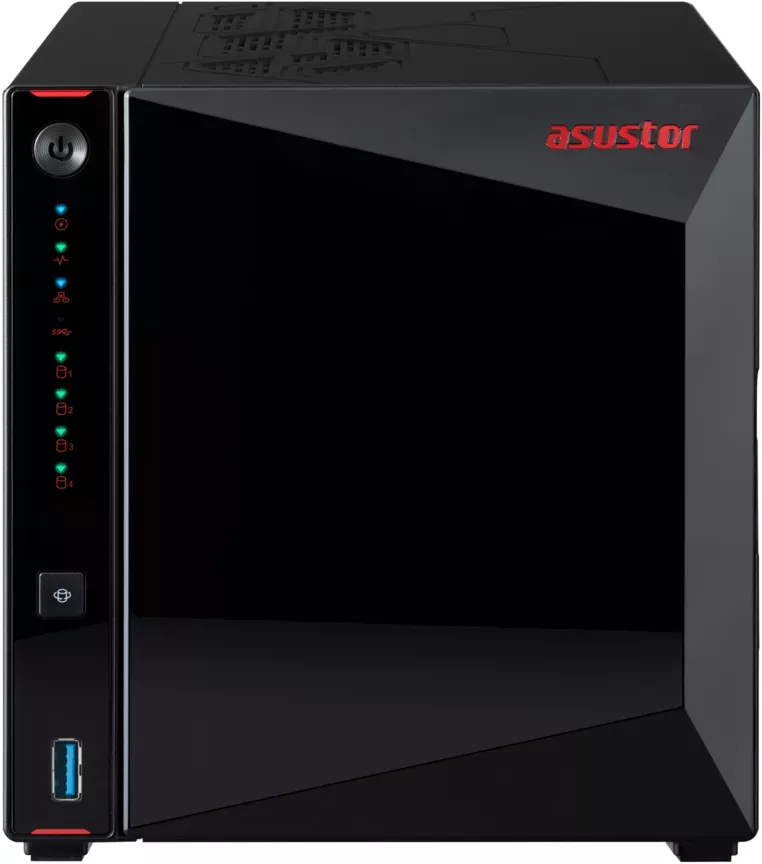
Managing the NAS is intuitive through the Asustor Data Master software suite. The Download Center facilitates easy firmware installation via multiple platforms including Windows and macOS systems. Web-based configuration allows complete access without installing additional software externally. The AiMaster mobile app enables complete setup and monitoring directly from a smartphone or tablet device. LED indicators on the front and back panels provide immediate visual feedback on power status, network connectivity, and storage health activity states. You can also control power states remotely within the interface settings.
Installation Guidelines and Safety
Ensure all system components are powered off and grounded before adding hard drives or memory modules to the chassis. Use the included precision tools for secure mounting of all components inside the case. Always follow specific safety recommendations regarding operating temperature and active ventilation requirements. Disconnect all cables carefully to prevent damage during movement of the heavy unit or relocation. It is important to remove the front panel gently to access the drive bays safely.
Shutdown Procedures
Shutting down the device properly is crucial for data integrity. Users should select the shutdown option within the administration menu rather than pulling the plug. Holding the power button for fifteen seconds provides an alternative method for forced shutdown in emergency situations. Always heed the audible tones indicating status changes during this process.
Key Specifications Overview
- Dual 2.5G Ethernet Ports for high throughput
- Four SATA Drive Bays for data redundancy
- Four M.2 SSD Slots for caching benefits
- AMD G-Series Processor Support for efficiency
This device represents a modern approach to personal cloud storage infrastructure, balancing high performance with simple ease of use. By integrating high-speed networking and expandable storage options, the AS5404T delivers strong reliability for diverse computing environments. Whether hosting large media collections or managing sensitive business documents, the setup process is streamlined to minimize operational downtime significantly. Regular checks of network cables ensure continuous stable connectivity.
Search for 67,706 Manuals online


Type-in Brand or Model