
Asustor AS-U2.5G2 Manual
PDF manual · 2 Pages
English



Quick check
Incorrect answer, please try again.
Chat with your Asustor AS-U2.5G2 manual using AI
Get instant AI answers from your Asustor AS-U2.5G2 manual
Ask anything about the Asustor AS-U2.5G2. Answers come from this manual, with the pages they are based on.
Ask a Question
Do you recommend AS-U2.5G2?
Yes NoFrequently Asked Questions
No. The adapter uses USB-C, which is reversible. You do not need to try multiple orientations to get it to connect properly.
Is this answer helpful?
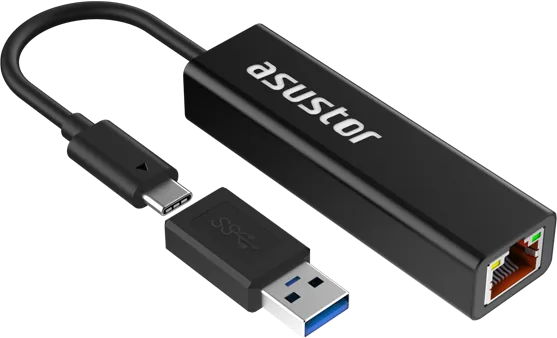
A USB Type-C to Type-A adapter is provided inside the box. You can connect the main adapter to this accessory for use on Type-A ports.
Is this answer helpful?
The left light shows data activity. The right light shows speed: orange for 100/1000 speeds and green for 2.5-Gigabit speeds.
Is this answer helpful?
No. The device is bus-powered and does not need an external power source. It draws power directly from the USB connection.
Is this answer helpful?
Windows XP and up, Mac OS 10.6 and up, and Linux 2.6.x and up are supported. Drivers are built-in for most systems.
Is this answer helpful?
Ensure cables are secure, check if LEDs are lit, and verify the IP address from your network administrator if DHCP fails.
Is this answer helpful?
Yes. It is certified by CE, FCC, and meets RoHS standards for environmental compliance and safety.
Is this answer helpful?
Advantages and Disadvantages
Advantages

- Supports up to 2.5-Gigabit Ethernet speeds for faster data transfer.
- Universal compatibility with Windows, Mac OS, Linux, and ADM systems.
- Includes USB Type-C to Type-A adapter for legacy port usage.
- Bus-powered operation eliminates the need for external power sources.
- Constructed from durable aluminum alloy for reliable heat dissipation.
Disadvantages

- Manual driver installation might be necessary for some Linux distributions.
- Requires USB-C port or included adapter for connection.
- Physical dimensions might protrude on some ultrabooks.
- LED indicators only show status, not detailed error codes.
- Maximum speed depends on the host device and network router.
Product Specification
Type
LAN Adapter
Form Factor
1x external, wired (cable not detachable)
Connection
1x USB-C 3.0 (Connector via cable, 5Gb/s, 3.94 in cable length), 1x USB-A 3.0 (Connector via adapter, 5Gb/s)
Interface
1x RJ-45
Transmission
1x RJ-45 (10/100/1000/2.5GBase-T)
Power Supply
Power supply only via connection
Chipset
Realtek RTL8156B (LAN Adapter, RJ-45)
Dimensions
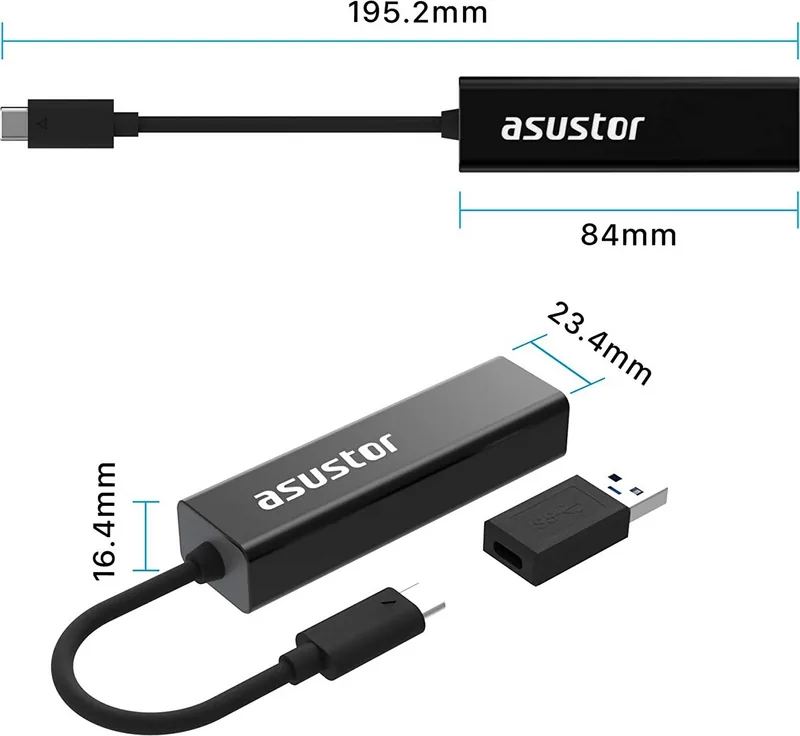
0.96x0.65x3.31in (WxHxD), 0.92x0.65x7.69in (WxHxD, incl. cable)
Weight
1.16 oz
Case Color
black
Compatibility
universal
Features
Metal case, Wake on LAN, VLAN
Manufacturer Warranty
1 year
USB Notation
Link
Product Description
Upgrade Your Network Speed with Asustor Adapter
In today's digital workplace, high-speed connectivity is non-negotiable for efficient workflows. Many ultrabooks and mobile devices lack traditional Ethernet ports, creating a bottleneck for data transfers. The Asustor LAN Adapter, RJ-45, USB-C 3.0 [Plug] Manual reference highlights a robust solution for expanding network capabilities without opening the chassis. This sleek device transforms a standard USB-C port into a high-performance Ethernet interface suitable for modern computing needs.
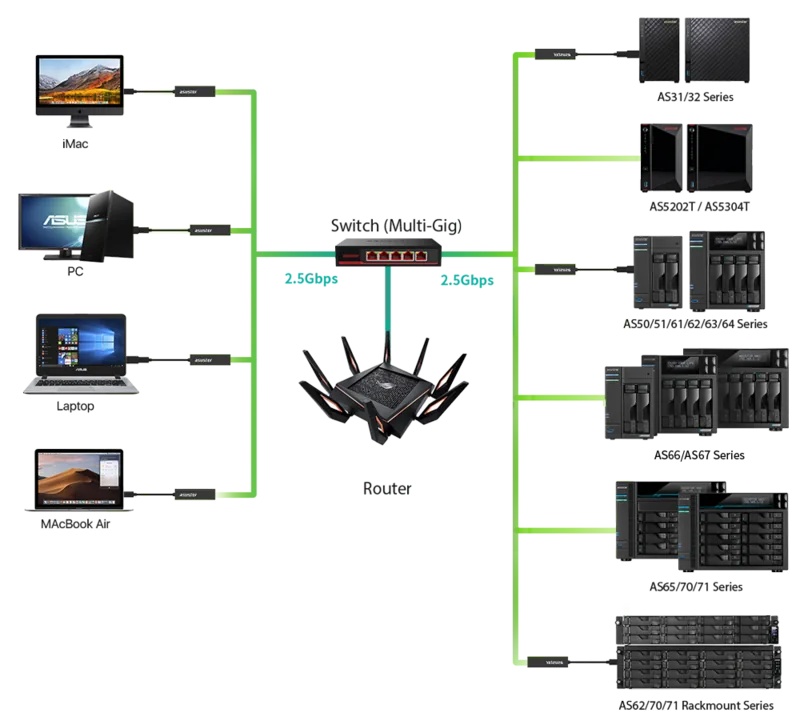
The hardware supports up to 2.5-Gigabit speeds, offering a significant upgrade over standard Gigabit connections found on many legacy systems. Users can connect to the Internet effortlessly for large file transfers or high-definition streaming sessions. It plugs and plays easily without complex configuration scripts or drivers in many cases. The bus-powered design ensures you do not need an external power source like a bulky wall adapter. This makes it an ideal companion for portable devices that are not easily upgradeable internally.
Key Compatibility and Features
Operating system compatibility is a major strength of this hardware design. It works broadly with Windows XP and newer versions, Mac OS 10.6 and up, and Linux 2.6.x and above. The ASUSTOR ADM system is also supported starting from version 3.5.1. Most operating systems include the driver built-in, allowing for automatic installation upon first insertion. For Linux users, manual installation of the driver might be necessary on certain distributions to ensure stability.
The adapter includes built-in LED signals to display connection status clearly for the user. The left light blinks when transferring data and stays on steadily when working correctly. The right light indicates speed, showing orange for 100 or 1000 speeds and green for 2.5-Gigabit speeds. This visual feedback helps you verify your network connection instantly without needing extra software tools.
Build Quality and Troubleshooting Tips
The unit is constructed with aluminum alloy material for enhanced durability and heat dissipation. Dimensions are compact at 195.2 millimeters in length by 23.4 millimeters in width. Operating temperature ranges from 0 to 60 degrees Celsius for optimal performance. Ensure all cable connections are securely fastened during use to prevent disconnection. Check the LED indicators if you encounter no network connection issues. If the LEDs are unlit, this may indicate network issues or loose cabling inside the port. Verify that the adapter has received the proper IP address from your network administrator settings.
If you only have traditional USB Type-A ports available, do not panic. A USB Type-C to Type-A adapter is provided inside the box for immediate usability. The USB-C connector is reversible, meaning insertion direction does not matter for functionality. This convenience simplifies connecting to various hosts found in older docking stations or computers.
Note: This product is certified by CE, FCC, and RoHS standards for safety compliance.
Search for 67,706 Manuals online


Type-in Brand or Model