
ASUS ZenDrive U8M SDRW-08U8M-U Manual
PDF manual · 28 Pages
English


Quick check
Incorrect answer, please try again.
Chat with your ASUS ZenDrive U8M SDRW-08U8M-U manual using AI
Get instant AI answers from your ASUS ZenDrive U8M SDRW-08U8M-U manual
Ask anything about the ASUS ZenDrive U8M SDRW-08U8M-U. Answers come from this manual, with the pages they are based on.
Ask a Question
Do you recommend ZenDrive U8M SDRW-08U8M-U?
Yes NoFrequently Asked Questions
It is an external ASUS optical drive intended to give compatible computers access to physical CD and DVD media.
Is this answer helpful?
It uses the bundled USB Type-C cable. Connect the USB Type-C end to a compatible USB Type-C port on the computer and connect the other end to the optical drive.
Is this answer helpful?
Yes. The setup instructions identify a bundled USB Type-C cable for the SDRW-08U8M-U.
Is this answer helpful?
The supplied instructions specifically identify the physical Eject button for Windows use. Check your operating system's disc controls if you use another platform.
Is this answer helpful?
It can suit users who need occasional access to CDs or DVDs, including archived media, software discs, music collections, and other physical optical media.
Is this answer helpful?
No. The supplied information focuses on connection and installation. It does not provide read or write speeds, supported disc formats, or bundled software details.
Is this answer helpful?
Advantages and Disadvantages
Advantages

- Uses a bundled USB Type-C cable for a direct connection to compatible computers.
- Provides external CD and DVD access for computers without a built-in optical drive.
- Tray-loading design offers familiar physical disc handling.
- Can be connected when needed instead of requiring a permanent internal installation.
Disadvantages

- Requires a compatible USB Type-C port on the computer.
- The physical Eject button is specified for Windows only.
- The provided text does not list disc formats, write speeds, or software features.
- Connection and connector details may vary across ASUS optical-drive models.
Product Specification
Form Factor
5.25" SlimLine (external)
Loading Mechanism
Tray
DVD+R
SL: 8x, DL: 6x
DVD-R
SL: 8x, DL: 6x
DVD+RW
8x
DVD-RW
6x
DVD-ROM
8x
CD-R
24x
CD-RW
24x
CD-ROM
24x
Special Features
M-DISC
Dimensions
5.33 x 0.55 x 5.61 in
Weight
8.29 oz
Product Description
ASUS ZenDrive U8M SDRW-08U8M-U - Read, Download & Print Free
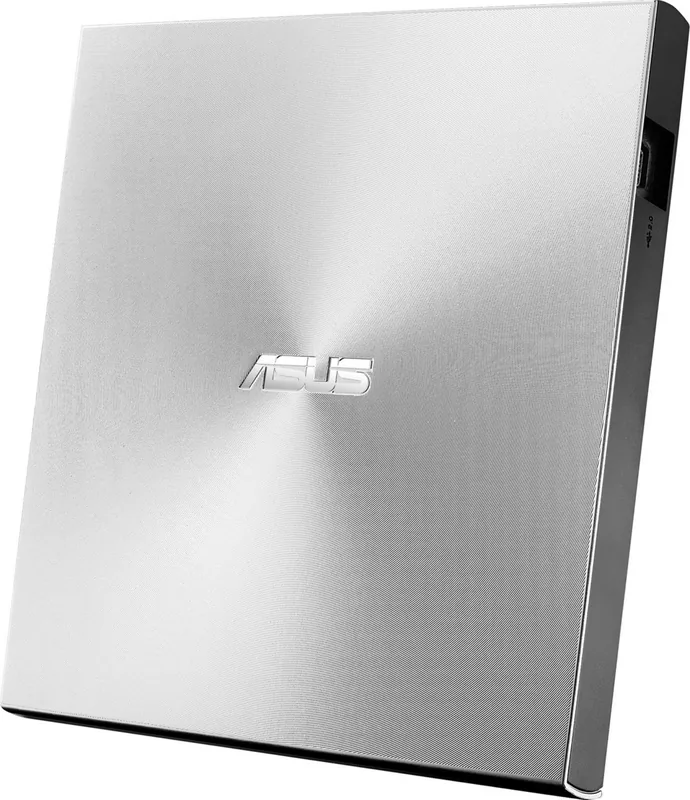
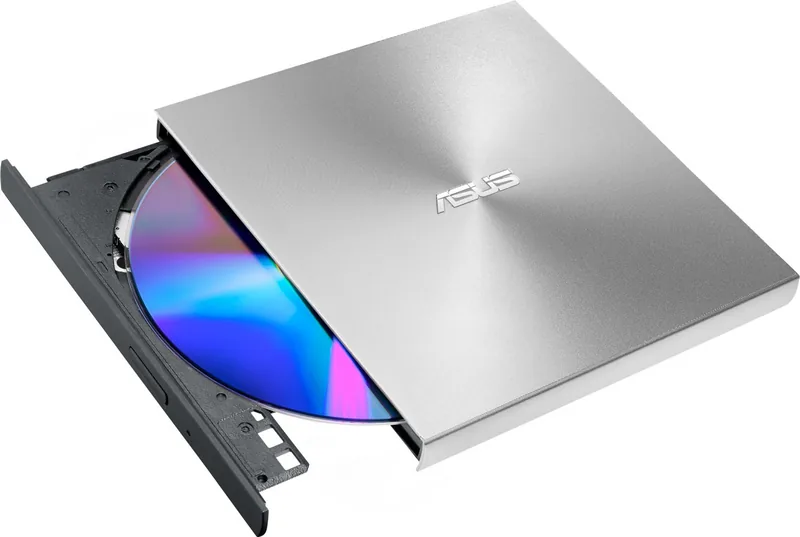
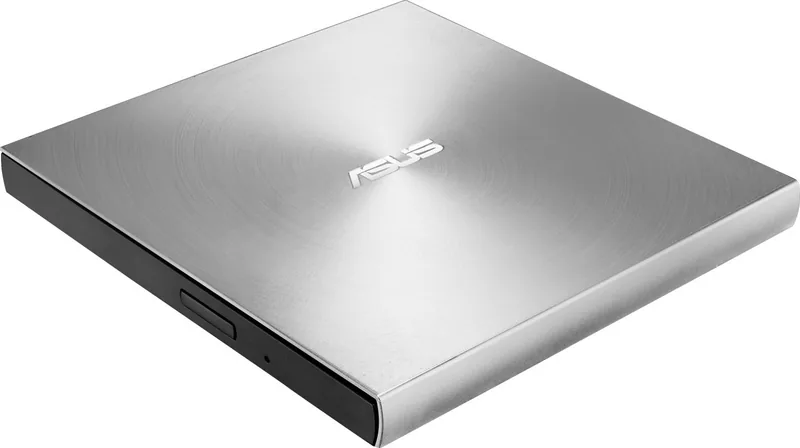
The ASUS ZenDrive U8M SDRW-08U8M-U is an external optical drive designed for users who still need practical access to CDs and DVDs from modern computers. With many laptops and compact desktops no longer including a built-in disc drive, this model offers a straightforward way to use physical media without changing your main setup.
Simple USB Type-C Connection
This ASUS ZenDrive model connects through the bundled USB Type-C cable. Attach the Type-C connector to a compatible port on your computer, connect the other end to the drive, and it is ready for use. The direct cable arrangement helps keep a desk or travel bag tidy while providing a convenient connection for compatible devices.
The SDRW-08U8M-U is part of ASUS's external optical-drive range and is specifically listed for USB Type-C setup. Its tray-loading design makes handling discs familiar and uncomplicated. On Windows systems, the physical Eject button can be used to open the tray when needed.
Useful for Physical Media Collections
An external drive can be a welcome companion for anyone with archived photos, music collections, software discs, movies, or other CD and DVD media. The ASUS ZenDrive U8M SDRW-08U8M-U gives compatible computers an optical-drive option when a built-in unit is unavailable. It is a sensible addition to a home office, student workspace, or mobile workstation where occasional disc access remains important.
Rather than relying on a permanent internal installation, this external approach lets users connect the drive only when it is needed. That flexibility can be especially helpful for compact computers where ports and internal expansion options are limited.
Setup Notes
Connection details can vary across ASUS optical-drive models, so use the cable supplied with the SDRW-08U8M-U and a compatible USB Type-C port. The tray Eject button is identified for Windows use. For product assistance and current compatibility guidance, consult ASUS support.
Notes
- Use the included USB Type-C cable for the intended connection method.
- Confirm that your computer provides a compatible USB Type-C port.
- The hardware Eject button is intended for Windows operation.
- Check ASUS support for additional product and compatibility information.
Search for 67,706 Manuals online


Type-in Brand or Model