
ASUS Zen AiO A5401 Manual
PDF manual · 78 Pages
English


Quick check
Incorrect answer, please try again.
Chat with your ASUS Zen AiO A5401 manual using AI
Get instant AI answers from your ASUS Zen AiO A5401 manual
Ask anything about the ASUS Zen AiO A5401. Answers come from this manual, with the pages they are based on.
Ask a Question
Do you recommend Zen AiO A5401?
Yes NoFrequently Asked Questions
Yes, but this feature is available only on selected models within the A5401 series. You should check the specific product specifications before purchasing if touch interaction is required.
Is this answer helpful?
Yes, if your model includes an HDMI input port. You can connect another device to this port to use the Zen AiO as an external display while the computer remains powered on.
Is this answer helpful?
Navigate to Settings, then Update and Security, and select Recovery. Choose Remove everything to restore factory settings, but ensure you backup your data first as this deletes personal files.
Is this answer helpful?
No, the webcam shield is a fixed component designed to protect your privacy by covering the lens. It is integrated into the design of the LCD panel assembly.
Is this answer helpful?
You must maintain a separation distance of at least 20 cm from the device during operation to comply with RF exposure limits and ensure user safety.
Is this answer helpful?
Press the power button to turn on the PC, then immediately press F2 or Del during the Power-On Self-Test (POST) sequence to access the BIOS menu.
Is this answer helpful?
Advantages and Disadvantages
Advantages

- Built-in IR camera enables fast and secure Windows Hello facial recognition login
- HDMI input port allows the unit to function as an external monitor for other devices
- Array microphones provide superior voice clarity with noise suppression and beamforming
- USB 3.2 Gen 1 and Type-C ports offer high-speed data transfer capabilities
- ENERGY STAR certification ensures efficient power management and reduced energy costs
Disadvantages

- Touch screen functionality is limited to selected models only
- HDMI input feature requires specific model compatibility and active power state
- Stand tilt range is restricted between -5 degrees and 20 degrees
- System cannot be disassembled by users without voiding the warranty
- RF exposure warnings require maintaining a minimum 20 cm distance from the body
Product Specification
Form Factor
All-in-One
Display
23.8", 1920x1080 (FHD), 16:9, 93ppi, 60Hz, non-glare (matte), IPS, 250cd/m^2, 100% sRGB
SSD
512GB M.2 PCIe
HDD
N/A
Flash
N/A
Rear Ports
1x USB-A 3.0 (5Gb/s), 2x USB-A 2.0 (480Mb/s), 1x HDMI-In 1.4, 1x HDMI 1.4, 1x RJ-45 1Gb LAN, 1x DC-In hollow socket (power connection)
Front/Side Ports
1x USB-C 3.0 (5Gb/s), 1x USB-A 3.0 (5Gb/s), 1x 3.5mm jack
Wireless
Wi-Fi 6 (WLAN 802.11a/b/g/n/ac/ax, 2x2), Bluetooth 5.0
Optical Drive
N/A
Camera
present
Operating System
Windows 10 Pro 64-bit
Power Supply
external 90W, 1x hollow plug (19V/4.74A, 4.5mm)
Dimensions
21.3x17.8x8.0 in (WxDxH)
Volume
1.75 cu ft (calculated)
Features
Security lock (Kensington Security Slot), speakers, microphone, mouse included, keyboard included
Color
black
Warranty
two years
USB Spelling
Link
Product Description
ASUS Zen AiO A5401: The Ultimate All-in-One Experience
The ASUS Zen AiO A5401 series redefines home computing by seamlessly blending powerful performance with elegant design. This all-in-one PC eliminates the clutter of traditional desktop towers, offering a streamlined solution that fits perfectly in any living space or office. Whether you are working on complex projects, streaming high-definition movies, or engaging in video calls, the Zen AiO A5401 delivers a smooth and responsive experience.
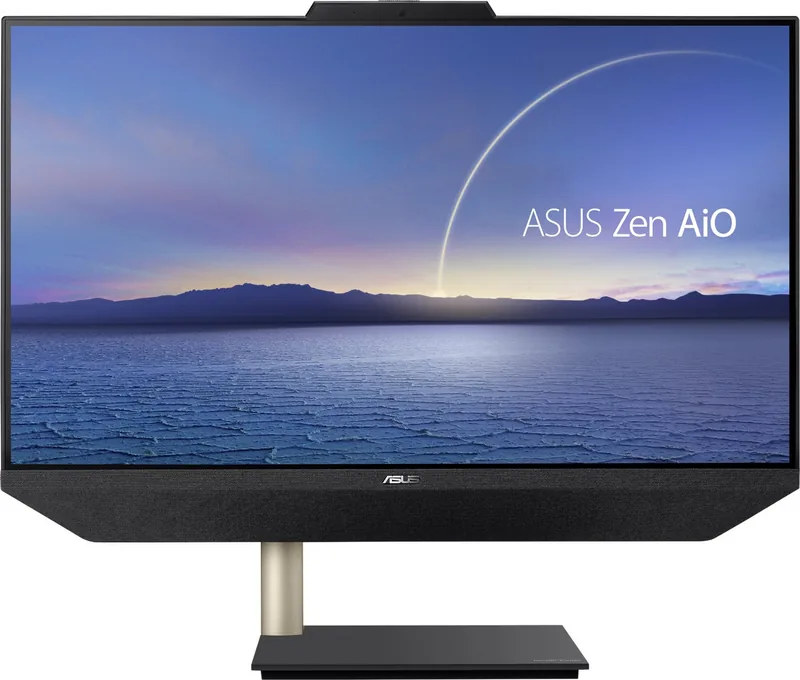
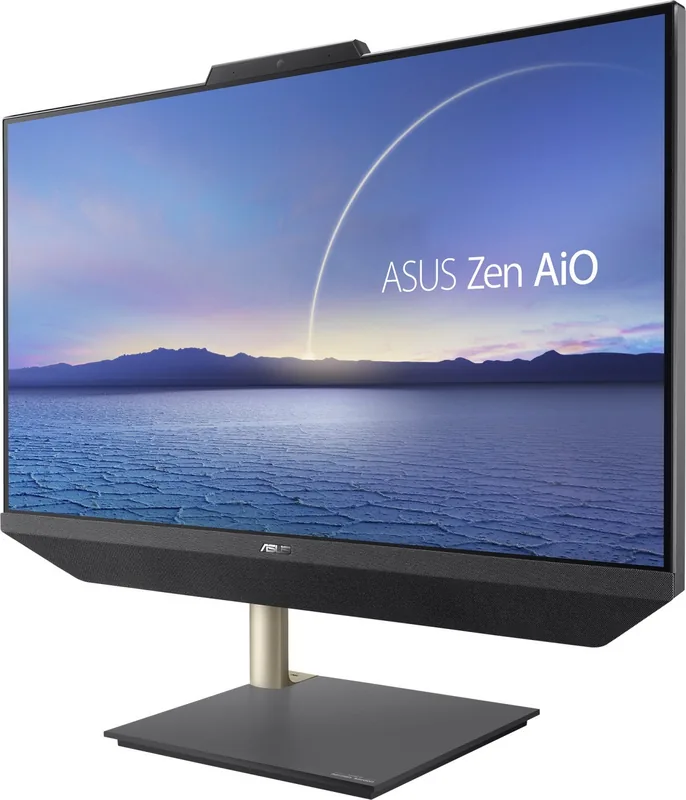
At the heart of this device is a robust hardware setup designed for versatility. The front view features an array microphone with advanced noise suppression and beamforming technology, ensuring crystal-clear voice recognition during calls. An IR camera supports Windows Hello facial recognition for secure and instant logins without passwords. For privacy-conscious users, a built-in webcam shield allows you to physically cover the lens when not in use. The display panel offers excellent viewing angles, perfect for multimedia consumption.
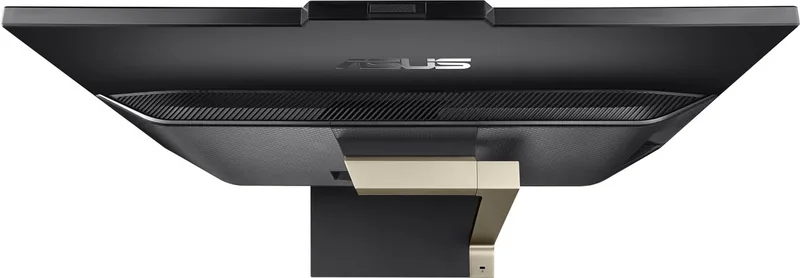
Connectivity is a major highlight. The left side houses USB 3.2 Gen 1 ports and a versatile Type-C port, enabling rapid data transfer speeds up to 5 Gbit/s. On the rear, you will find an HDMI input port, which transforms the Zen AiO into a secondary external monitor for other devices, adding immense flexibility to your workspace. The system also includes a Kensington security slot for physical protection against theft.
Operating on Windows 10, the Zen AiO A5401 provides intuitive software integration. Users can utilize touch screen gestures on selected models to navigate apps, snap windows side-by-side, and access the Action Center quickly. The Start menu serves as a central hub for launching programs, managing settings, and shutting down the system efficiently. Setup is straightforward, guiding users through initial configuration, network connection via Wi-Fi or Ethernet, and account creation.
Safety and compliance are paramount. The device meets rigorous safety standards, including FCC regulations and energy efficiency certifications like ENERGY STAR. It features automatic sleep modes to conserve power when inactive. The package includes necessary accessories such as the stand, power adapter, and optional wireless keyboard and mouse, ensuring you can start using your new computer immediately out of the box.
Search for 67,706 Manuals online


Type-in Brand or Model