
ASUS TUF Gaming LC II ARGB Manual
PDF manual · 24 Pages
English


Quick check
Incorrect answer, please try again.
Chat with your ASUS TUF Gaming LC II ARGB manual using AI
Get instant AI answers from your ASUS TUF Gaming LC II ARGB manual
Ask anything about the ASUS TUF Gaming LC II ARGB. Answers come from this manual, with the pages they are based on.
Ask a Question
Do you recommend TUF Gaming LC II ARGB?
Yes NoFrequently Asked Questions
It supports various Intel LGA sockets and AMD AM4/AM5 platforms, ensuring compatibility with most modern desktop CPUs during installation.
Is this answer helpful?
No, the box includes a packet of thermal paste, which eliminates the need to purchase this consumable item separately before installation.
Is this answer helpful?
The standard package includes two 12cm TUF Gaming ARGB fans to provide adequate cooling pressure across the radiator unit.
Is this answer helpful?
Yes, it comes with a voluntary manufacturer commercial guarantee that complements the standard legal guarantee provided in your region.
Is this answer helpful?
You can connect fan cables to the CPU_FAN header or the AIO_PUMP header, depending on your motherboard capabilities and power needs.
Is this answer helpful?
While the core principles remain the same, the mounting bracket and backplate steps differ depending on the specific CPU socket type you use.
Is this answer helpful?
Refer to the official support website provided in the documentation for specific regional warranty terms and claim processes.
Is this answer helpful?
Advantages and Disadvantages
Advantages

- Supports both Intel and AMD platforms for versatile compatibility.
- Includes ARGB fans for customizable lighting effects and aesthetics.
- Thermal paste provided in box reduces extra purchasing needs.
- Durable construction ensures long-term reliability during gaming.
- Detailed installation steps guide users through assembly clearly.
Disadvantages

- Requires removal of pre-installed mounts on AMD boards first.
- Pump pipe direction must be verified before securing the block.
- Packaging item quantities may vary between different model versions.
- Installation illustrations are for reference and might differ slightly.
Product Specification
Type
Internal (Closed System)
Heatsink
CPU, Copper
Compatibility
1150, 1151, 1155, 1156, 1200, 1700, AM4, AM5
Pump
12V
Connections
N/A
Lighting
LED (RGB)
Manufacturer Warranty
6 Years
Product Description
Experience Ultimate Cooling with ASUS TUF Gaming LC II ARGB
Building a high-performance PC requires reliable components that stand the test of time against demanding workloads. The ASUS TUF Gaming LC II ARGB series offers robust liquid cooling solutions designed for gamers and enthusiasts who demand absolute stability during intense gaming sessions. When setting up this advanced hardware, having clear guidance is essential to ensure everything functions correctly from the start. Referring to the official documentation provides the necessary precision for complex tasks.
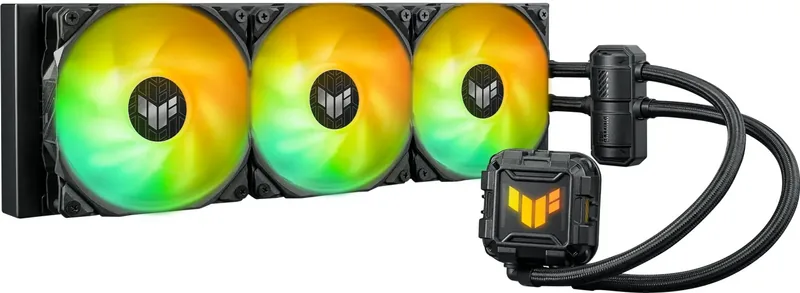
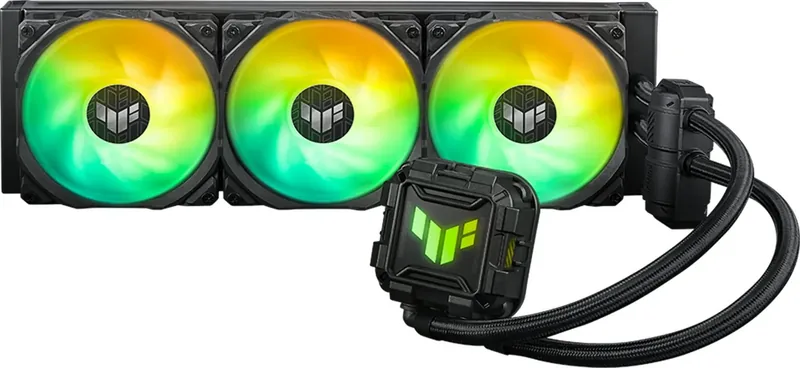
The package includes two 12cm TUF Gaming ARGB fans designed to ensure optimal airflow across the extensive radiator surface area. These fans feature durable construction and silent operation to keep your system cool without creating distracting background noise. The unit supports both Intel and AMD sockets, covering a wide range of modern processors including LGA 1700 and AM5. Installing the CPU cooler involves specific steps tailored for different platforms to prevent damage. Intel users must install the backplate and mounting bracket before carefully applying thermal paste to the center of the processor. AMD owners typically need to remove the pre-installed heatsink mount first to accommodate the new bracket system securely.
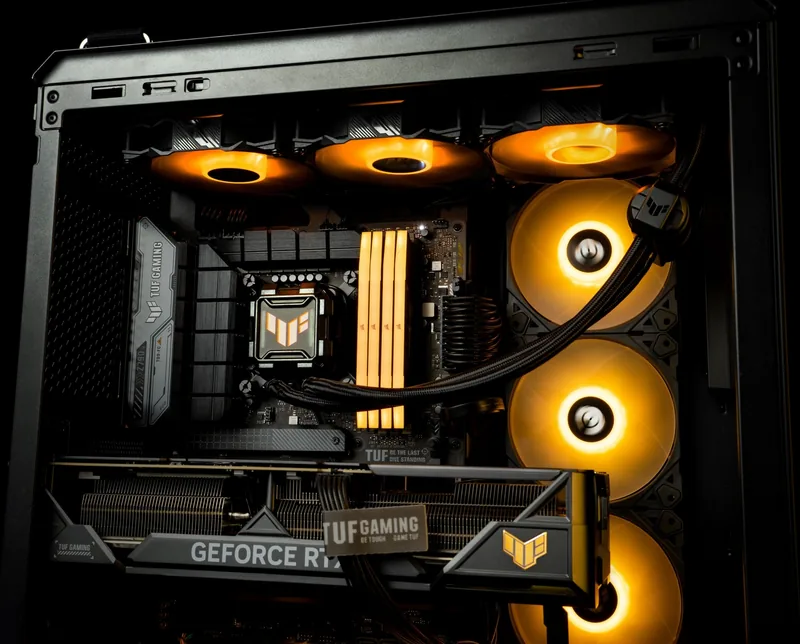
Once the physical mounting is complete, attaching the water block to the CPU ensures efficient heat transfer immediately. The series also includes necessary cables for connecting the fans to the motherboard headers and pump headers. Users can link the ARGB cables to synchronize lighting effects with their other components via motherboard software control. This customizable RGB lighting adds a vibrant aesthetic touch to any gaming rig while allowing individual color control. Proper cable management is highlighted in the setup instructions to maintain optimal airflow within the case structure.
Thermal paste is provided in the box to facilitate the thermal connection between the CPU and the liquid cooler block. It is important to apply this compound evenly for maximum efficiency and performance. The warranty section outlines a voluntary manufacturer commercial guarantee in addition to standard legal guarantees. This provides significant peace of mind regarding product longevity and reliability under normal use conditions. Always check the specific model packaging beforehand because item quantities may vary slightly between releases. Ensuring the pump pipes are oriented correctly is vital for proper water circulation, specifically noted for AMD setups with either 3 or 6 o'clock directions depending on the physical configuration available.
This all-in-one cooling solution combines industrial reliability with modern style aesthetics. Whether you are a seasoned computer builder or a novice user, understanding the assembly steps prevents potential errors during installation. The detailed instructions cover fan power cables and ARGB connections to minimize confusion for the user. With robust build quality and comprehensive support documentation, this series stands out in the highly competitive cooling market today. Enjoy lower system temperatures and higher frame rates while showcasing stunning lighting effects that match your personal style preferences perfectly.
- Radiator screws vary in length for different thicknesses.
- Standoff screws must align with motherboard backplate holes.
Search for 67,732 Manuals online


Type-in Brand or Model