
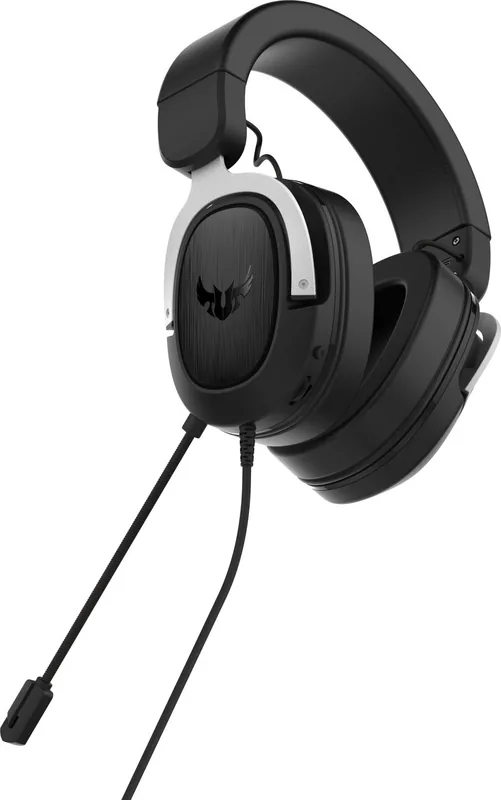
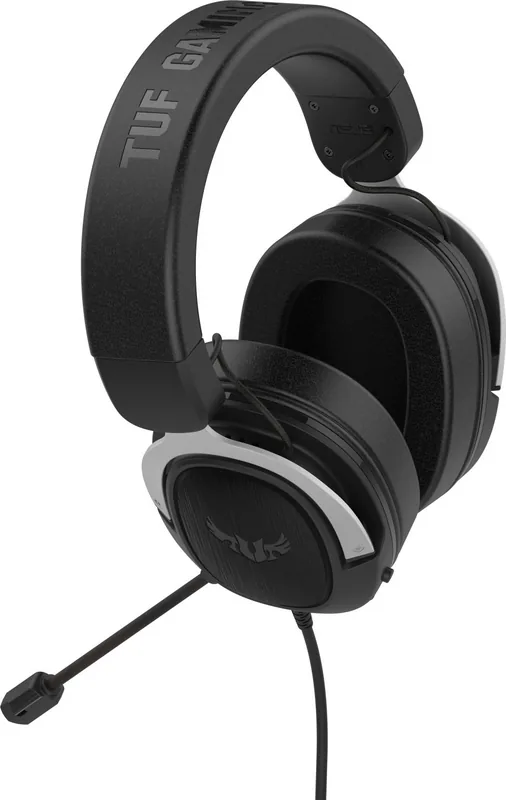
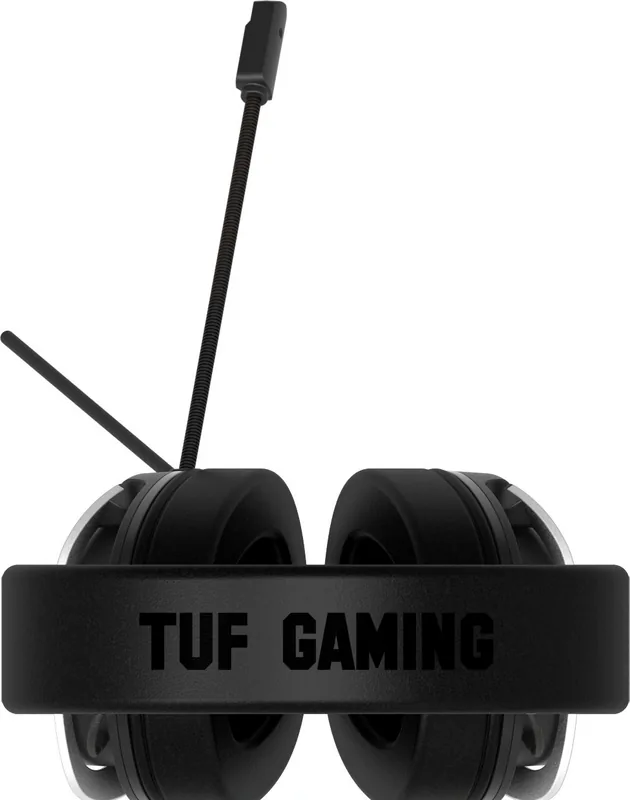
ASUS TUF Gaming H3 Manual
PDF manual · 45 Pages
English


Quick check
Incorrect answer, please try again.
Chat with your ASUS TUF Gaming H3 manual using AI
Get instant AI answers from your ASUS TUF Gaming H3 manual
Ask anything about the ASUS TUF Gaming H3. Answers come from this manual, with the pages they are based on.
Ask a Question
Do you recommend TUF Gaming H3?
Yes NoFrequently Asked Questions
Use the 3.5 mm jack connector to plug the headset into your device. If your computer has separate microphone and headphone ports, connect the headset using the included extended Y-cable (splitter cable) instead.
Is this answer helpful?
The provided setup guidance lists Windows 10, Windows 8.1, and Windows 7, along with a 3.5 mm port. As long as your device supports that wired audio interface, you should be able to use the headset for game audio and chat.
Is this answer helpful?
The extended Y-cable splits one headset connection into separate paths so you can plug the microphone and headphone parts into their respective ports on a device that does not use a single combined 3.5 mm jack.
Is this answer helpful?
Use the volume control wheel on the headset. It is intended for quick adjustments without going into system settings.
Is this answer helpful?
Flip the microphone mute switch on the headset. This is meant for instant voice control during calls, streaming, or in the middle of matches.
Is this answer helpful?
You get 1x ASUS TUF Gaming H3 headset, 1x extended Y-cable (splitter cable), 1x quick start guide, and 1x warranty notice.
Is this answer helpful?
Advantages and Disadvantages
Advantages

- Wired 3.5 mm connection for simple plug-and-play use
- Includes an extended Y-cable to support separate mic and headphone ports
- On-headset controls: volume wheel and microphone mute switch
- Designed with common Windows systems in mind
- Clear starter guidance and included warranty materials
Disadvantages

- Wired design limits movement and depends on cable routing
- Requires a 3.5 mm port path for audio and mic functionality
- Quick-start focused setup, not advanced software tuning
Product Specification
Type
Headphones (Over-Ear)
Form Factor
Headband
Acoustic Design
closed
Microphone
Boom Microphone
Connection
3.5mm jack, 2x 3.5mm jack
Wireless
no
Cable
51.18 in, single-sided
Controls
Volume control, Mute button
Frequency Range
20Hz-20kHz (Headphones), 50Hz-10kHz (Microphone)
Impedance
32Ω
Driver
1.97 in
Certified for
Nintendo Switch, PS4, Xbox One
Software Features
Virtual 7.1-Surround (Windows Sonic)
Weight
0.65 lb
Product Description
ASUS TUF Gaming H3: Simple, Plug-and-Play Audio for Competitive Sessions
If you want a no-fuss gaming headset that is ready to connect quickly, the ASUS TUF Gaming H3 is designed around straightforward wired setup and practical controls. It is an entry-to-mid gaming option aimed at players who want reliable everyday use for chat and game audio, without complicated configuration.
In the box, you get the ASUS TUF Gaming H3 headset, an extended Y-cable (splitter cable), a quick start guide, and a warranty notice. The headset is built for compatibility with common desktop and laptop setups, using a standard 3.5 mm audio connection. That means you can move from game to voice chat with minimal downtime.
What makes it easy to use
Getting started is simple: connect the headset using the 3.5 mm jack connector. If your device uses separate microphone and headphone ports, the included Y-cable lets you split the connection so the headset can work with both ports. This is especially helpful for older PCs or specific desktop sound cards where mic and audio are not combined.
On the headset itself, you will find a volume control wheel for quick adjustments and a microphone mute switch for instant privacy during calls or matches. These controls are meant to be reachable in the middle of gameplay, so you can manage sound and mic status without opening menus.
System compatibility and what to expect
The setup guidance targets Windows environments, including Windows 10, Windows 8.1, and Windows 7, along with a 3.5 mm port. For many players, that translates into quick adoption on everyday gaming rigs.
For a smooth first setup, readers often look for the ASUS TUF Gaming H3 Manual keyword as a shortcut to the supported connection methods and included accessory usage.
Pros (quick benefits)
- Wired 3.5 mm connectivity supports easy plug-and-play use.
- Included extended Y-cable helps with devices that separate mic and headphone ports.
- Built-in volume control wheel for on-the-fly adjustments.
- Microphone mute switch for fast privacy during voice chat.
- Clear, Windows-focused compatibility guidance.
Cons (real tradeoffs)
- Wired headset means you are limited by cable length and desk routing.
- Audio support is based on a 3.5 mm port, so some newer devices may need adapters.
- The instructions emphasize setup, not advanced software features.
Top results
Best benefits (3-5)
- Faster connection: 3.5 mm jack support reduces troubleshooting for daily gaming.
- More device flexibility: the Y-cable covers separate mic and headphone port setups.
- In-game convenience: volume wheel and mic mute switch keep changes immediate.
- Practical bundle: headset plus splitter and warranty materials in one package.
Top tradeoffs (3-5)
- Cable-dependent freedom: movement is restricted compared to wireless headsets.
- Port requirement: compatibility centers on having a 3.5 mm audio/mic path.
- Feature depth: the focus is quick setup rather than complex tuning.
Notes
- If your device has separate ports, use the included Y-cable.
- Use the mic mute switch to control voice output during matches.
- For compatibility, confirm you have a 3.5 mm connection available on your device.
Search for 67,732 Manuals online


Type-in Brand or Model