
ASUS TUF Gaming GT501 Manual
PDF manual · 28 Pages
English


Quick check
Incorrect answer, please try again.
Chat with your ASUS TUF Gaming GT501 manual using AI
Get instant AI answers from your ASUS TUF Gaming GT501 manual
Ask anything about the ASUS TUF Gaming GT501. Answers come from this manual, with the pages they are based on.
Ask a Question
Do you recommend TUF Gaming GT501?
Yes NoFrequently Asked Questions
The chassis supports CPU coolers up to 160mm in height, depending on the specific configuration and RAM installed.
Is this answer helpful?
Yes, the GT501 supports 360mm radiators at the top, front, and side positions, subject to clearance constraints.
Is this answer helpful?
Filters are removable from the bottom and front. Simply pull them out, wash with water, dry completely, and reinsert.
Is this answer helpful?
No, the PSU must be purchased separately and installed according to the detailed instructions in the manual.
Is this answer helpful?
The case accommodates graphics cards up to 420mm in length, providing ample room for most high-end models.
Is this answer helpful?
Yes, there are dedicated mounts for two 3.5-inch drives and multiple 2.5-inch drives for flexible storage options.
Is this answer helpful?
Advantages and Disadvantages
Advantages

- Excellent internal clearance for large coolers and GPUs
- Easy access to all components for simplified assembly
- Robust construction with durable materials
- Supports diverse water-cooling radiator sizes
- Integrated dust filters for long-term cleanliness
Disadvantages

- Limited pre-installed fans may require upgrades
- Cable management channels could be deeper
- Heavy weight makes portability difficult
- Specific height limits restrict some air coolers
- No built-in RGB controller included
Product Specification
Extern
N/A
Intern
4x 2.5"/3.5", 3x 2.5"
Ports
2x USB-A 3.0 (5Gb/s), 1x 3.5mm Jack (Line-Out), 1x 3.5mm Jack (Line-In)
PCI Slots
9 (2x Riser Card)
Fans (front)
3x 120mm (RGB lit) or 2x 140mm (optional)
Fans (rear)
1x 140mm
Fans (left)
N/A
Fans (right)
N/A
Fans (top)
3x 120mm (optional) or 2x 140mm (optional)
Fans (bottom)
N/A
Fans (other)
N/A
Radiator sizes
120/140/240/280/360mm front, 120/140/240/280/360mm top, 120/140mm rear
Motherboard
up to ATX (10.9 inches wide)
Supported Motherboards
Mini-ITX (6.7"x6.7")/µATX (9.6"x9.6")/ATX (12"x9.6")/E-ATX (12"x10.9")
Power Supply
ATX (max. 9.4 inches deep)
PSU Position
bottom
CPU Cooler
max. 7.1 inches height
Graphics Cards
max. 16.5 inches
Lighting
RGB Header, integrated LED lighting, lit fans
Dimensions (WxDxH)
9.9x21.8x21.7 inches
Volume
2.71 cu ft
Weight
23.15 lbs
Chassis Type
Midi-Tower
Front
partially closed, partially mesh, internal dust filter
Top
partially closed, mostly fan grille, external dust filter
Bottom
partially closed, fan grille at rear, external dust filter
Left
closed, glass
Right
closed
Rear
partially closed, fan grille top right, PCI slots (7x horizontal, 2x vertical)
Front I/O Position
Case side: top, Height: Front, Position: center
Features
Carrying handle, cable management, dust filters, vertical GPU mounting, glass window
Note on E-ATX
Motherboard and case manufacturers define different dimensions as E-ATX. Motherboards with E-ATX/SSI EEB dimensions of 12.0x13.0 inches will not be supported.
USB Spelling
Link
Product Description
Unlocking the Potential of the ASUS TUF Gaming GT501
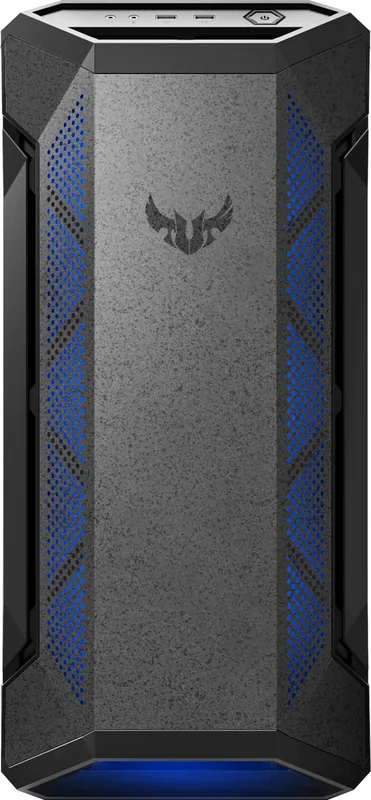
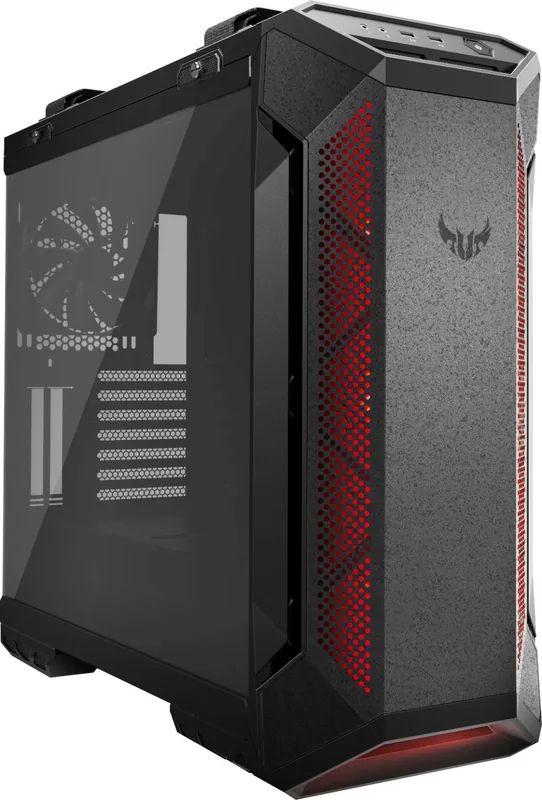
The ASUS TUF Gaming GT501 stands as a testament to robust engineering and versatile design, catering specifically to enthusiasts who demand both durability and high performance. This chassis is not merely a container for components but a platform designed to facilitate complex builds while maintaining optimal thermal efficiency. The manual serves as an essential companion, guiding users through the intricate process of assembling their dream machine with precision and ease.
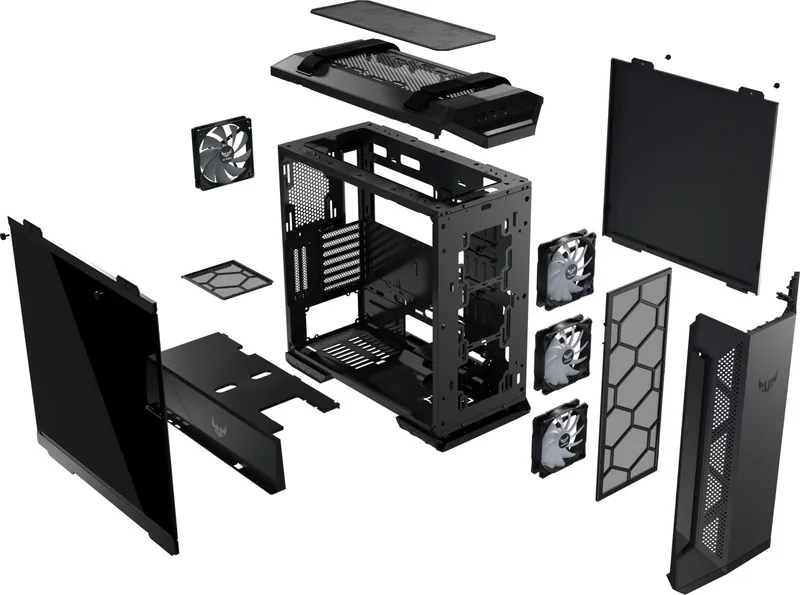
Building with the GT501 begins with understanding its modular layout. The case allows for straightforward access to internal components, making it ideal for first-time builders and seasoned veterans alike. Users can remove side panels effortlessly to install the Power Supply Unit (PSU) without obstruction. The interior space is generously sized, accommodating large motherboards and extensive cooling solutions. Whether you are installing a massive CPU cooler or fitting multiple RAM sticks, the clearances provided ensure compatibility with a wide range of hardware.
Thermal management is at the heart of the GT501 experience. The design includes dedicated spaces for dust filters that require regular maintenance to keep airflow unimpeded. The manual highlights specific limitations regarding CPU cooler heights and graphics card lengths, ensuring that every component fits perfectly without compromising structural integrity. For those pursuing liquid cooling, the chassis supports various radiator options and fan setups, offering flexibility in creating custom loops.
Storage expansion is another key feature. The GT501 provides mounting points for both 2.5-inch and 3.5-inch drives, allowing for ample storage capacity for games, media, and system files. The installation of PCI-E cards is streamlined, with clear pathways for routing cables and securing cards firmly in place. Attention to detail extends to the front I/O connectors, which are easily accessible during the assembly phase.
Safety is paramount throughout the build process. The guide emphasizes proper handling techniques and electrical safety protocols to prevent damage to sensitive components. By following the recommended handle configurations and adhering to the listed specifications, users can construct a reliable gaming rig that stands the test of time. The ASUS TUF Gaming GT501 Manual ensures that every step, from removing covers to attaching final connectors, is executed with confidence.
Notes
- Always verify component dimensions before purchase.
- Clean dust filters regularly for best performance.
- Follow cable management tips for improved airflow.
Search for 67,706 Manuals online


Type-in Brand or Model