
ASUS ROG Rapture GT-AX11000 Manual
PDF manual · 182 Pages
English


Quick check
Incorrect answer, please try again.
Chat with your ASUS ROG Rapture GT-AX11000 manual using AI
Get instant AI answers from your ASUS ROG Rapture GT-AX11000 manual
Ask anything about the ASUS ROG Rapture GT-AX11000. Answers come from this manual, with the pages they are based on.
Ask a Question
Do you recommend ROG Rapture GT-AX11000?
Yes NoDo you recommend ROG Rapture GT-AX11000?
Yes No
Lena Schmidt
10 months ago
Does this router really improve Wi-Fi range and speed in multi-storey buildings compared to my current model, and will it deliver full advertised fiber performance?

Manual.ly
10 months ago
Real-world range and speed depend on more than the router itself. Your maximum download speed is limited by your internet plan and the other side of the connection; a slow ISP or remote servers prevent faster downloads. Wi-Fi coverage is also strongly affected by router placement, building materials (walls), interference, and the capabilities of your devices. More antennas do not automatically mean better range. For fiber, check that fiber runs all the way to your apartment; if only the building entry is fiber and your connection to the router uses copper, the full advertised fiber speed may not be available. We recommend placing the router centrally, updating firmware, using the best available band (5 GHz/6 GHz), and testing with multiple devices before deciding on upgrades or mesh extenders.
Video Manual
How to update the firmware of your Asus ROG AX11000 Router to the latest version
Frequently Asked Questions
It combines tri-band Wi‑Fi 6 with gaming-focused tools like Game Boost, QoS, Game Radar, and VPN Fusion. That makes it better suited for low-latency gaming and heavy multi-device networks than a basic router.
Is this answer helpful?
Yes. It supports AiMesh, which lets you add compatible ASUS routers to expand coverage. Its tri-band design also helps manage many devices across a larger household more efficiently.
Is this answer helpful?
Yes. AiProtection Pro provides malware detection, malicious site blocking, infected device prevention, and parental controls. The router also includes firewall and URL or keyword filtering options.
Is this answer helpful?
Yes. The router supports USB storage and printers for file sharing, media services, FTP access, and printer sharing. It can also work with download and cloud-related features through ASUS tools.
Is this answer helpful?
Smart Connect automatically places devices on the most suitable band, helping improve overall speed and balance traffic. It is useful when you want the router to manage band selection with less manual effort.
Is this answer helpful?
Yes. It supports VPN server settings, NAT passthrough, and VPN Fusion. VPN Fusion is especially useful because it can assign different devices to different VPN tunnels at the same time.
Is this answer helpful?
Advantages and Disadvantages
Advantages

- Tri-band Wi‑Fi 6 helps spread traffic across multiple radios for smoother gaming, streaming, and multitasking.
- ROG Gaming Center includes QoS, Game Boost, Game Radar, and VPN Fusion for better latency control and prioritization.
- AiProtection Pro adds real-time security, malicious site blocking, and parental controls for safer home networking.
- AiMesh, guest networks, USB sharing, and AiCloud add flexible expansion and convenient file or media access.
Disadvantages

- Many advanced settings can feel complex for beginners and may take time to tune properly.
- Some features, such as WiFi Radar or heavy diagnostics, can temporarily reduce wireless performance.
- Wi‑Fi adapter compatibility issues may appear with certain 802.11ax devices without updated drivers.
- Extra gaming and security features depend on correct configuration and regular firmware updates to perform well.
Product Specification
Modem
N/A
WAN
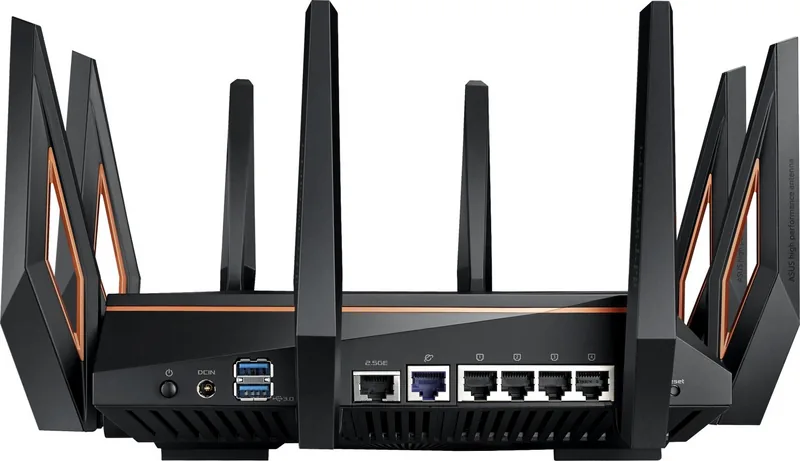
1x 1000Base-T, 1x 2.5GBase-T (shared)
LAN
4x 1000Base-T, 1x 2.5GBase-T (shared)
Wireless
WLAN 802.11a/b/g/n/ac/ax (Wi-Fi 6), simultaneous
Transfer Rate
1148Mbps (2.4GHz), 9608Mbps (5GHz) split into 2x 4804Mbps
Security
64/128bit WEP, WPA, WPA2, WPA3, WPS
Antennas
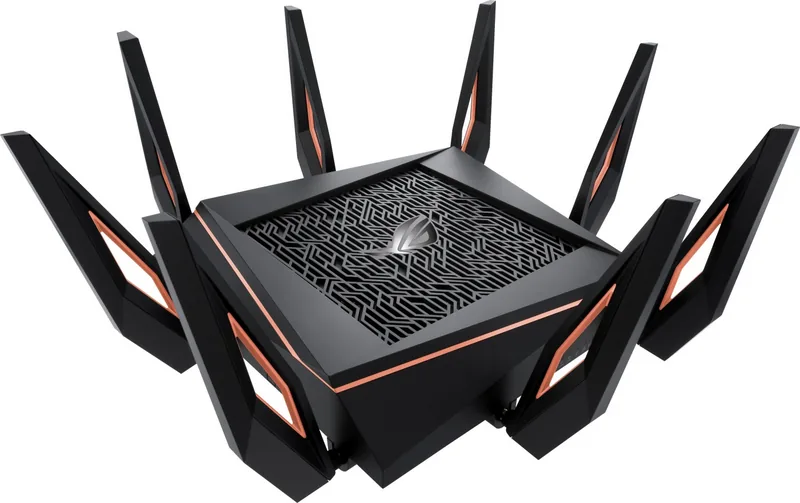
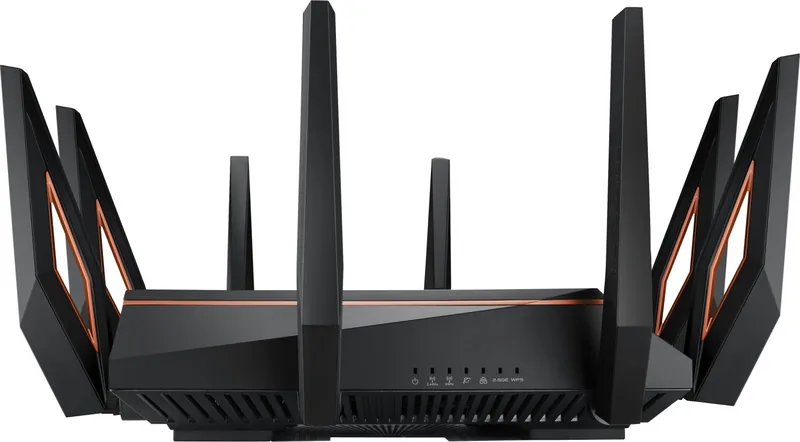
8x external
Ports
2x USB-A 3.0
Power Consumption
no data (consumption, operation), no data (max. power supply output)
Dimensions
9.45x9.45x2.36in
Special Features
IPv6, MU-MIMO, supports mobile data modems (3G/4G), WLAN on/off switch, lighting on/off switch, VPN passthrough (PPTP/L2TP/IPSec), LACP, Mesh (shared band)
Band Capability
Tri Band (simultaneous), Mesh (shared band)
Manufacturer Warranty
two years
Transfer Rate 802.11ax (Wi-Fi 6 / Wi-Fi 6E) 2.4GHz
1148Mbps (Spatial Streams: 4x4, Bandwidth: 40MHz, Modulation: 1024-QAM)
Transfer Rate 802.11ax (Wi-Fi 6 / Wi-Fi 6E) 5GHz
Band 1: 4804Mbps (Spatial Streams: 4x4, Bandwidth: 160MHz); Band 2: 4804Mbps (Spatial Streams: 4x4, Bandwidth: 160MHz)
Note
Specification of the transfer rate for 802.11ax at 2.4GHz and 5GHz. 802.11ax (2.4GHz) 4x4 40MHz 1024-QAM: 1148Mbps, 802.11ax (5GHz Band 1) 4x4 160MHz 4804Mbps, 802.11ax (5GHz Band 2) 4x4 160MHz 4804Mbps. Two 5GHz bands at 4804Mbps each.
Product Description
ASUS ROG Rapture GT-AX11000 Manual: A Gaming Router Built for Speed and Control
The ASUS ROG Rapture GT-AX11000 is designed for users who want more than standard home networking. It blends a bold gaming-focused design with advanced tri-band Wi‑Fi 6 performance, making it a strong fit for busy households, competitive gamers, and power users who need reliable connectivity across many devices. The guide highlights how the router is meant to handle heavy traffic, reduce latency, and simplify network management through ASUS’s ROG Gaming Center interface.
Performance Designed for Modern Homes
One of the most notable strengths of this router is its triple-band architecture, which helps distribute devices more efficiently and keeps gaming traffic separate from everyday browsing or streaming. The manual emphasizes features such as Game Boost, QoS, Game Radar, and VPN Fusion, all of which help prioritize important connections and improve responsiveness during online play. For users who care about ping stability and bandwidth control, these tools can make a real difference.
Security, Control, and Smart Networking
Beyond speed, the GT-AX11000 focuses heavily on security and control. AiProtection Pro adds malware blocking, malicious site filtering, and parental controls, while the firewall and filtering tools let users manage access in detail. The router also supports Smart Connect, guest networks, AiMesh expansion, and IPv6, giving it the flexibility to grow with a network over time. These capabilities make it appealing for homes that need both convenience and advanced customization.
Storage, Sharing, and Extra Features
The router’s USB support adds useful sharing options, including file sharing, printer sharing, media server functions, and download management. With AiCloud 2.0, users can access content remotely and sync files more easily. The manual also explains setup options for wired and wireless installation, firmware updates, recovery tools, and troubleshooting steps, showing that the device is built for long-term use rather than quick setup alone.
Notes
- Best results come from placing the router centrally and keeping firmware updated.
- Some advanced tools may require technical knowledge to configure well.
- Wi‑Fi 6 adapter compatibility and updated drivers can improve stability.
- Gaming features are strongest when bandwidth and latency settings are tuned carefully.
Overall, the ASUS ROG Rapture GT-AX11000 stands out as a premium router for users who want fast wireless performance, deep customization, and gaming-oriented network tools in one powerful package.
Search for 67,732 Manuals online


Type-in Brand or Model
Lukas Meyer
10 months ago
Does this router really improve WiFi range and speed in multi-storey buildings, or are the advertised claims exaggerated?
Manual.ly
10 months ago
Real-world WiFi depends on your home and internet plan, not just antenna count or marketing. Range drops through walls, floors, and interference, so a router may perform differently than in reviews. Place the router centrally and elevated, use the best band (often 5 GHz for short range, 2.4 GHz for longer), avoid crowded channels, and update to the latest firmware. Also note: your download speed cannot exceed what your internet connection provides; the router cannot make a slow line faster. If you use fiber, confirm the fiber connection reaches your apartment and is properly converted (ONT/terminal) to Ethernet or WAN at the router.