
ASUS PIKE II 3108-8i/16PD/2G Manual
PDF manual · 60 Pages
English


Quick check
Incorrect answer, please try again.
Chat with your ASUS PIKE II 3108-8i/16PD/2G manual using AI
Get instant AI answers from your ASUS PIKE II 3108-8i/16PD/2G manual
Ask anything about the ASUS PIKE II 3108-8i/16PD/2G. Answers come from this manual, with the pages they are based on.
Ask a Question
Do you recommend PIKE II 3108-8i/16PD/2G?
Yes NoFrequently Asked Questions
The PIKE II 3108 series supports RAID 0, RAID 1, RAID 10, RAID 5, RAID 50, RAID 6, and RAID 60. The card also supports creating drive groups and virtual drives through the MegaRAID utilities.
Is this answer helpful?
For the 3108-8i/16PD model, the maximum physical disk quantity for RAID configurations is 16. The available capacity you can use depends on the RAID level and the smallest member disk size.
Is this answer helpful?
The controller supports SAS and SATA devices, but you should not combine Serial ATA and SAS disk drives in the same volume. For best performance, the guide recommends using identical drive models and capacities for arrays.
Is this answer helpful?
Configuration can be done with the MegaRAID Configuration Utility (accessed during POST via Ctrl+R). Ongoing management and monitoring are handled by MegaRAID Storage Manager, which provides a GUI dashboard, event logs, and maintenance actions like consistency checks.
Is this answer helpful?
The card includes 1GB onboard SDRAM cache and a CacheVault connector for LSI CacheVault-style battery backup solutions. Battery backup support helps support safer write-back behavior, depending on BBU status.
Is this answer helpful?
After creating RAID sets, install the appropriate driver from the support media. The guide includes steps for Windows Server 2012 R2 (load driver during setup), and for Linux distributions like Red Hat Enterprise Linux 7.0 and SUSE Linux 12 using the dd.iso driver disk image.
Is this answer helpful?
Yes, the guide recommends periodic consistency checks for fault-tolerant RAID types such as RAID 1, RAID 5, RAID 6, RAID 10, RAID 50, and RAID 60. RAID 0 is not data-redundant, so consistency checking is not positioned the same way.
Is this answer helpful?
Advantages and Disadvantages
Advantages

- Supports RAID 0/1/10/5/50/6/60, giving flexible performance and redundancy options.
- PCIe 3.0 x8 plus LSI SAS 3108 enables SAS 12Gb/s connectivity for fast storage traffic.
- Eight SAS 12Gb/s ports with Mini-SAS HD connectors for clean internal cabling.
- 1GB onboard SDRAM cache helps improve responsiveness for many storage workloads.
- CacheVault header and battery backup support help support safer write-back operation.
Disadvantages

- Designed for specific ASUS motherboard platforms (Z10, Z9, P9), limiting universal compatibility.
- Max disk support and capacity depend on the exact PIKE II model variant (16PD vs 240PD).
- Storage configuration best practices must be followed (avoid mixing SAS and SATA in one volume).
- BIOS and driver steps must be planned carefully, especially for OS boot from RAID.
Product Specification
Connection
PCIe 3.0 x8
Interfaces
8x SAS 12Gb/s or SATA 6Gb/s
Internal
2x SFF-8643
External
N/A
RAID Level
0/1/5/6/10/50/60
Chipset
Broadcom SAS3108, 2x 1.20GHz
Cache
2GB DDR3 (PC3-14900U)
Special features
low profile PCB
Manufacturer warranty
three years
Product Description
ASUS PIKE II 3108-8i/16PD/2G Product Spotlight
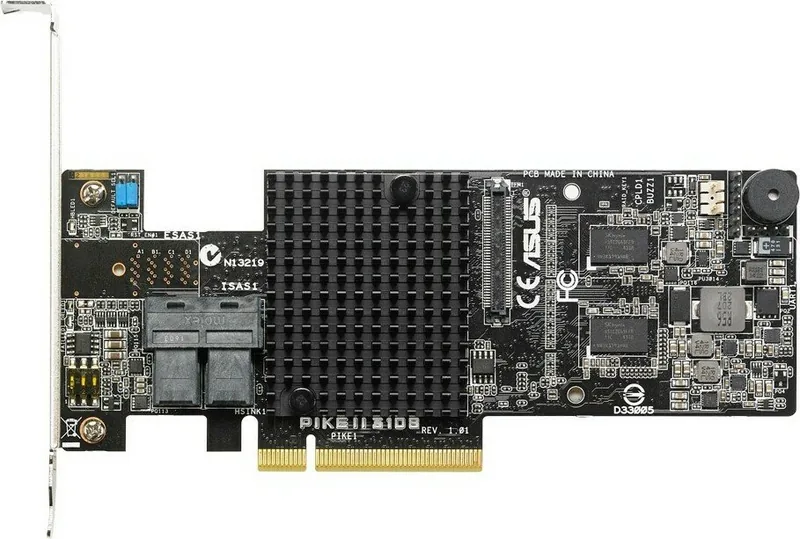
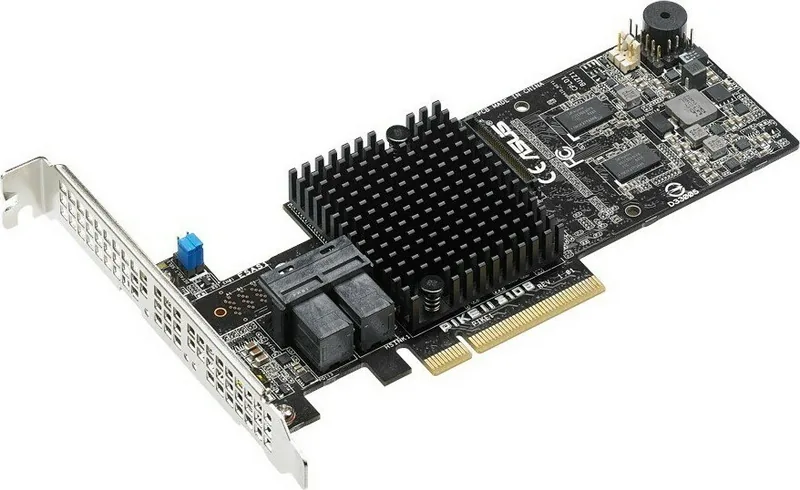
The ASUS PIKE II 3108-8i/16PD/2G, PCIe 3.0 x8 Manual, is designed for server builders who want dependable, high-speed RAID storage using the LSI SAS 3108 12Gb/s controller. This PIKE II 3108 series card supports common RAID levels including RAID 0, 1, 10, 5, 50, 6, and 60, letting you balance performance, capacity, and fault tolerance for demanding workloads.
With PCIe 3.0 x8 connectivity, the card provides eight SAS 12Gb/s ports (Mini-SAS HD), making it a strong choice for systems that need fast internal storage expansion. For the 16PD variant, the card supports up to 16 physical disks in RAID configurations, while the onboard 1GB SDRAM cache improves responsiveness for many storage patterns. Battery backup support is available via a CacheVault header, supporting safer write-back behavior when properly configured.
Installation and setup experience
Getting started is centered around standard server assembly and RAID configuration flows. The card installs into a PCIe Gen3 slot and uses internal Mini-SAS HD cabling to connect drives. When multiple PIKE II cards are installed in one system, you must adjust switch pin settings so the host can detect all cards.
For configuration, the MegaRAID utilities provide a structured workflow to create drive groups, build virtual drives, and initialize storage. You can run consistency checks on fault-tolerant RAID types (such as RAID 1, 5, 6, 10, 50, and 60) to help detect data corruption and restore integrity when needed. The MegaRAID Storage Manager GUI further supports monitoring and maintenance, including event logs, progress views, and alert configuration.
RAID configuration notes
- Avoid mixing Serial ATA and SAS drives within one volume.
- For RAID 0 and RAID 5 virtual disks in the same physical array is not recommended due to rebuild risk.
- If booting from a drive that is part of a created RAID set, plan to load the RAID driver before installing the operating system.
Quick pros and cons
Pros:
- Fast SAS 12Gb/s performance with 8 SAS ports
- Broad RAID support from RAID 0 through RAID 60
- 1GB onboard cache plus CacheVault header for safer write-back
- Manageable via MegaRAID Configuration Utility and MegaRAID Storage Manager
Cons:
- Requires compatible ASUS platforms (Z10, Z9, P9) for intended support
- Max physical disk count depends on the specific PIKE II model variant
- Storage planning matters, especially around mixing drive types and RAID layouts
Key takeaways (most important results)
- Supports PCIe 3.0 x8 and LSI SAS 3108 for modern 12Gb/s SAS RAID performance.
- Enables RAID 0/1/10/5/50/6/60 for flexible speed and redundancy strategies.
- Offers 1GB onboard cache and CacheVault header support for write-back protection.
- Designed for ASUS Z10/Z9/P9 systems, with utilities for monitoring, consistency checks, and maintenance.
Notes
- Update BIOS before use on supported ASUS Z9 and P9 platforms.
- Follow OS driver installation steps for Windows Server 2012 R2, Red Hat Enterprise Linux 7.0, and SUSE Linux 12.
- Periodic consistency checks are recommended for fault-tolerant RAID sets.
Search for 67,706 Manuals online


Type-in Brand or Model