
ASUS PIKE II 3008-8i Manual
PDF manual · 80 Pages
English


Quick check
Incorrect answer, please try again.
Chat with your ASUS PIKE II 3008-8i manual using AI
Get instant AI answers from your ASUS PIKE II 3008-8i manual
Ask anything about the ASUS PIKE II 3008-8i. Answers come from this manual, with the pages they are based on.
Ask a Question
Do you recommend PIKE II 3008-8i?
Yes NoFrequently Asked Questions
It is a server RAID expansion card that connects SAS or SATA drives to a compatible ASUS platform. It is designed to improve storage performance, provide RAID protection, and simplify drive management.
Is this answer helpful?
It supports RAID 0, RAID 1, RAID 1E, and RAID 10. This lets you choose between maximum speed, mirrored protection, or a balance of both depending on your storage needs.
Is this answer helpful?
Yes, SATA drives are supported, but they should not be mixed with SAS drives in the same RAID volume. For the most stable results, use drives that match in type, size, and model.
Is this answer helpful?
A minimum of four hard drives is required for RAID 10. This layout combines striping and mirroring, giving better performance than simple mirroring while still protecting against drive failure.
Is this answer helpful?
Yes. RAID 1 volumes support hot swap, and hot spare disks can be configured for RAID 1, 1E, and 10 setups. These features help keep data available when a drive fails.
Is this answer helpful?
The card supports Windows and Linux, with driver installation steps provided for common server versions such as Windows Server 2012 R2, Red Hat Enterprise Linux, and SUSE Linux. Exact support depends on the motherboard list.
Is this answer helpful?
Advantages and Disadvantages
Advantages

- PCIe 3.0 x8 and 12 Gb/s SAS support deliver strong storage performance.
- Supports RAID 0, 1, 1E, and 10 for speed, redundancy, and flexibility.
- Hot swap and hot spare options improve data protection and uptime.
- Works with Windows and Linux, with utility tools for RAID management.
Disadvantages

- Best results require compatible ASUS server hardware and careful setup.
- SATA and SAS drives should not be combined in the same volume.
- Installation and driver loading may be complex for beginners.
- Performance is best with identical drives, which can raise upgrade cost.
Product Specification
Connectivity
PCIe 3.0 x8
Interfaces
8x SAS 12Gb/s or SATA 6Gb/s
Internal
2x SFF-8643
External
N/A
RAID Level
0/1/1E/10
Chipset
Broadcom SAS3008, 1.20GHz
Special Features
low profile PCB
Manufacturer Warranty
three years
Product Description
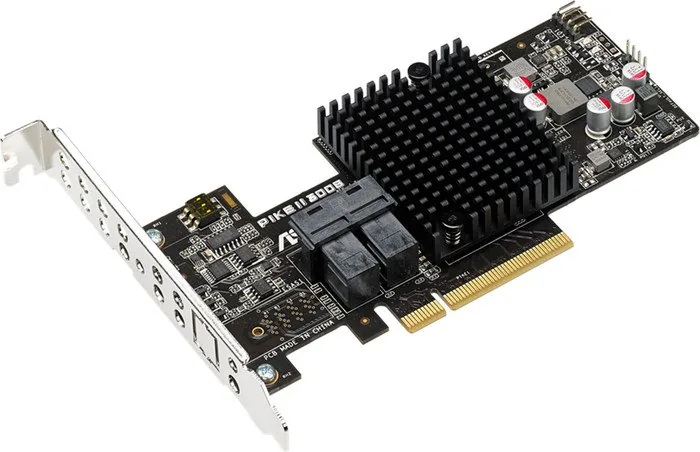
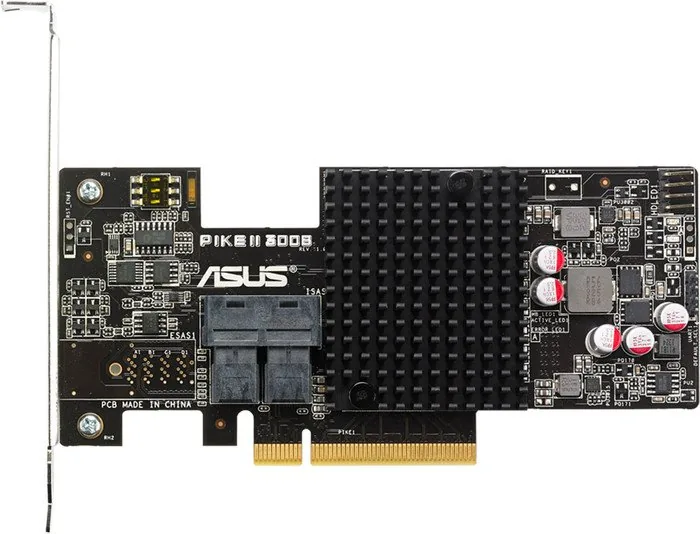
ASUS PIKE II 3008-8i PCIe 3.0 x8 RAID Card
The ASUS PIKE II 3008-8i is built for server environments that need fast, dependable storage expansion. Powered by the LSI SAS3008 controller and connected through a PCIe 3.0 x8 interface, it brings 12 Gb/s SAS performance to systems that demand strong input/output throughput and stable RAID operation. For IT builders and admins, this card is a practical way to turn a compatible ASUS server platform into a more flexible storage workstation.
One of the biggest strengths of the PIKE II 3008-8i is its support for multiple RAID modes, including RAID 0, RAID 1, RAID 1E, and RAID 10. That mix gives you a choice between speed, redundancy, and balanced performance. RAID 0 is ideal when raw transfer speed matters, while RAID 1 and RAID 10 help protect data by mirroring drives. RAID 1E adds another layer of flexibility for larger drive groups. If you are comparing upgrade paths, the ASUS PIKE II 3008-8i PCIe 3.0 x8 Manual is especially useful because it explains installation, card layout, RAID setup, and driver loading in a clear sequence.
The card supports SAS and SATA drives, but it is best used with identical drives of the same model and capacity for consistent performance. It includes Mini-SAS HD connectors and is designed to work with ASUS server motherboards, making it a strong fit for compact rack systems and storage-focused builds. With hot swap capability in RAID 1 configurations and hot spare support for protected arrays, it is also designed with uptime in mind.
Setup is straightforward for experienced users, though it still requires attention to BIOS updates, compatible cabling, and operating system drivers. The included management tools help create volumes, check consistency, monitor topology, and maintain arrays across Windows and Linux environments. For administrators who value reliability over flashy features, this RAID card delivers a focused and proven solution.
Notes
- Use a certified power supply and proper thermal solution.
- Update BIOS before installation on supported ASUS platforms.
- Avoid mixing SATA and SAS drives in the same volume.
- Prefer identical drives for the best RAID results.
Search for 67,706 Manuals online


Type-in Brand or Model