

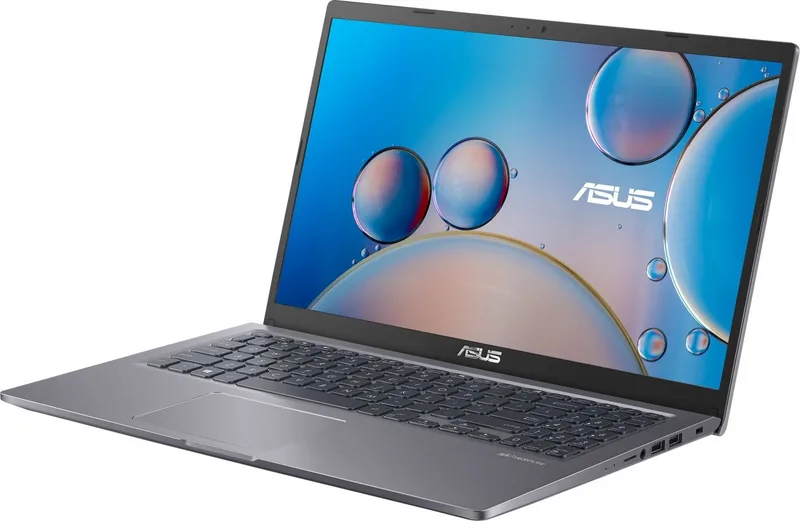
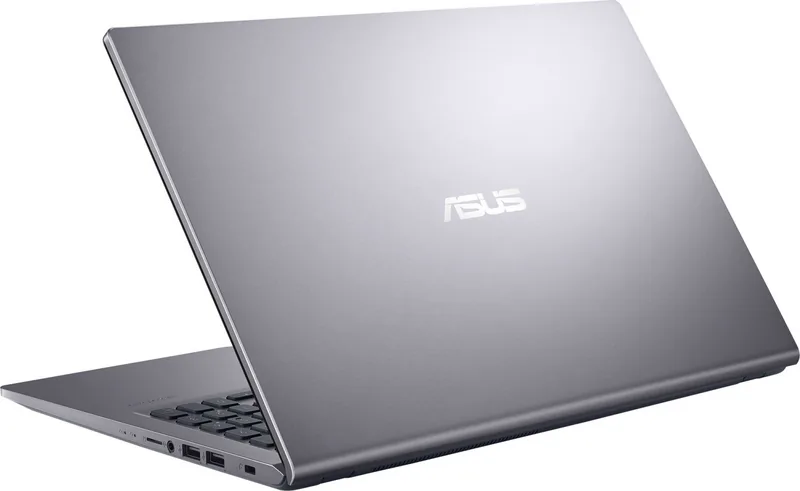
ASUS P1511C VivoBook 15 X515J/F515J/R565J Manual
PDF manual · 108 Pages
English


Quick check
Incorrect answer, please try again.
Chat with your ASUS P1511C VivoBook 15 X515J/F515J/R565J manual using AI
Get instant AI answers from your ASUS P1511C VivoBook 15 X515J/F515J/R565J manual
Ask anything about the ASUS P1511C VivoBook 15 X515J/F515J/R565J. Answers come from this manual, with the pages they are based on.
Ask a Question
Do you recommend P1511C VivoBook 15 X515J/F515J/R565J?
Yes NoFrequently Asked Questions
To extend battery life, adjust the screen brightness using function keys, disconnect unused USB devices, close unnecessary applications, and enable Airplane mode when Wi-Fi is not needed.
Is this answer helpful?
Try holding the power button for four seconds to force a shutdown, then reconnect the charger and try again. Ensure the power outlet is working and the cable is securely connected.
Is this answer helpful?
Yes, but the region setting can only be changed up to five times. After that, it becomes permanent unless the system is restored to factory settings, which may void warranty coverage.
Is this answer helpful?
No, the battery is integrated into the chassis and cannot be removed by the user. Only authorized service technicians should attempt any internal maintenance.
Is this answer helpful?
Go to Settings, select Devices, then Bluetooth. Turn on Bluetooth, choose your device from the list, and confirm the passcode matches on both devices to pair them.
Is this answer helpful?
Blocking the vents can cause overheating, potentially leading to system instability or damage. Always ensure paper, clothing, or other objects do not obstruct the air intake or exhaust areas.
Is this answer helpful?
Advantages and Disadvantages
Advantages

- High-resolution display suitable for multimedia and productivity
- Intuitive multi-touch gesture support on the touchpad
- Versatile connectivity with USB Type-C and HDMI ports
- Optional fingerprint sensor for secure biometric login
- ENERGY STAR certified for energy efficiency
Disadvantages

- Battery life varies significantly based on usage patterns and model specifications
- Non-removable battery design limits user replacement options
- Keyboard layout may differ depending on the region of purchase
- Device can become hot during intensive tasks or charging
- Some advanced features like numeric keypad are not available on all models
Product Specification
Type
Notebook
HDD
N/A
Flash
N/A
Input
Keyboard with DE layout (numpad, rubber-dome), touchpad
Authentication
TPM 2.0
Camera
0.3 megapixel
Optical drive
N/A
Power supply
1x hollow plug (45W/19V/2.37A, 4mm)
Weight
3.97 lbs
USB notation
Link
Product Description
ASUS VivoBook 15 X515J Series: A Comprehensive Overview
The ASUS P1511C, part of the broader VivoBook 15 lineup including models X515J, F515J, and R565J, represents a versatile choice for everyday computing needs. Designed with a sleek profile, these notebooks balance performance and portability, making them ideal for students, professionals, and home users alike. The series features high-resolution displays that deliver vibrant visuals for multimedia consumption and productivity tasks. Users can rely on the robust hardware configuration to handle daily workflows smoothly.
Operating seamlessly with Windows 10, these devices offer an intuitive user experience. The keyboard is designed for comfort with a QWERTZ layout (region dependent) and includes dedicated function keys for quick access to system controls like volume, brightness, and screen toggling. The touchpad supports multi-gesture navigation, allowing for fluid interaction without needing an external mouse. Connectivity is enhanced through a variety of ports, including USB 3.2 Gen 1 Type-C, standard USB 3.2 Gen 1, HDMI for external display connections, and a MicroSD card reader for expanded storage options.
Power management is a key focus, with intelligent battery monitoring indicated by status LEDs on the side panel. The device includes safety features such as overheat protection and ventilation systems that ensure stable operation during extended use. Security is addressed through optional fingerprint sensors on select models, providing biometric authentication for quick and safe logins. Additionally, the inclusion of built-in cameras and microphones facilitates seamless video conferencing and content creation.
Maintenance is straightforward, with guidelines provided for cleaning and proper disposal to ensure environmental compliance. The notebook adheres to various international standards, including ENERGY STAR and EPEAT, reflecting ASUS commitment to energy efficiency and sustainability. Whether for work, study, or entertainment, this series delivers reliable performance in a compact form factor.
Search for 67,706 Manuals online


Type-in Brand or Model