
ASUS A320 Series Manual
PDF manual · 26 Pages
English


Quick check
Incorrect answer, please try again.
Chat with your ASUS A320 Series manual using AI
Get instant AI answers from your ASUS A320 Series manual
Ask anything about the ASUS A320 Series. Answers come from this manual, with the pages they are based on.
Ask a Question
Do you recommend A320 Series?
Yes NoFrequently Asked Questions
The board uses the AMD AM4 socket and supports AMD Ryzen processors, 7th Generation A-Series CPUs, and Athlon processors. It accommodates up to eight cores depending on the specific CPU model chosen for the system.
Is this answer helpful?
The motherboard features Dual-Channel DIMM architecture with a maximum capacity of 32 GB. It accepts DDR4 memory modules running at speeds up to 3200 MHz when overclocked on compatible Ryzen processors.
Is this answer helpful?
Yes, the UEFI BIOS includes EZ Flash 3 tools for easy updates. You can use the internet interface within the system settings to download and apply the latest firmware directly without external software installation.
Is this answer helpful?
Audio is handled by a Realtek ALC 887-VD2 8-channel High Definition CODEC. It supports 7.1 surround sound and features front panel audio jacks for headphones and microphones.
Is this answer helpful?
Yes, the ASUS 5X Protection III includes LANGuard for networking and digital power protection circuits. It safeguards against electricity surges, lightning, and static discharge to ensure longevity.
Is this answer helpful?
You can clear settings using the CLRTC header. Disconnect power, short the pins with a metal object, reconnect power, and boot while holding the delete key to access BIOS for reset.
Is this answer helpful?
It includes four SATA ports for Serial ATA connections. You can also utilize an M.2 slot for a secondary high-speed drive, supporting RAID configurations for data redundancy.
Is this answer helpful?
Advantages and Disadvantages
Advantages

- Supports AMD Ryzen and Athlon processors via AM4 socket
- High-speed DDR4 memory support up to 3200 MHz
- Multiple USB 3.1 Gen 1 ports for fast data transfer
- Integrated ASUS 5X Protection III for hardware safety
- M.2 slot for high-performance NVMe storage drive
Disadvantages

- Only two DIMM slots limit maximum memory upgrades
- Basic 8-channel audio without advanced sound features
- Single PCIe x16 slot restricts multi-GPU setups
- Limited front panel USB headers on the motherboard
- No built-in Wi-Fi connectivity included on board
Product Specification
Socket
AMD AM4
Chipset
AMD A320
Buttons/Switches
N/A
Audio
7.1 (Realtek ALC887)
Graphics
iGPU
RAID Level
0/1/10 (A320)
Multi-GPU
N/A
BIOS
1x 16MB (128Mb)
USB Type
Link
Product Description
Discover the Power of the ASUS A320 Platform
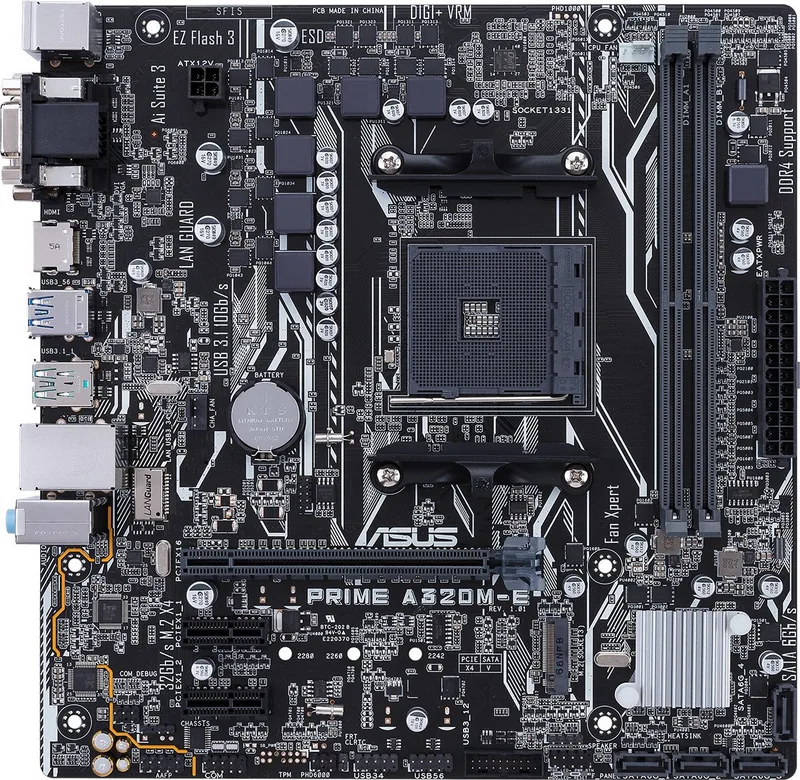
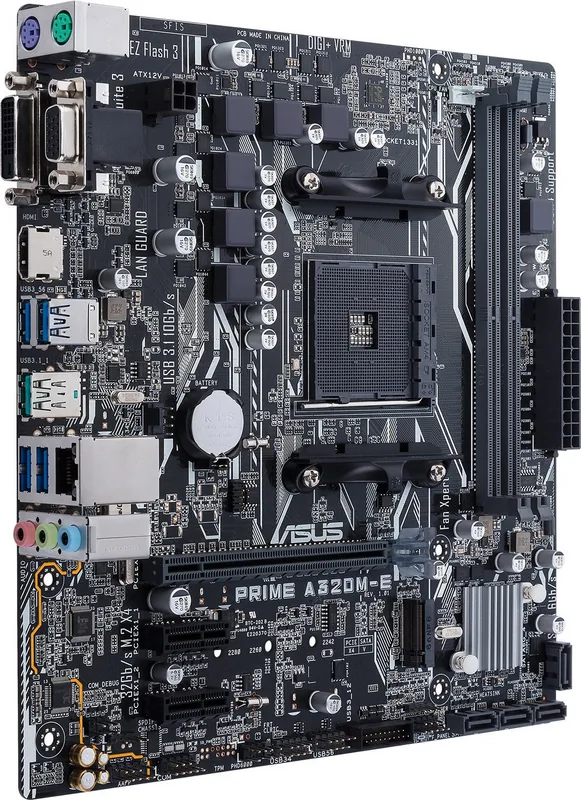
Building a robust computer system starts with selecting the right motherboard platform to ensure everything runs smoothly. The ASUS PRIME A320M-K delivers reliability for various setups ranging from home office environments to multimedia creation stations. Understanding the system capabilities is vital for maximizing potential during the build process. The ASUS A320 Manual details every aspect of configuration and safety for the user.
Processor Compatibility and Memory
Processor compatibility centers on the specific AMD AM4 socket standard found here. This interface supports Ryzen family CPUs along with the 7th Generation A-Series chips effectively. Athlon processors are also fully supported within this architecture for budget builds. Users can install up to eight cores in total depending on the selected chip model. Memory slots accept DDR4 modules for high-speed operations and multitasking efficiency. Dual-Channel configurations optimize data throughput and reduce latency significantly. Maximum capacity reaches 32 GB total system memory for heavy workloads.
Storage and Connectivity Solutions
Storage solutions include four Serial ATA ports supporting 6.0 Gb/s connection speeds. These connectors allow for traditional hard drives with reliable long-term performance. An M.2 slot provides high-speed NVMe support for fast boot times. RAID configurations enhance data redundancy for critical data and business requirements. Connectivity extends to USB 3.1 Gen 1 ports for fast peripheral transfers. USB 2.0 ports handle legacy devices seamlessly without driver issues.
Audio and Network Performance
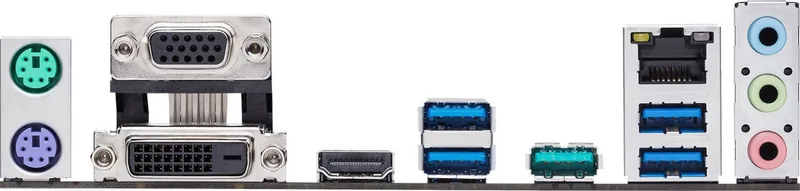
Audio performance utilizes an 8-channel High Definition CODEC integrated into the board. Realtek technology ensures rich sound output through front panel jacks for headphones. HDMI and D-Sub outputs allow connection to external displays without dedicated graphics. LAN connectivity relies on a Realtek Gigabit controller for network stability indoors. Power delivery features digital VRM design for consistent voltage regulation under load.
Safety and BIOS Management
Safety protocols prevent hardware damage during the physical installation phase. Electrical safety warnings emphasize disconnecting all power cords before touching anything. Static discharge protection is recommended before handling sensitive components directly. ASUS 5X Protection ensures against power surges and corrosion over time. Stainless steel backplates improve longevity significantly for the rear area. Thermal management supports quiet operation with specific fan headers available.
BIOS management provides flexible configuration options for system tuning. The UEFI interface features EZ Mode for quick changes and boot settings. Advanced Mode offers granular control for experts who need more options. CrashFree BIOS technology protects against firmware corruption during updates. Updates can be applied via internet tools built into the system directly. Q-Fan control monitors cooling performance automatically for noise reduction.
Installation and Support
Installation guidelines require careful cable management to ensure good airflow. Power supply units must meet wattage requirements for system stability. Cable routing prevents airflow obstruction inside the computer case. Package contents include necessary SATA cables and mounting hardware for drives. Support guides are available online for driver downloads quickly. Regional contact centers assist with hardware inquiries and warranty claims legally.
Legal compliance covers international regulations like FCC and IC strictly. Warranty terms protect buyers against defects and manufacturing faults. Recycling programs encourage responsible disposal of electronic waste responsibly. Following these steps ensures a safe and stable computing environment overall. This platform serves as a solid foundation for daily tasks effectively. Dependability and performance remain top priorities for the user experience.
Search for 67,706 Manuals online


Type-in Brand or Model