

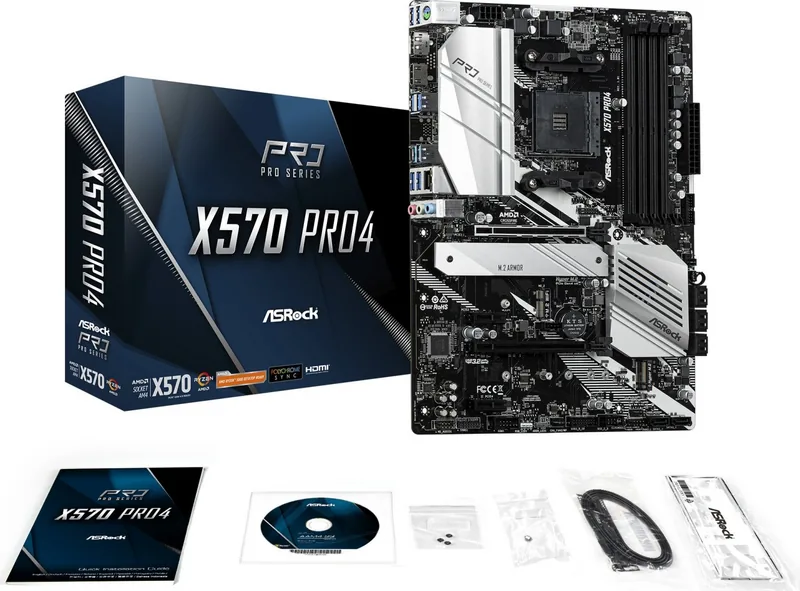
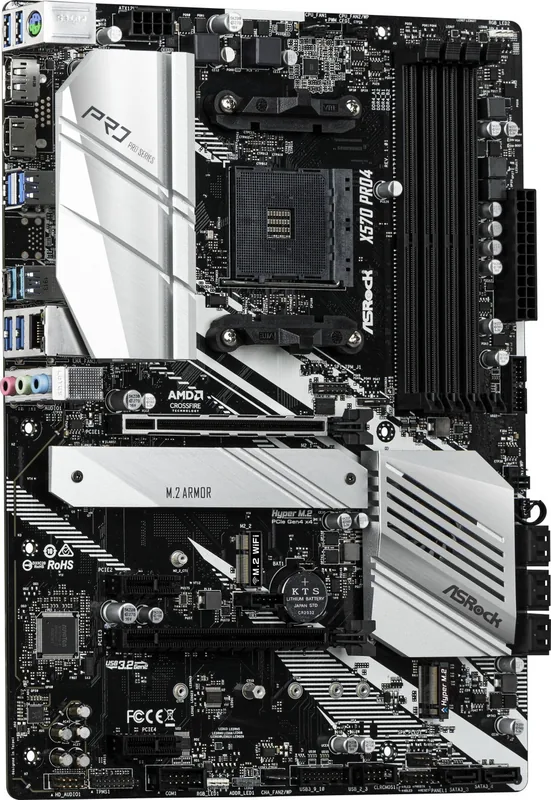
ASRock X570 Manual
PDF manual · 92 Pages
English



Quick check
Incorrect answer, please try again.
Chat with your ASRock X570 manual using AI
Get instant AI answers from your ASRock X570 manual
Ask anything about the ASRock X570. Answers come from this manual, with the pages they are based on.
Ask a Question
Do you recommend X570?
Yes NoFrequently Asked Questions
It supports AMD AM4 socket Ryzen 2000, 3000, 4000 G-Series, and 5000 Series desktop processors. Performance varies by generation regarding memory speed and PCIe lane availability.
Is this answer helpful?
Yes, the BIOS Flashback button allows you to update the BIOS using a USB drive even when the system is powered off and no CPU is installed. Ensure the file is named correctly and the drive is FAT32 formatted.
Is this answer helpful?
Yes, it supports AMD CrossFire and Quad CrossFire technologies. You can install up to three identical PCI Express x16 graphics cards for multi-GPU configurations.
Is this answer helpful?
It has four DDR4 DIMM slots supporting up to 128GB total. With Vermeer or Matisse CPUs, it supports speeds up to 5000MHz+ with XMP profiles enabled.
Is this answer helpful?
The Post Status Checker (PSC) emits lights to diagnose hardware issues during boot. A red light indicates a problem with the CPU, memory, VGA, or storage, helping you troubleshoot quickly.
Is this answer helpful?
No, it does not include a built-in Wi-Fi card. However, it has an M.2 Socket (Key E) that supports a 2230 WiFi/BT PCIe module if you wish to add one separately.
Is this answer helpful?
Yes, it supports RAID 0, 1, and 10 for SATA storage devices and RAID 0 and 1 for M.2 NVMe storage devices through the UEFI setup utility.
Is this answer helpful?
Advantages and Disadvantages
Advantages

- Supports PCIe 4.0 for maximum bandwidth with compatible CPUs
- Comprehensive cooling solutions with multiple fan headers and water pump support
- Easy BIOS update feature via Flashback button without CPU installed
- High-quality audio with Nahimic software and gold-plated connectors
- Extensive connectivity including USB 3.2 Gen2 Type-C and 2.5G LAN
Disadvantages

- Requires specific Ryzen CPUs to unlock full PCIe 4.0 speeds
- No integrated Wi-Fi module despite having an M.2 slot for one
- RGB lighting cables are not included in the package
- Complex layout may challenge beginners during cable management
- BIOS interface can be overwhelming for novice users
Product Specification
Socket
AMD AM4
Chipset
AMD X570
Graphics
iGPU
USB Writing
Left
Product Description
Unlocking the Power of the ASRock X570S PG Riptide
Building a high-performance PC requires a foundation that balances raw power with reliability, and the ASRock X570S PG Riptide delivers exactly that. Designed for enthusiasts and gamers who demand the best from their AMD Ryzen processors, this motherboard stands as a testament to robust engineering and cutting-edge technology. Whether you are pushing your system to the limits with overclocking or building a silent, efficient workstation, this board provides the platform you need.
At the heart of this design is support for the latest AMD AM4 socket processors, including the Ryzen 2000, 3000, 4000 G-Series, and 5000 Series desktop CPUs. The 10-phase digital power design ensures stable voltage delivery even under heavy loads, while the solid capacitor construction guarantees longevity. Memory performance is equally impressive, with four DDR4 DIMM slots capable of handling speeds up to 5000MHz+ when using XMP profiles on supported Vermeer and Matisse CPUs. This allows for lightning-fast data processing and seamless multitasking.
Connectivity is where this motherboard truly shines. It features multiple PCIe 4.0 lanes, offering unprecedented bandwidth for graphics cards and storage devices. Users can install up to three identical CrossFire-ready graphics cards for multi-GPU setups, maximizing graphical fidelity. Storage options are abundant with two Hyper M.2 sockets supporting Gen4 NVMe SSDs at blistering speeds, alongside six SATA3 ports for traditional drives. The rear I/O panel includes USB 3.2 Gen2 Type-C and Type-A ports, a 2.5 Gigabit LAN port for faster network throughput, and HDMI 2.1 for next-generation display connections.
Customization and ease of use are central themes in the user experience. The ASRock Polychrome SYNC utility lets you synchronize lighting across RGB strips and addressable LEDs, creating a unique visual identity for your build. For those who prefer hands-on control, the Phantom Gaming Tuning software offers deep insights into system performance and fan management. Additionally, the onboard smart buttons allow for quick BIOS updates via Flashback without needing to boot the system, and a Clear CMOS button makes troubleshooting simple. The Post Status Checker provides immediate visual feedback during startup, helping identify hardware issues instantly.
With comprehensive protection features like ESD guards, surge protection, and Lightning Protection, the ASRock X570S PG Riptide is built to withstand the rigors of daily use. It supports advanced security features such as Secure Boot and TPM integration, ensuring your data remains safe. From installation to daily operation, every aspect of this motherboard is designed to empower users to create the ultimate computing experience.
Key Highlights
- Robust Power Delivery: 10-phase Digi Power design for stable overclocking.
- Next-Gen Connectivity: PCIe 4.0 support for GPUs and NVMe SSDs.
- Advanced Audio: Nahimic Audio and gold-plated jacks for immersive sound.
- Smart Features: BIOS Flashback and Post Status Checker for easy maintenance.
- Customizable Lighting: Full support for RGB and Addressable LED strips.
Important Notes
Always ensure your power supply unit meets the recommended wattage before installing high-end components. When handling memory modules or expansion cards, ground yourself to prevent static damage. Keep your BIOS updated to the latest version to ensure compatibility with new CPUs and peripherals.
Search for 67,706 Manuals online


Type-in Brand or Model