
ASRock X399 Manual
PDF manual · 106 Pages
English



Quick check
Incorrect answer, please try again.
Chat with your ASRock X399 manual using AI
Get instant AI answers from your ASRock X399 manual
Ask anything about the ASRock X399. Answers come from this manual, with the pages they are based on.
Ask a Question
Do you recommend X399?
Yes NoFrequently Asked Questions
It supports AMD TR4 socket Ryzen Threadripper processors, including high-power models designed for demanding workloads and enthusiast builds.
Is this answer helpful?
It supports up to 128GB of DDR4 memory across eight DIMM slots. Quad-channel operation is available when memory is installed in the proper configuration.
Is this answer helpful?
Yes. It includes multiple Ultra M.2 slots for NVMe SSDs and eight SATA3 ports for traditional drives, making it suitable for both speed and capacity.
Is this answer helpful?
Yes. The board supports NVIDIA SLI and AMD CrossFireX configurations, including dual-card and triple-card setups, provided compatible cards and sufficient power are available.
Is this answer helpful?
It has dual LAN connectivity: a 2.5 Gigabit port and a Gigabit Intel controller. This gives users flexibility for gaming, streaming, or workstation networking.
Is this answer helpful?
Yes. The motherboard includes RGB and addressable LED headers, plus multiple fan and pump headers. ASRock software and UEFI tools help manage lighting and cooling behavior.
Is this answer helpful?
Advantages and Disadvantages
Advantages

- Supports AMD Threadripper CPUs and quad-channel DDR4 for strong workstation performance.
- Three PCIe x16 slots and multiple M.2 connectors provide excellent expansion flexibility.
- 2.5GbE plus Gigabit LAN offer fast and versatile wired networking options.
- RGB headers, smart switches, and fan controls make customization and tuning easy.
Disadvantages

- Large ATX/TR4 design may be too much for compact or budget builds.
- Multi-GPU setups can increase power, heat, and cable management complexity.
- Advanced BIOS and tuning options may feel overwhelming for beginners.
- Some accessories are optional, so the full setup may require extra purchases.
Product Specification
Socket
AMD TR4
Chipset
AMD X399
Audio
7.1 (Realtek ALC1220)
Graphics
N/A
RAID Level
0/1/10 (X399)
Lighting
RGB, 1 Zone (Chipset cooler)
USB Naming
Link
Product Description
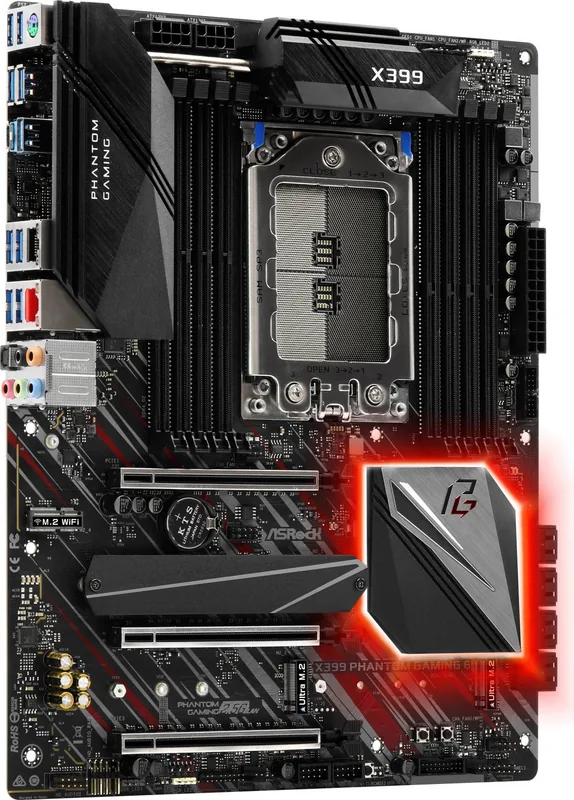
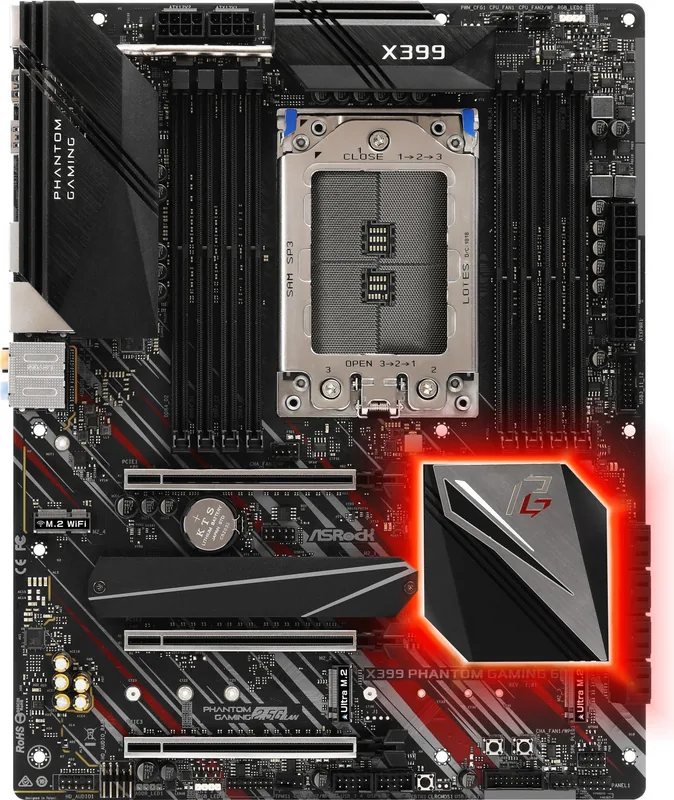
ASRock X399 Phantom Gaming 6 Overview
The ASRock X399 Phantom Gaming 6 is built for users who want serious workstation-style power with enthusiast-friendly flexibility. Centered on the AMD TR4 socket and X399 platform, it supports Ryzen Threadripper processors and up to 128GB of quad-channel DDR4 memory. That combination makes it a strong fit for content creation, heavy multitasking, and performance-focused builds.
Built for Expansion
This board stands out with three PCIe 3.0 x16 slots, giving it room for multi-GPU setups and high-end add-in cards. It also includes multiple Ultra M.2 slots for fast NVMe storage, plus eight SATA3 connectors for larger drive arrays. If you are planning a storage-heavy system or a compact speed-first build, this layout offers plenty of room to grow.
Connectivity and Everyday Utility
The rear I/O is well equipped, featuring USB 3.1 Gen2 Type-A and Type-C ports, multiple USB 3.1 Gen1 connections, dual LAN, PS/2 support, and optical audio output. One of the highlights is the 2.5 Gigabit LAN alongside an Intel Gigabit controller, giving the board a practical networking edge. The integrated audio design also leans premium, with high-quality capacitors, a strong headset amp, and support for SoundBlaster Cinema5.
Tuning, Cooling, and Lighting
For users who like to fine-tune their systems, the board includes UEFI options for overclocking, voltage control, memory timing, fan management, and platform security. The ASRock X399 Manual also points to smart switches, RGB headers, and addressable LED support, making it easy to personalize the look and feel of a build. Fan headers and pump support are especially useful for large air coolers or liquid cooling setups.
Final Impressions
Overall, this motherboard balances performance, expandability, and useful onboard features in a way that suits demanding PC builders. It is not just about raw specs; it is about giving users control over storage, thermals, lighting, and system behavior. If your goal is a powerful TR4-based system with room to upgrade and tune, the X399 Phantom Gaming 6 delivers a compelling foundation.
Notes
- Best suited for Threadripper systems and advanced builds.
- Check CPU, memory, and storage compatibility before buying.
- Multi-GPU and high-power cooling setups are well supported.
Search for 67,706 Manuals online


Type-in Brand or Model