
ASRock Phantom Gaming PG34WQ15R2B Manual
PDF manual · 32 Pages
English



Quick check
Incorrect answer, please try again.
Chat with your ASRock Phantom Gaming PG34WQ15R2B manual using AI
Get instant AI answers from your ASRock Phantom Gaming PG34WQ15R2B manual
Ask anything about the ASRock Phantom Gaming PG34WQ15R2B. Answers come from this manual, with the pages they are based on.
Ask a Question
Do you recommend Phantom Gaming PG34WQ15R2B?
Yes NoFrequently Asked Questions
The monitor supports a refresh rate up to 165Hz for smooth gameplay.
Is this answer helpful?
Yes, it is a curved VA panel designed for an immersive experience.
Is this answer helpful?
There are two HDMI ports available for connecting multiple devices.
Is this answer helpful?
The display reaches a maximum brightness of 550 nits.
Is this answer helpful?
Yes, AMD FreeSync Premium is supported to prevent tearing.
Is this answer helpful?
Yes, it supports VESA mounting with a 100 by 100mm plate.
Is this answer helpful?
Warranty information is available online or from your local distributor.
Is this answer helpful?
Advantages and Disadvantages
Advantages

- High 165Hz refresh rate for smooth motion
- Curved 219 aspect ratio for immersion
- Deep contrast from VA panel technology
- Multiple HDMI and DisplayPort ports included
- FreeSync Premium support for gaming
Disadvantages

- Built-in speakers have low power output
- Limited color space compared to IPS
- MPRT response time not GTG
- Stand adjustments limited without OSD
- Firmware may change without notice
Product Specification
Function
Monitor (stationary)
Diagonal
34" (34.02")
Resolution
3440x1440 (UWQHD), 21:9, 110ppi
Panel
VA
Backlight
LED, Blue Light Filter, Flicker-Free
Brightness
550 cd/m^2 (typical)
Contrast
3,000:1 (static)
HDR
VESA DisplayHDR 400
Response Time
1ms (MPRT)
Refresh Rate
165Hz (3440x1440)
Variable Refresh Rate
Adaptive Sync, AMD FreeSync Premium certified (48-165Hz via DisplayPort, 48-100Hz via HDMI, with LFC support, with HDR)
Signal Frequency
30-260kHz (H) / 48-165Hz (V)
Ports
2x HDMI 2.0 (100Hz@3440x1440), 1x DisplayPort 1.4 (165Hz@3440x1440), 1x 3.5mm Jack (Line-Out), 1x AC-In C13 (Power In)
Curvature
curved (curved), 1500R (59.06")
Viewing Angle
178° / 178°
Coating
non-glare (matte)
Color Depth
8bit (16.7 Million Colors)
FRC
yes (6bit+2bit)
sRGB
115%
DCI-P3
91%
Speakers
Speakers (2x 2W)
Controls
mechanical buttons, joystick
Ergonomics
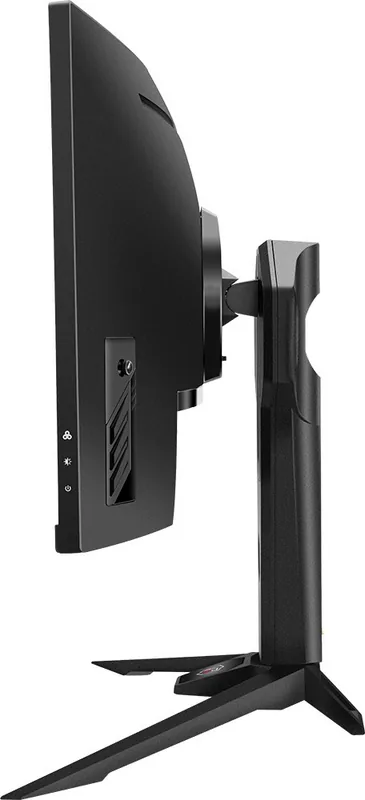
with stand, height adjustable (3.94in), Pivot N/A, rotatable (+/-20°), tiltable (+20°/-7°)
VESA
100x100 (VESA Mount)
Power Consumption
100W (max), 65W (typical), 0.5W (Standby)
Energy Efficiency SDR (A to G)
32kWh/1000h (G)
Energy Efficiency HDR (A to G)
55kWh/1000h (G)
Features
Security Lock (Kensington Security Slot), Slim Bezel
Screen-to-Body Ratio
89.73% (calculated)
Dimensions
31.86x22.62x11.15in (WxHxD) with stand compressed, 31.86x14.40x4.73in (WxHxD) without stand
Color
black (Bezel) / black (Lower Trim) / black (Stand) / black (Back)
Weight
19.40lbs (with stand), 14.40lbs (without stand)
Power Supply
Internal
Wireless
integrated Wi-Fi antenna (without module)
USB Type
Link
Product Description
Overview
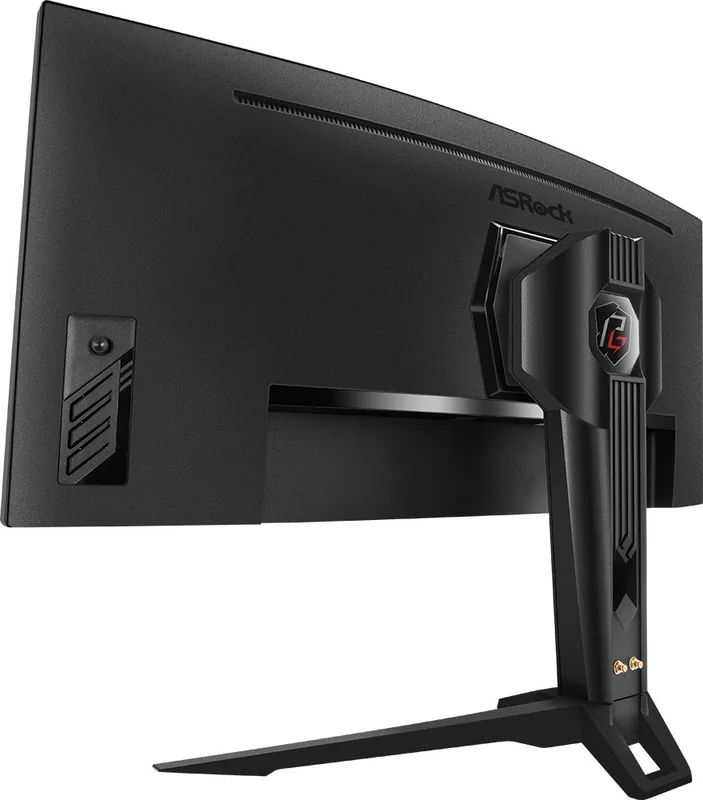
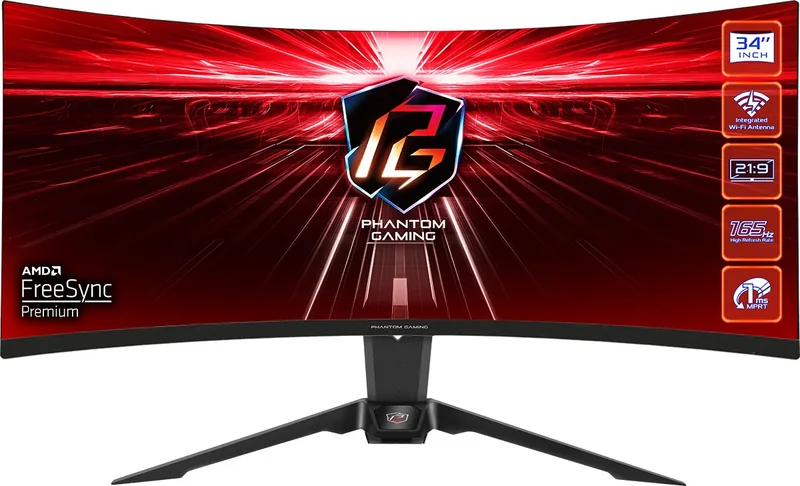
The ASRock Phantom Gaming PG34WQ15R2B sets a new standard for immersive gaming experiences and creative work environments globally. This thirty four inch curved display delivers stunning visuals with a native resolution of three thousand four hundred forty by one thousand four hundred forty pixels. The VA panel technology ensures deep blacks and excellent contrast ratios of 3000 to 1 suitable for dark room gaming scenarios. With a refresh rate reaching one hundred sixty five hertz and a response time of just one millisecond motion remains incredibly smooth without tearing artifacts. Gamers appreciate the seamless compatibility with AMD FreeSync Premium technology which synchronizes frame rates between the graphics card and screen. Connectivity is robust featuring one DisplayPort socket and two HDMI ports allowing users to connect multiple devices effortlessly for a dual system setup. The monitor also includes built in speakers for basic audio needs though external headphones or a sound system are recommended for high fidelity. Ergonomic comfort is key thanks to the adjustable stand offering tilt swivel and height adjustments to suit any user preference. The On Screen Display menu provides granular control over brightness contrast and color temperature presets like warm or cool tones. Whether you are tackling competitive shooters or exploring vast open worlds the twenty one by nine aspect ratio floods your peripheral vision. Power consumption remains efficient with a maximum usage under one hundred watts during active operation to keep electricity bills down. The anti glare surface treatment reduces eye strain during extended sessions making it ideal for long hours of work or play. Installation is straightforward with included cables for immediate setup out of the box for quick deployment. The VESA mounting option allows for creative desk configurations if the standard stand does not fit your workflow. This display combines reliability with performance reflecting ASRock quality standards consistently over the product lifecycle. Users should ensure the power voltage matches local standards for optimal safety and longevity in the long run. Regular updates to specifications may apply so checking the official website ensures you have the latest firmware information available. Package contents include the main monitor head stand quick start guide and necessary cables to get running fast. Contact your local distributor if any items are missing upon opening the box to ensure proper coverage. Always disconnect the power cord if leaving unused to achieve zero energy consumption safely and protect the device. Avoid touching the display panel when adjusting the angle to protect the glass from damage or scratches. Clean the device with a soft cloth and never pour liquid into openings to prevent electrical shock risks. Children under two years should avoid screen time while older users should limit usage to less than one hour daily. This comprehensive setup brings professional grade visuals to your personal gaming station with minimal effort and maximum impact. Ensure the device is secured on a hard flat surface to prevent tipping over during use. Add a note about HDMI technology for enhanced signal transfer capabilities in modern environments. This device complies with FCC rules.
Features
Warranty information is available online.
Search for 67,706 Manuals online


Type-in Brand or Model
Thomas Mueller
5 months ago
Does FreeSync work with my NVIDIA RTX card without issues, and is the VA panel free from significant clouding in dark scenes?
Manual.ly
5 months ago
Yes, user reviews confirm FreeSync works flawlessly with NVIDIA GPUs such as the RTX 3070. Regarding the VA panel, minor clouding may appear in pitch-black environments but is generally not visible during regular operation. The display offers accurate colors and HDR support at a great price point. The build quality is stable, and the integrated WiFi 7 antenna adds extra value. Users overwhelmingly recommend the curved UltraWide design for gaming and immersion.