
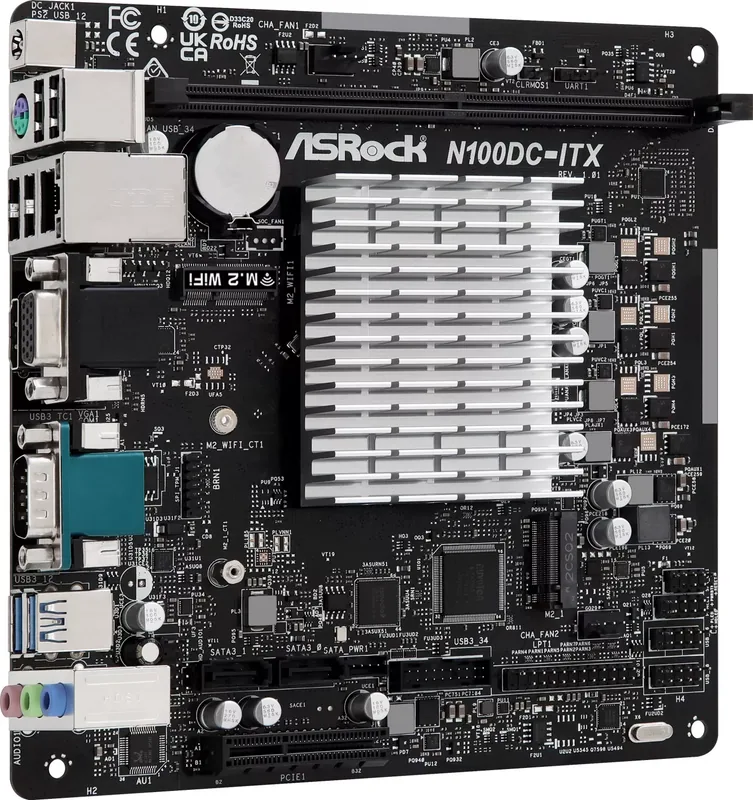
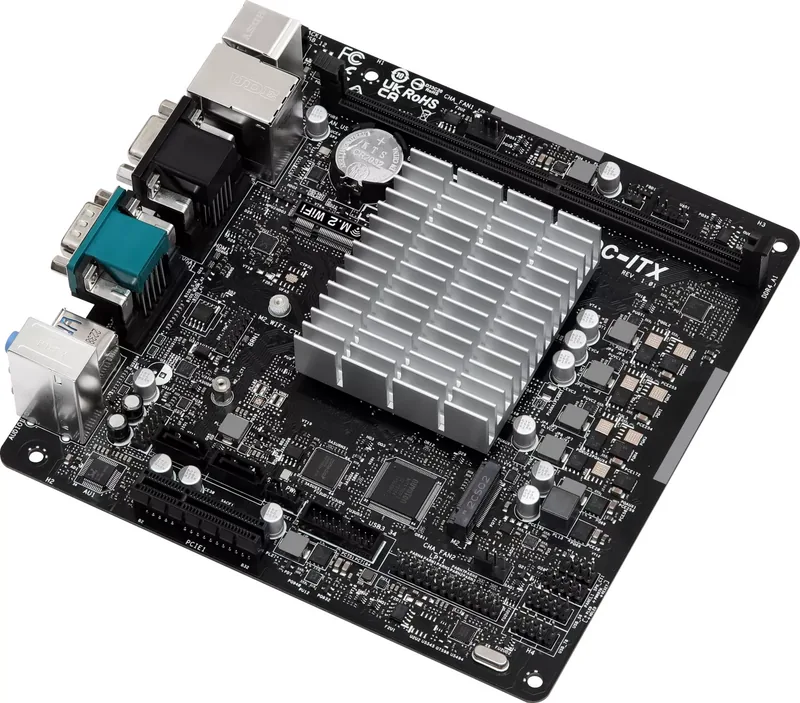
ASRock N100DC-ITX Manual
PDF manual · 38 Pages
English



Quick check
Incorrect answer, please try again.
Chat with your ASRock N100DC-ITX manual using AI
Get instant AI answers from your ASRock N100DC-ITX manual
Ask anything about the ASRock N100DC-ITX. Answers come from this manual, with the pages they are based on.
Ask a Question
Do you recommend N100DC-ITX?
Yes No
Thomas Klein
5 months ago
I want to use this for a small Unraid NAS instead of my old J4105. Is it reliable with Docker and are there known driver issues with network performance or power management?

Manual.ly
5 months ago
This board is highly reliable for Unraid and NAS systems. In daily use with Docker containers, it consumes around 8.5W, rising slightly if driver settings limit C-States. The Realtek Ethernet may show issues with Unraid versions 6.12.5 and higher regarding deep sleep states. We recommend updating to the latest stable drivers and disabling ASPM if experiencing high idle wattage. For most users, the performance and 6W consumption make it an excellent alternative to older Atom boards.

Julia Schneider
6 months ago
Does this hardware work reliably as a low-power NAS server with Unraid or FreeNAS, and is it energy efficient?
Manual.ly
6 months ago
Yes, user reports confirm this device is suitable for small NAS setups running Unraid or FreeNAS. It features integrated graphics capable of media transcoding for services like Jellyfin. Power consumption is excellent, measuring approximately 5 to 6 watts at idle and around 8.5 watts during daily operation with multiple Docker containers. While some compatibility notes exist regarding specific Unraid driver versions affecting sleep states, the overall reliability and performance are highly rated for home server applications.
Martin Keller
4 months ago
Is this board suitable for a low-power NAS or home server, and does hardware transcoding work?
Manual.ly
4 months ago
Yes. Reviews report reliable use with Unraid, Windows, and FreeNAS, including several Docker containers and SSD/NVMe storage. Jellyfin hardware transcoding worked smoothly via the integrated GPU. Typical measured consumption was about 5-6 W idle with power-saving settings and around 8.5 W in daily Docker use, depending on the power supply, drives, and software configuration. Note that Unraid 6.12.5 and later may limit Realtek network ASPM support, preventing deeper CPU C-states and increasing power use by roughly 1.5 W.
Frequently Asked Questions
The motherboard includes an Intel N100 quad-core processor. It supports Intel Turbo Boost technology and can reach up to 3.4 GHz, offering efficient performance for light desktop work, media playback, network services, and compact home-server tasks.
Is this answer helpful?
It has one 288-pin DDR4 DIMM slot and supports up to 16 GB of unbuffered, non-ECC DDR4 memory at up to DDR4-3200. DDR, DDR2, and DDR3 modules are not compatible with this slot.
Is this answer helpful?
The rear panel includes HDMI and D-Sub outputs. HDMI is HDMI 2.1 TMDS compatible and supports up to 4K resolution at 60 Hz. The D-Sub output supports up to 1920 x 1080 at 60 Hz.
Is this answer helpful?
The board supports one 2280 M.2 NVMe SSD through its PCIe Gen3 x2 M.2 slot and two SATA III drives through 6 Gb/s SATA ports. The M.2 SSD slot does not support SATA M.2 SSDs.
Is this answer helpful?
Wireless networking is optional. A dedicated M.2 Key E slot supports a Type 2230 Intel CNVi Wi-Fi and Bluetooth module. A compatible module and external antennas are required for wireless operation.
Is this answer helpful?
Use a 19 V DC adapter with a 5.5 mm outer diameter and 2.5 mm inner diameter barrel connector. Required wattage depends on installed hardware. A 90 W adapter is recommended when installing four hard drives.
Is this answer helpful?
Advantages and Disadvantages
Advantages

- Integrated Intel N100 quad-core processor delivers efficient performance for compact everyday, media, and server builds.
- Mini-ITX layout and 19 V DC input support small, quiet systems without a conventional ATX power supply.
- M.2 NVMe, two SATA III ports, and onboard SATA power provide flexible storage options.
- HDMI 2.1 supports 4K at 60 Hz, while Gigabit LAN and numerous USB ports improve connectivity.
- Optional Intel CNVi Wi-Fi and Bluetooth support is available through the dedicated M.2 Key E slot.
Disadvantages

- Only one DDR4 DIMM slot is available, with a maximum supported memory capacity of 16 GB.
- The PCIe slot has limited lane support and is not intended for a typical discrete graphics card setup.
- Wi-Fi and Bluetooth are not included by default and require a compatible Type 2230 CNVi module.
- The DC adapter is not listed as included, so suitable 19 V power hardware may need separate purchase.
Product Specification
Form factor
Mini-ITX
CPU
Intel N100, 0C+4c/4T, 0.80-3.40 GHz, 6 MB+2 MB cache, 6 W TDP, codename "Alder Lake-N" (Gracemont, Intel 7)
Chipset
System-on-Chip (SoC)
RAM
1x DDR4 DIMM, PC4-25600U/DDR4-3200, max. 32 GB (UDIMM)
Expansion slots
1x PCIe 3.0 x4 (x2), 1x M.2/M-Key (PCIe 3.0 x2, 2280), 1x M.2/E-Key (PCIe/Intel CNVi, 2230)
External connectors
1x VGA (iGPU), 1x HDMI 2.1 (iGPU), 2x USB-A 3.0 (5 Gb/s), 4x USB-A 2.0 (480 Mb/s), 1x Gb LAN (Realtek RTL8111H), 3x audio jack, 1x PS/2 combo, 1x DC jack (power connector)
Internal connectors
1x USB 3.0 header (5 Gb/s, 2x USB 3.0), 2x USB 2.0 headers (480 Mb/s, 4x USB 2.0), 2x SATA 6 Gb/s (SoC), 1x parallel, 1x TPM header, 1x speaker header, 1x chassis intrusion header
Cooling headers
2x 4-pin fan
Lighting headers
N/A
Buttons/Switches
N/A
Audio
7.1 (Realtek ALC897)
Graphics
Intel UHD Graphics (iGPU), 24EU/192SP, 0.75 GHz, architecture "Gen 12.2" (Alder Lake GT1)
Wireless
N/A
RAID levels
N/A
Multi-GPU
N/A
Power connectors
1x DC-IN (19 V, 0.22 x 0.10 in)
VRM
3 virtual phases (2+1)
Lighting
N/A
BIOS
1x 16 MB (128 Mb)
Special features
Audio + solid capacitors, diagnostic LED (LED indicators), passively cooled
USB notation
Link
Product Description
ASRock N100DC-ITX Manual: Compact Power for Efficient Builds
The ASRock N100DC-ITX is a Mini-ITX motherboard designed for compact, quiet, and power-conscious systems. Built around the Intel N100 quad-core processor, it combines CPU and motherboard in one efficient platform, making it a practical choice for home servers, media PCs, office machines, digital signage, and lightweight everyday desktops. The processor can reach speeds of up to 3.4 GHz with Intel Turbo Boost technology, providing responsive performance for common workloads without the heat and energy demands of a larger desktop platform.
Small Form Factor, Useful Connectivity
Despite its compact dimensions, the board offers a balanced collection of modern and legacy connections. Rear I/O includes HDMI 2.1, D-Sub, Gigabit Ethernet, a serial COM port, PS/2, four USB 2.0 ports, and two USB 3.2 Gen1 ports. HDMI supports resolutions up to 4K at 60 Hz, while the D-Sub output can drive Full HD displays. Integrated Intel UHD Graphics with 24 execution units handles video playback, desktop use, and general visual tasks without requiring a separate graphics card.
The ASRock N100DC-ITX Manual highlights the board's 19 V DC input, an important feature for low-power installations. This design can simplify small-system builds by using an external DC power adapter rather than a conventional ATX power supply. The onboard SATA power connector supplies compatible storage devices when using this setup.
Storage, Memory, and Expansion
The motherboard supports one DDR4 DIMM slot with up to 16 GB of unbuffered, non-ECC DDR4-3200 memory. Storage options include two SATA III ports and an M.2 Key M slot for a 2280 PCIe Gen3 x2 NVMe SSD, enabling a fast boot drive alongside SATA hard drives or SSDs. A separate M.2 Key E slot supports a Type 2230 Intel CNVi Wi-Fi and Bluetooth module for optional wireless connectivity.
For expansion, the board provides one PCIe 3.0 x4 physical slot operating with x2 support. It is best suited to compatible low-bandwidth expansion hardware rather than a conventional discrete graphics build. Two chassis fan headers, front USB headers, front-panel audio, SPI TPM support, and a parallel-port header add flexibility for specialized or legacy-focused systems.
Audio and Practical Features
Realtek ALC897 audio delivers 7.1-channel high-definition sound through three rear audio jacks and a front-panel audio connector. Solid capacitors, UEFI BIOS support, Gigabit LAN, and compatibility with Windows 10 and Windows 11 64-bit editions round out the platform.
Notes
- Use a regulated 19 V DC adapter with a 5.5 mm outer and 2.5 mm inner barrel connector.
- Select power capacity according to installed storage and expansion hardware; four hard drives require a 90 W adapter.
- Install only DDR4 memory in the single DIMM slot and confirm M.2 module compatibility before purchase.
Search for 67,706 Manuals online


Type-in Brand or Model
Lars Weber
8 months ago
How much power does this board consume during daily operations, and are there any specific driver issues known with Unraid that might affect efficiency?
Manual.ly
7 months ago
This board is energy efficient for home servers. Idle power consumption typically measures around 5 to 6 Watts. With Docker containers like Jellyfin and Nextcloud active, average usage is roughly 8.5 Watts. Please be aware that firmware updates to Unraid version 6.12.5 introduced issues with Realtek network drivers. This limits CPU power saving states, potentially using an additional 1.5 Watts. We recommend monitoring your network controller drivers before updating OS versions.