
ASRock H310 Manual
PDF manual · 73 Pages
English



Quick check
Incorrect answer, please try again.
Chat with your ASRock H310 manual using AI
Get instant AI answers from your ASRock H310 manual
Ask anything about the ASRock H310. Answers come from this manual, with the pages they are based on.
Ask a Question
Do you recommend H310?
Yes NoFrequently Asked Questions
It is a good choice for entry-level and everyday PCs, including office computers, home desktops, and compact systems that need dependable Intel platform support without extra premium features.
Is this answer helpful?
It supports 8th Generation Intel Core processors using the LGA 1151 socket. The exact graphics output options depend on whether the installed CPU includes integrated graphics.
Is this answer helpful?
The board supports two DDR4 DIMM slots with a maximum capacity of 32GB. Dual-channel mode is available when matching memory pairs are installed correctly.
Is this answer helpful?
There are four SATA3 6.0 Gb/s connectors for internal drives. The PCIe x16 slot also supports expansion cards, including compatible NVMe SSD boot solutions through supported adapters or configurations.
Is this answer helpful?
Yes, depending on the model. The H310CM-HDV includes D-Sub, DVI-D, and HDMI, while the H310CM-DVS offers D-Sub and DVI-D. Built-in graphics require a CPU with integrated GPU.
Is this answer helpful?
ASRock includes tools such as A-Tuning for system tuning and fan control, plus Live Update & APP Shop for downloading utilities and updating BIOS or drivers.
Is this answer helpful?
Advantages and Disadvantages
Advantages

- Compact Micro ATX design fits smaller cases and practical desktop builds.
- Supports 8th Gen Intel Core CPUs with DDR4 dual-channel memory.
- Useful display and connectivity options for budget and office systems.
- UEFI tools and ASRock software simplify setup, monitoring, and updates.
Disadvantages

- Limited to two DIMM slots and a 32GB memory ceiling.
- Not ideal for advanced overclocking or high-end enthusiast builds.
- Storage expansion is modest compared with larger boards.
- Some features depend on the exact H310CM-HDV or H310CM-DVS model variant.
Product Specification
Socket
Intel 1151 v2
Chipset
Intel H310
CPU Compatibility
Core i-9000, Core i-8000, Pentium Gold G5000, Celeron G4000
Buttons/Switches
N/A
Audio
7.1 (Realtek ALC887)
Graphics
iGPU
RAID Level
N/A
Multi-GPU
N/A
Power Connectors
1x 24-Pin ATX, 1x 8-Pin EPS12V
Special Features
Audio+solid capacitors, Onboard TPM 2.0 Support (Intel PTT)
USB Naming Convention
Link
Product Description
ASRock H310 Manual: A Practical Take on a Compact Intel Motherboard
Built for simple, reliable desktop builds
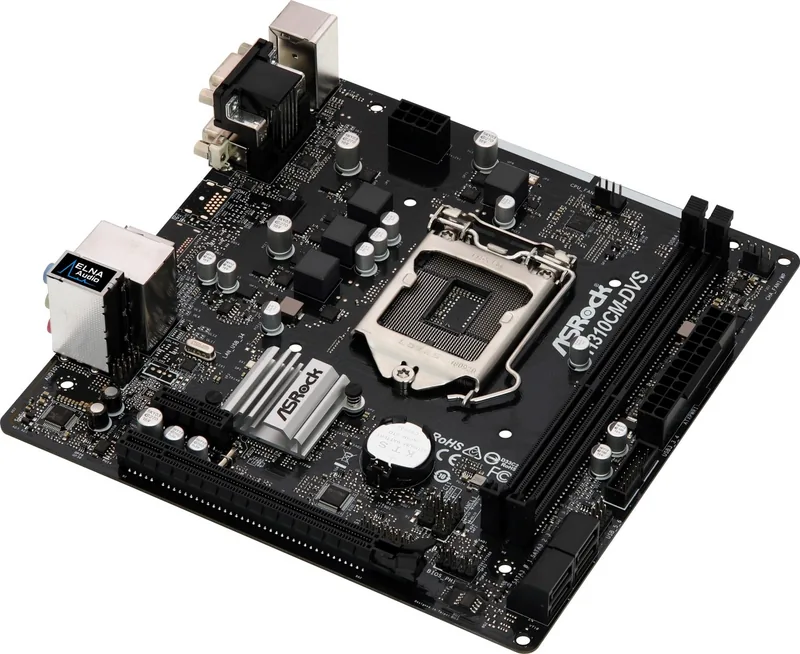
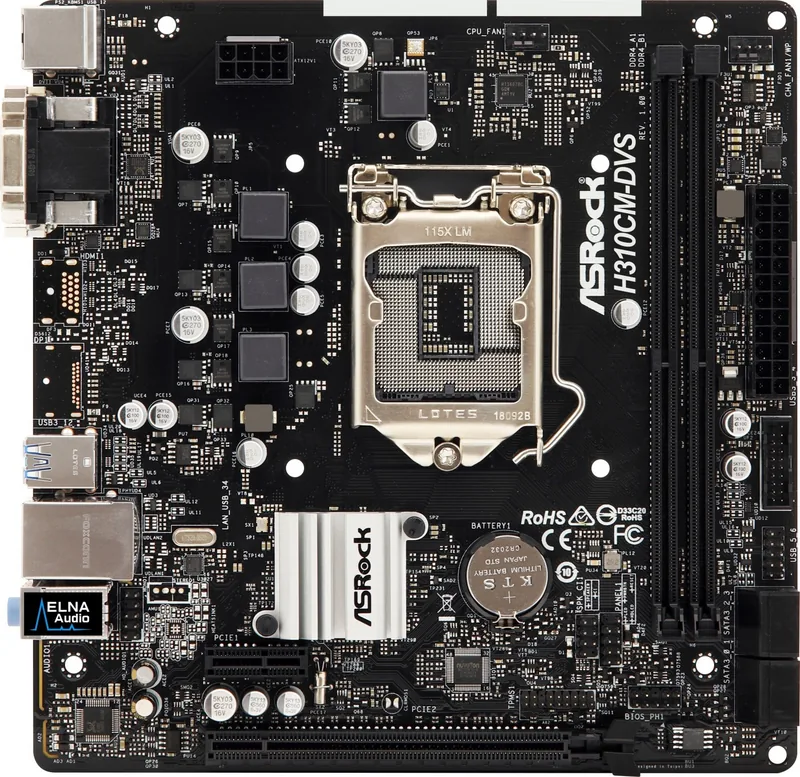
The ASRock H310 lineup is aimed at builders who want a straightforward, stable foundation for an Intel 8th Gen system without extra complexity. In the ASRock H310 Manual, the focus is clearly on usability: clean installation steps, familiar connectors, and a layout that suits everyday PCs, office machines, and budget-friendly home systems. The board uses a Micro ATX form factor, solid capacitor design, and a 4-phase power setup to support dependable operation over long periods.
Balanced features for daily computing
This motherboard supports Intel Core processors on the 1151 socket and pairs them with dual-channel DDR4 memory, with up to 32GB of capacity. That is enough for general productivity, media playback, light multitasking, and compact gaming setups. Storage support includes four SATA3 ports, while the PCIe x16 slot allows a discrete graphics card or other expansion hardware when needed. For users relying on integrated graphics, the H310-based design also offers practical display options such as DVI-D, D-Sub, and, on selected models, HDMI.
Connectivity and onboard convenience
ASRock gives the board a useful rear I/O selection with USB 2.0 and USB 3.1 Gen1 ports, LAN, audio jacks, and legacy-friendly PS/2 support. The onboard Realtek audio solution provides 7.1-channel HD audio support, while the Gigabit LAN controller helps keep network performance steady for browsing, downloads, and local file transfers. Internal headers for USB, fans, audio, TPM, and chassis switches make the board flexible enough for a wide range of cases.
Setup, BIOS control, and software tools
The installation flow is easy to follow, especially for first-time builders. The UEFI interface adds both EZ Mode and Advanced Mode, letting users view system status quickly or fine-tune CPU, memory, boot, and power settings. Utilities such as A-Tuning and ASRock Live Update & APP Shop help with fan control, software management, and firmware updates, which adds convenience after the system is assembled.
Notes
- Best suited for stable everyday builds rather than heavy overclocking.
- Check CPU, memory, and display compatibility before assembly.
- The manual provides useful guidance for fan headers, storage, and BIOS options.
Search for 67,706 Manuals online


Type-in Brand or Model